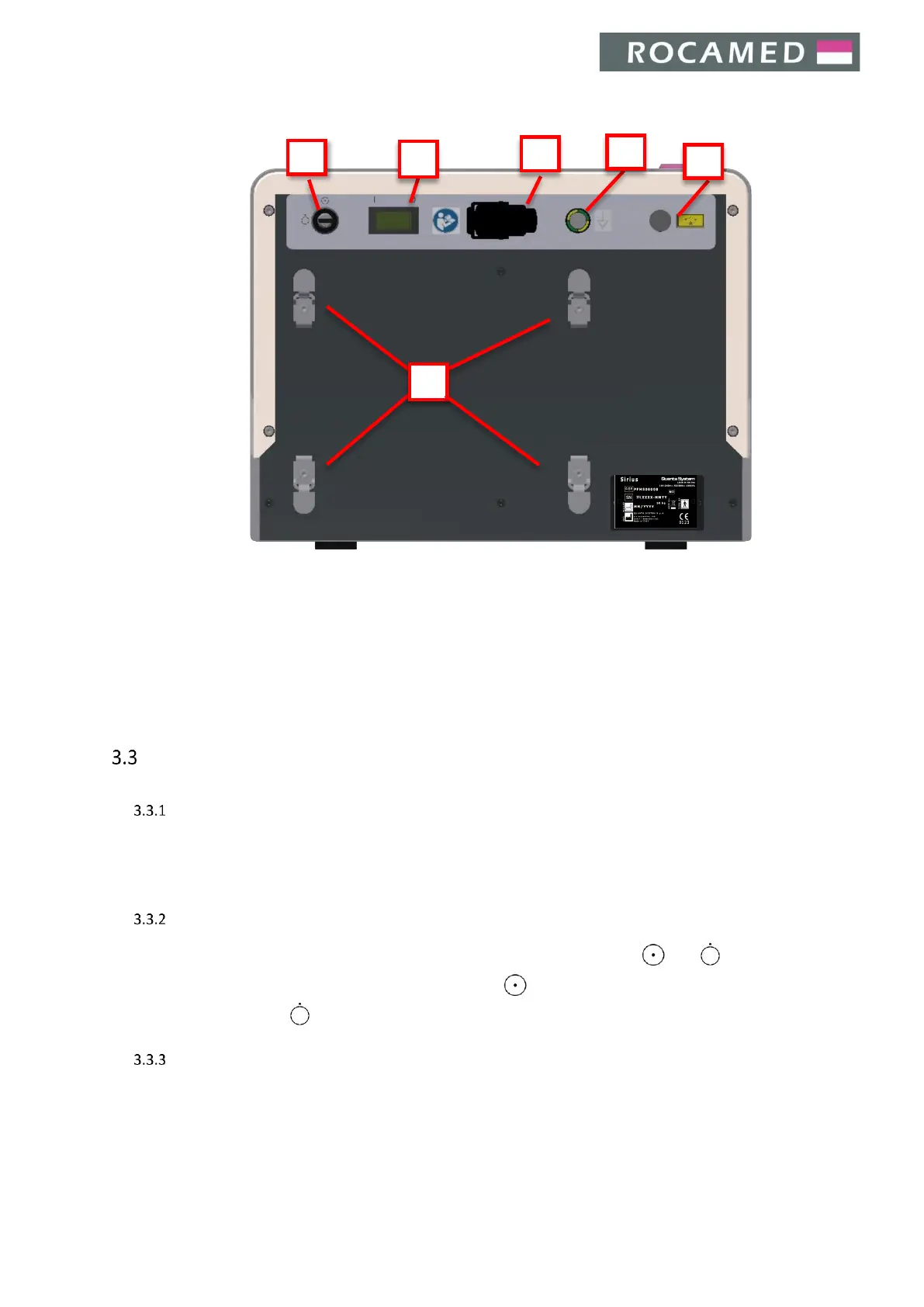
Electrical control
Mains switch
When the main switch is set in I configuration the device is power supplied.
In case you must disconnect the device from mains, turn the main switch to the O configuration and disconnect
the power supply plug.
Key switch
The key switch turns on/off the device. There are two configurations on the switch: and .
To switch the device ON, insert the key and turn it clockwise - configuration. To switch the device OFF, turn
the key counter clockwise - configuration ʹ and remove the key.
Emergency red push button
The emergency red push button is designed for emergencies or when the operator must immediately turn off
the device. To switch the device off immediately, press this button. To reset the emergency red push button,
turn the knob.


 To Next Page