25
DGM001519.01 UM Sirius CE/ROTW
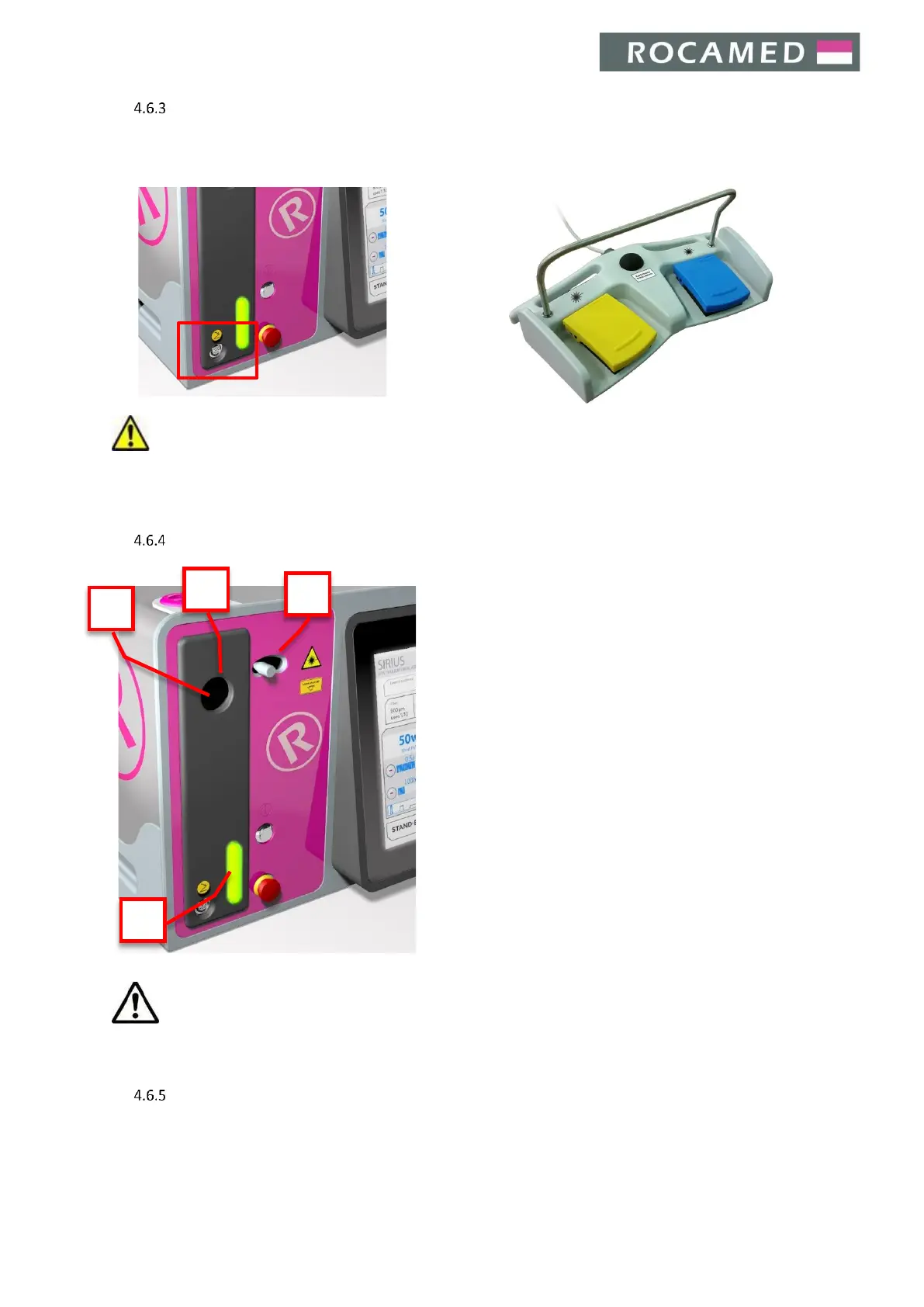
Footswitch connections
The footswitch is used to start the laser emission and to switch from Ready to Standby status and vice versa.
To connect the footswitch, plug its connector into the dedicated device socket (on the frontal panel).
Warning: Do not wrap the footswitch with any plastic (or other material) film or cover bag, unless
authorized by the manufacturer. The unauthorized use of wrapping bags/films may block the pedal in pressed
position and cause unwanted laser emission.
Optical fiber connection
The fiber is connected to the device through the cable
connector on the front.
The device accepts fiber with SMA905 connector and with
RFID Recognition System (only with Quanta System internal
code). The fiber connector has an additional ring which
facilitates the clamping of the fiber to the connector on the
device. Furthermore, this ring enables the automatic
detection of fiber status (present / absent), its diameter and
its type (single use / reusable). If the fiber is not connected to
the device, an error message is displayed when the device is
switched on.
Caution: It is very important to tighten the fiber nut to the device by hand until it is firmly fixed. Improper
connection may cause a low output power.
Optical fiber check
Please see Section 7.5.


 To Next Page