35
DGM001519.01 UM Sirius CE/ROTW
Laser emission
After setting the working parameters with suitable values, the user can start the laser emission as follows.
Laser Operation:
Press the Ready button in the lower part of the screen or push the dedicated button of the footswitch, changing
the status from Standby to Ready.
RFID fiber connection
Open the external protective shutter by moving the sliding knob.
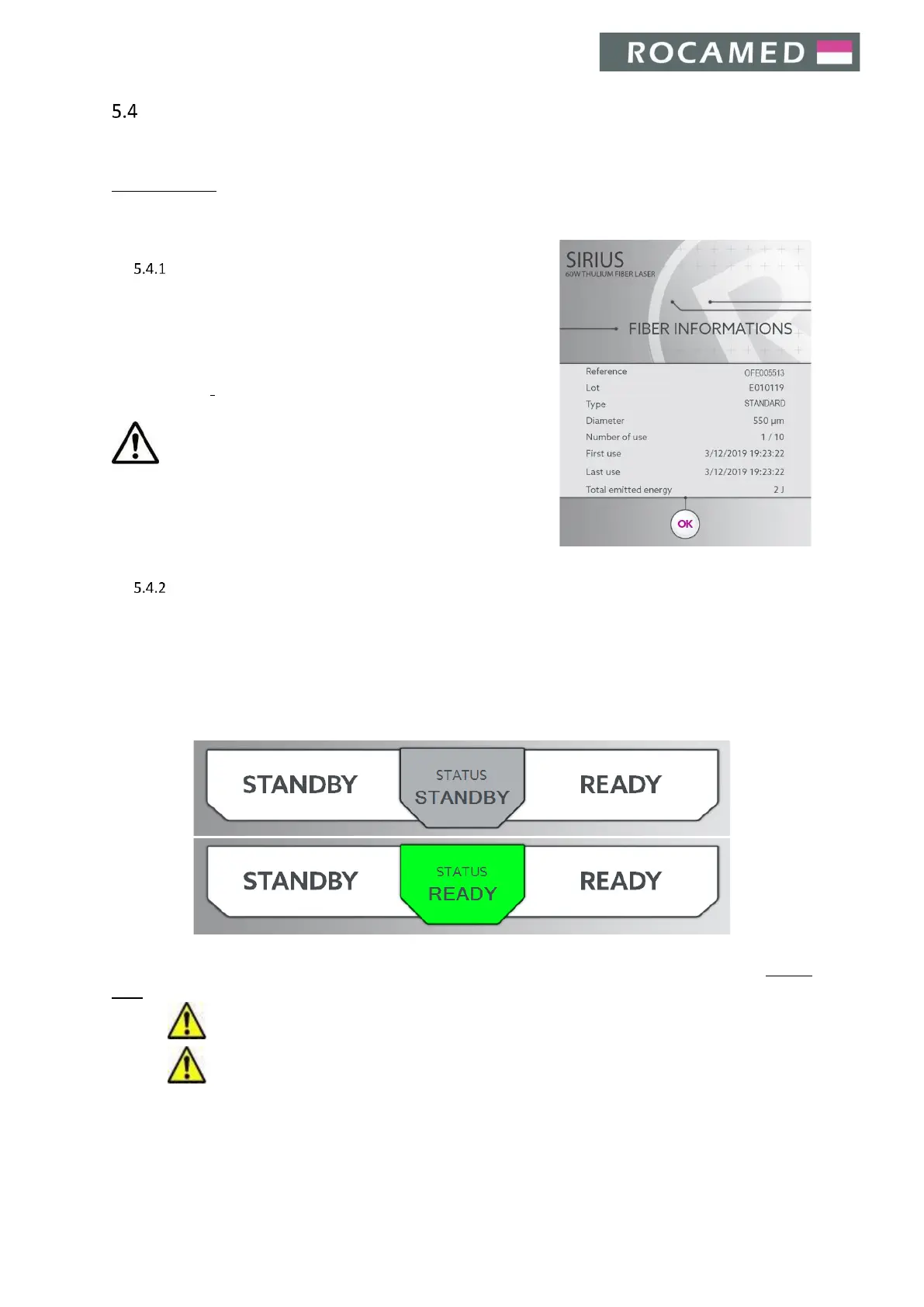
The system recognizes immediately its type and number of reuses,
showing these information on a popup for a short time (in the
example picture, a disposable 200 µm fiber is ready to be employed
for the 1
th
time).
Caution: The optical fiber size visualized on the display must
be the same of the used optical fiber. Before starting laser emission,
please check that the optical fiber size matches the indications
impressed on the fiber connector.
Ready / Standby
When the user taps on the Ready/Standby area, the system will be set respectively in the Ready or Standby
mode. In Standby mode the laser is not firing and the system cannot emit energy. In the Ready mode, the laser
is firing and ready to emit energy.
The status area shows the current status of Laser System:
Along with the first change from Standby to Ready mode, the Warning Safety Screen will appear (see Section
5.5.3).
Warning: Read carefully Chapter 2, LASER SAFETY, before operating the laser!
Warning: All the personnel present in the laser working area must wear all the protective items.
One can use the dedicated button on the footswitch element to change the system status from Standby to Ready
or vice versa. The button on the footswitch, or the Ready/Standby display area can be used interchangeably.


 To Next Page