36
DGM001519.01 UM Sirius CE/ROTW
Ready mode
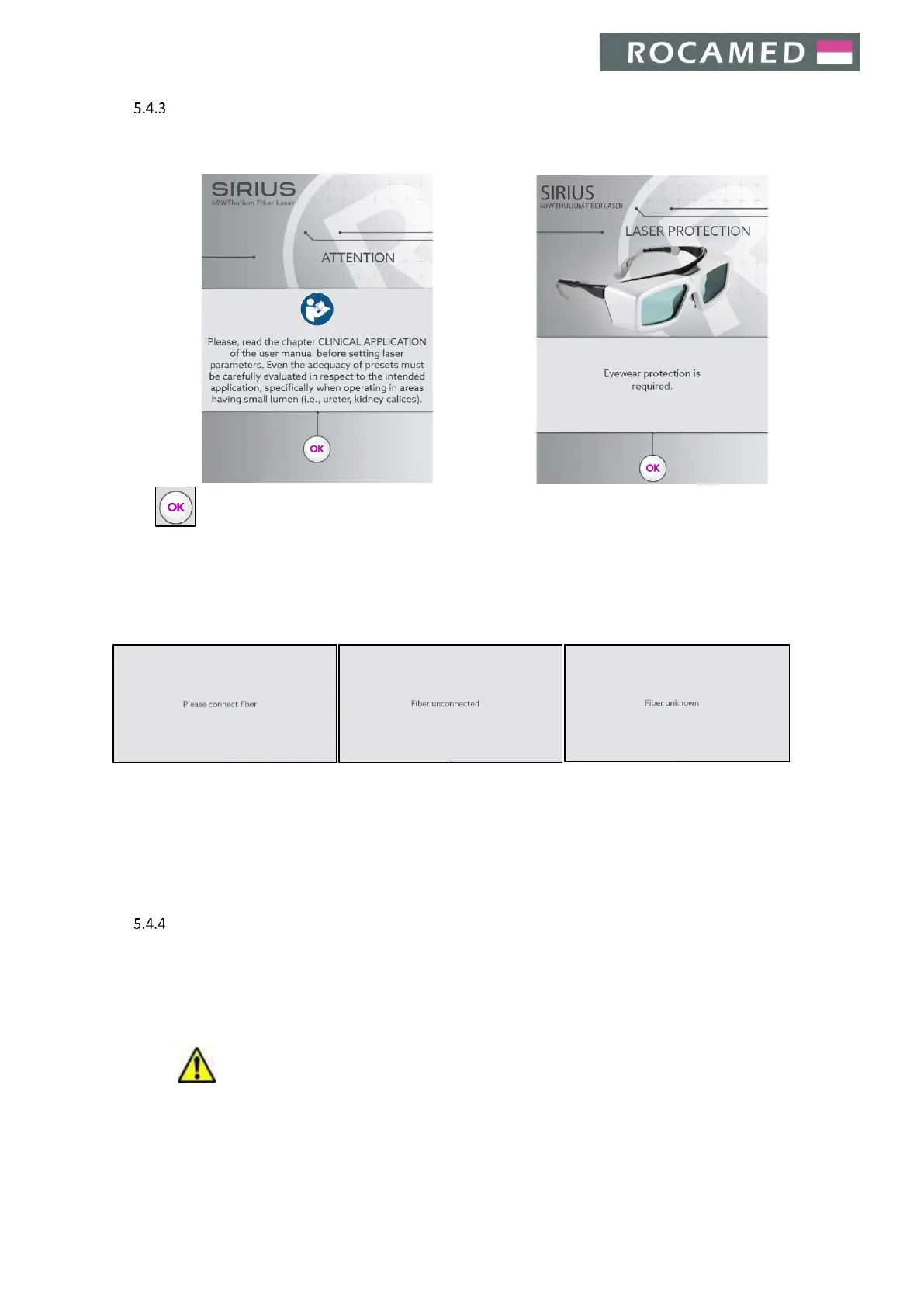
When the user sets the device from Standby to Ready for the first time, the Warning Safety Screen will appear:
Touch to proceed, after the protection glasses worn.
When an Optical Fiber is connected, the type of the fiber is displayed on the screen before passing from Standby
to Ready status. If the fiber is missing or an invalid fiber is inserted, an Error Message will appear when the user
pushes the ZĞĂĚLJ^ƚĂŶĚďLJďƵƚƚŽŶ
In READY mode, output energy and emission frequency can be still modified by the dedicate buttons.
The Touch Screen Control Panel contains the controls and displays for operating and monitoring the laser. It is
essential that operators understand and use these controls properly.
Emission
In READY mode, the laser system starts to emit radiation as soon as the footswitch pedal is pressed: the laser
beam is therefore delivered through the connected optical fiber. The values of radiation frequency and energy
are shown on the display.
The operator must ensure that the set laser parameters are correct before actuating the footswitch.
Warning: All the personnel present in the laser working area must wear all the protective items.
ƵƌŝŶŐůĂƐĞƌƌĂĚŝĂƚŝŽŶĞŵŝƐƐŝŽŶƚŚĞĚĞǀŝĐĞƐƚĂƚƵƐƚƵƌŶƐŝŶƚŽLASINGĂŶĚƚŚĞZĞĂĚLJ^ƚĂŶĚďLJďƵƚƚŽŶƐǁŝůůďĞ
inactive.


 To Next Page