34
DGM001519.01 UM Sirius CE/ROTW
Database
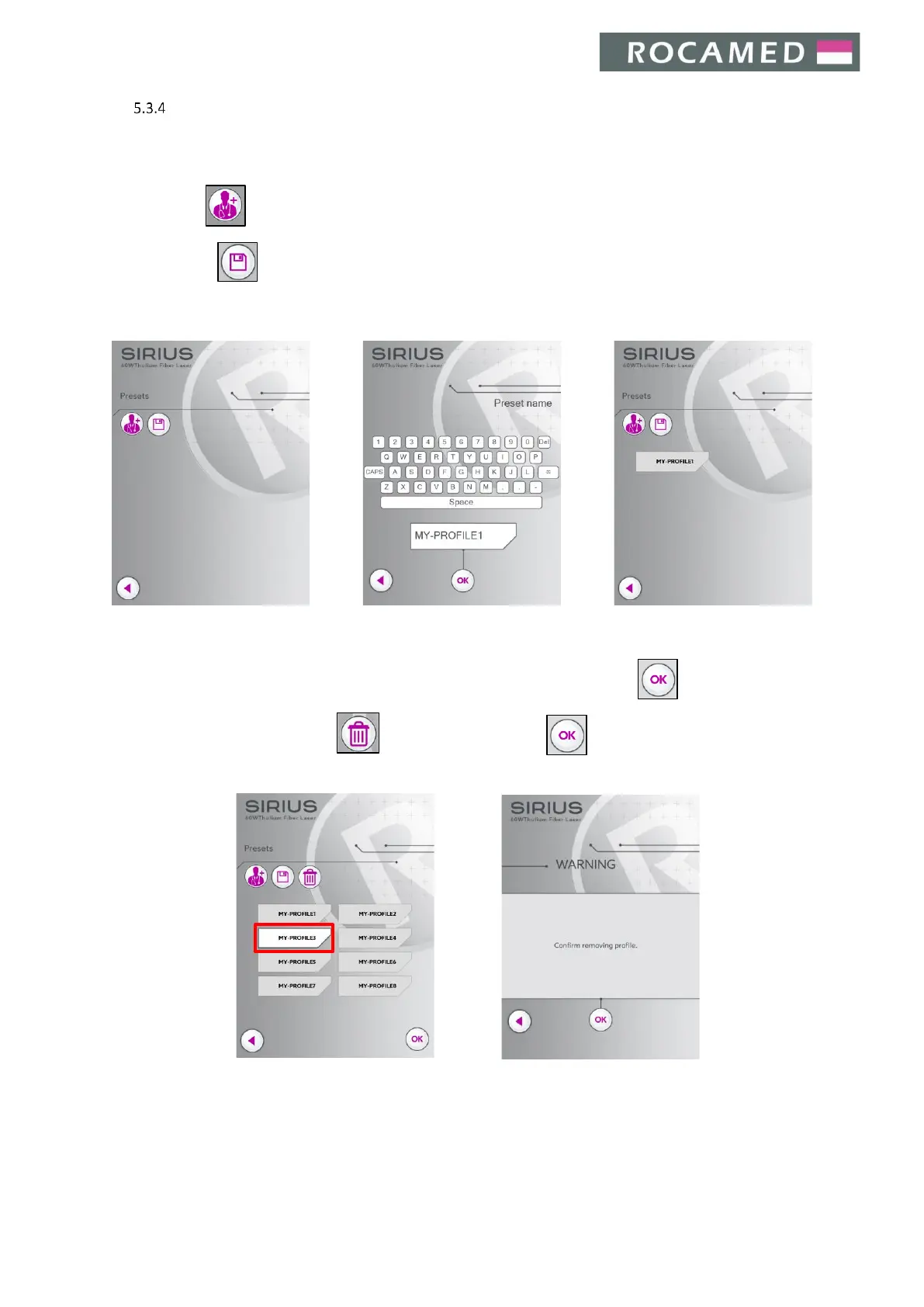
In the Database Menu, the user can:
- Press to ADD a new preset;
- Press to SAVE a desired set of treatment parameters (and overwrite a previous one);
- Select the preset (previously saved set of treatment parameters) and click to LOAD a preset;
- Select the preset and click to DELETE a preset. Press to confirm the deletion.


 To Next Page