33
DGM001519.01 UM Sirius CE/ROTW
SERVICE (only for Technical Service)
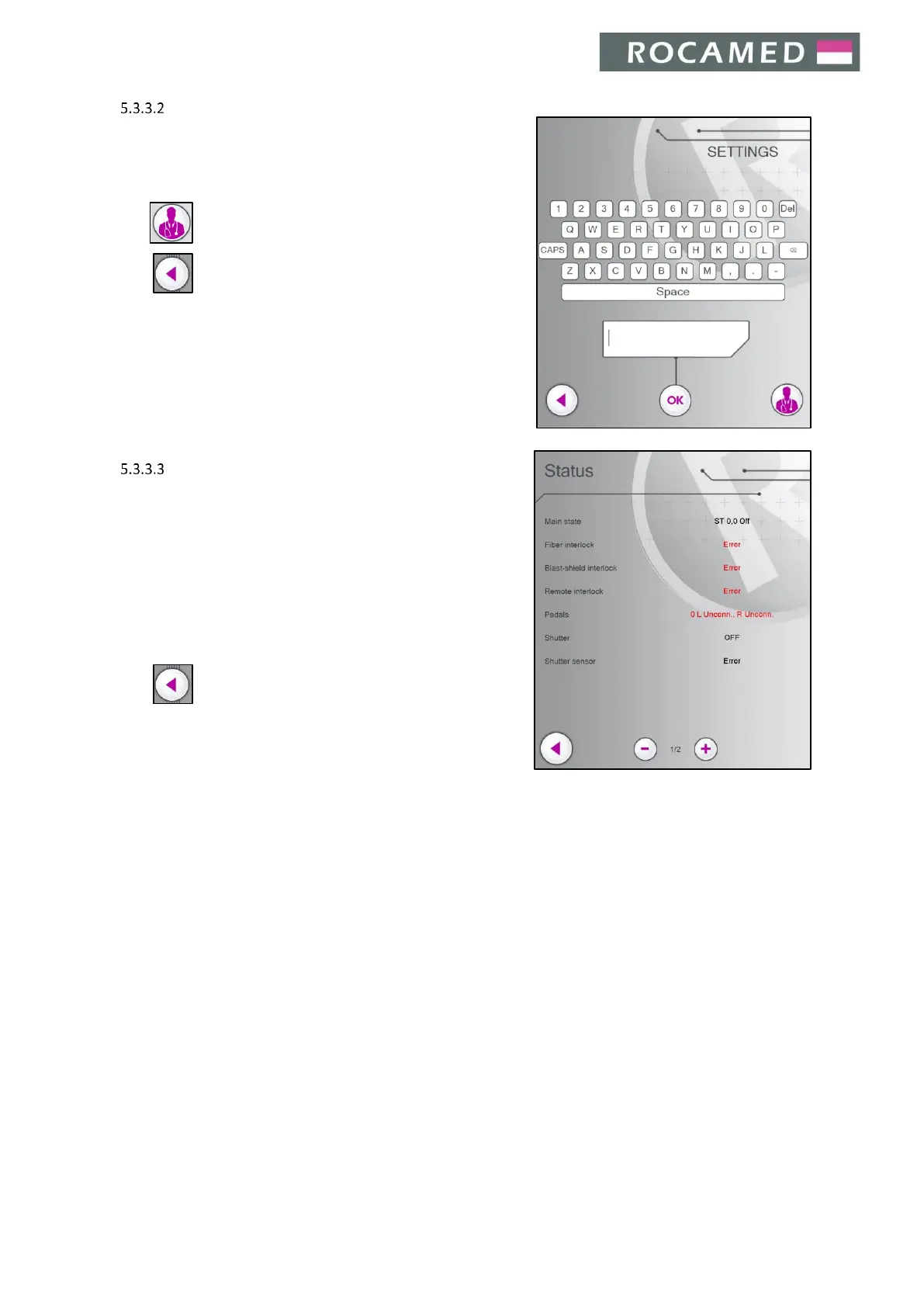
Use the keyboard to insert the Password and press OK to get
access to the Service Area.
Press to enter the Status Screen (see below).
Press to return to the Main Screen.
STATUS
Without inserting the Service Password, it is possible to access
ƚŚĞŝĂŐŶŽƐƚŝĐƐWĂŶĞůďLJƚĂƉƉŝŶŐŽŶƚŚĞŝĂŐŶŽƐƚŝĐƐďƵƚƚŽŶŝŶ
the Service Screen.
On this screen, it is possible to check the device functioning
parameters.
Move through the pages using + / - buttons.
Press to return to the Main Screen.


 To Next Page