27
DGM001519.01 UM Sirius CE/ROTW
Operating instructions
Main Screen
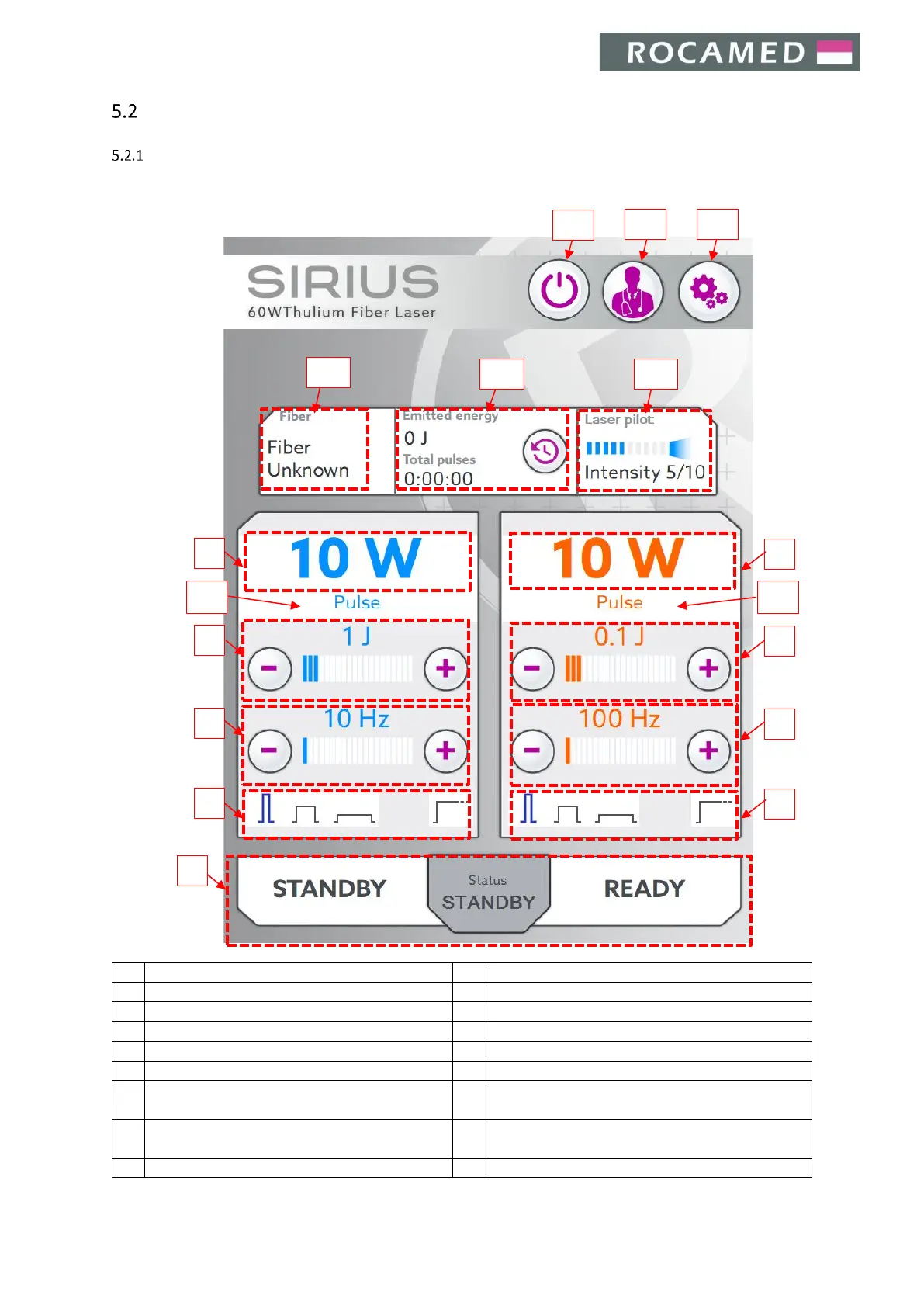
This section details the Main Display Screen. Refer to the figure below.
Output power for blue footswitch
Selected pulse duration for blue footswitch
Output power for orange footswitch
Selected pulse duration for orange footswitch
Pulse energy settings for blue footswitch
Pulse energy settings for orange footswitch
Frequency settings for blue footswitch
Frequency settings for orange footswitch
Pulse mode and duration settings for blue
footswitch
Pulse mode and duration settings for orange
footswitch
Custom Presets / User profiles


 To Next Page