EasyManua.ls Logo

ROCAMED SIRIUS - Page 38

ROCAMED SIRIUS
68 pages
Print Icon
To Next Page IconTo Next Page
To Previous Page IconTo Previous Page
Loading...
38
DGM001519.01 UM Sirius CE/ROTW
status that is not-coherent with the command sent by the Microprocessor. This may occur also during the Start-
Up procedure.
STANDBY Status: Some errorǁĂƌŶŝŶŐƐĨŽƌĐĞƚŚĞƐLJƐƚĞŵŝŶ^dEzƐƚĂƚƵƐƉƌĞǀĞŶƚing to enter in Ready
mode till the cause of the error has been solved
A complete list of all the possible errors types is provided below.
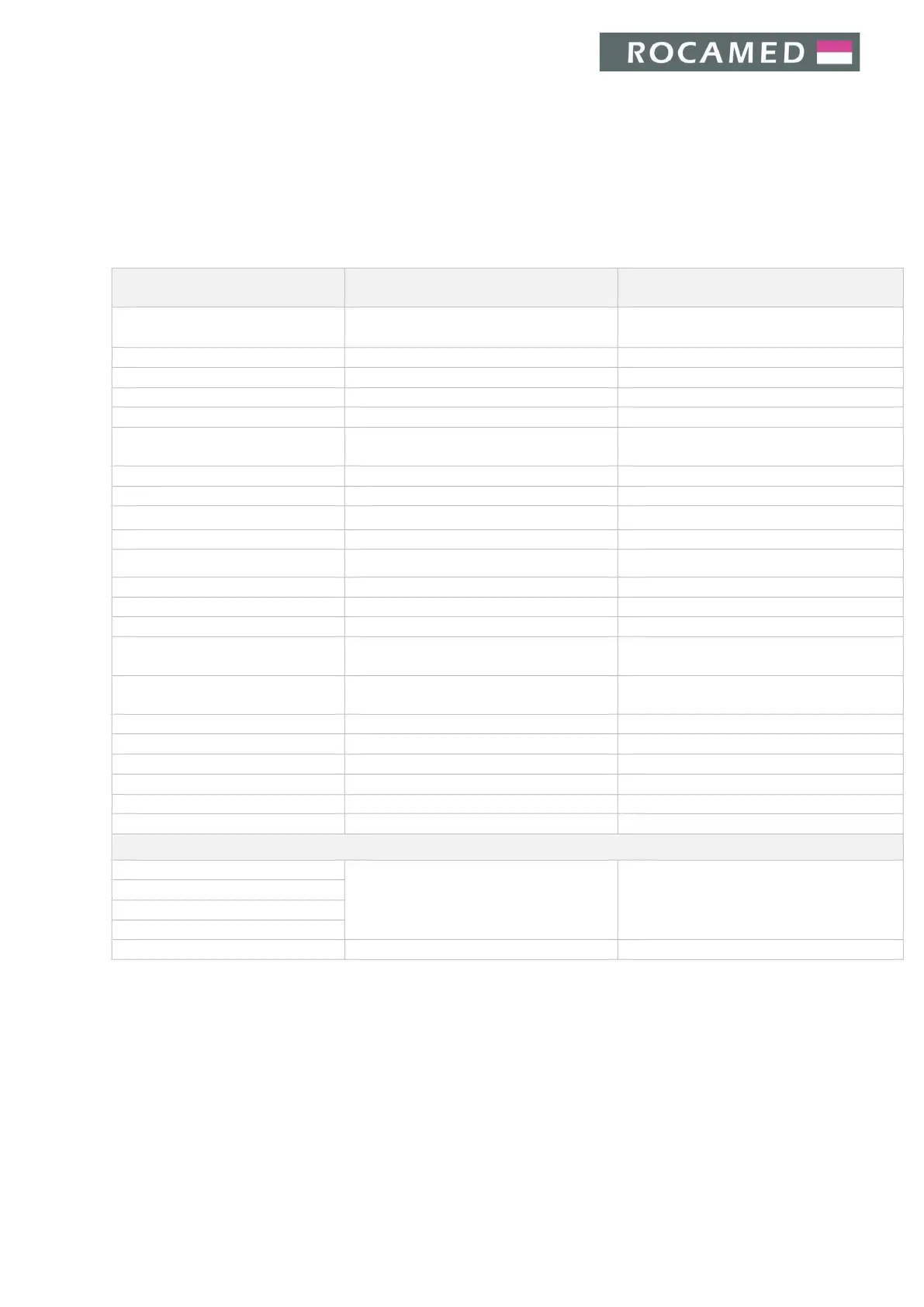
Error message
Issue related
(see Chapter 8 ʹ Troubleshooting)
System behavior
ŽŶŶĞĐƚŝŶŐ
Cannot open Serial Port ComX
Serial port communication fault
Message on screen
Capacitor voltage error
Force STANDBY status
Charger overload
Charger overload
Message on screen
Shutter not Closed ERROR
Shutter not closed
ERROR status
Shutter not Open ERROR
Shutter not open
ERROR status
Remote interlock open
The remote interlock
contacts are open
Force STANDBY status
Pedal unconnected
Pedal not connected
Force STANDBY status
Pedal pressed in STANDBY
Message on screen
Blast Shield not present
Blast shield wrong installation
Force STANDBY status
Fiber not connected
Fiber not present/connected
Force STANDBY status
Fiber not identified
Fiber not identified by RFID
Force STANDBY status
Not identified and not selected
RFID warning
Force STANDBY status
Fiber code not valid
RFID warning
Force STANDBY status
Fiber expired
RFID warning
Force STANDBY status
High energy
Energy output warning
Message on screen (force STANDBY status
ŝĨĂůƐŽŶĞƌŐLJƐĞŶƐŽƌĞƌƌŽƌŝƐƉƌĞƐĞŶƚͿ
Low energy
Energy output warning
Message on screen (force STANDBY status
ŝĨĂůƐŽŶĞƌŐLJƐĞŶƐŽƌĞƌƌŽƌŝƐƉƌĞƐĞŶƚͿ
Very high energy
Energy output fault
Force STANDBY status
Very low energy
Energy output fault
Force STANDBY status
Energy sensor error
Energy output warning
Message on screen
Unwanted emission
Energy output fault
Force ERROR status
Laser source error
Laser source fault
Force ERROR status
Laser Internal Interlock Error
Laser source internal interlock fault
Force ERROR status
Critical Errors and Warnings appearing during start-up procedure
Critical Error: FW_RAM
FW error
Message on screen - Fail safe status
Critical Error: FW_CRC32
Critical Error: FW_FSCM
Critical Error: FW Communication
Critical Warning: FW watch dog
FW error
Message on screen - Fail safe status

Table of Contents