56
DGM001519.01 UM Sirius CE/ROTW
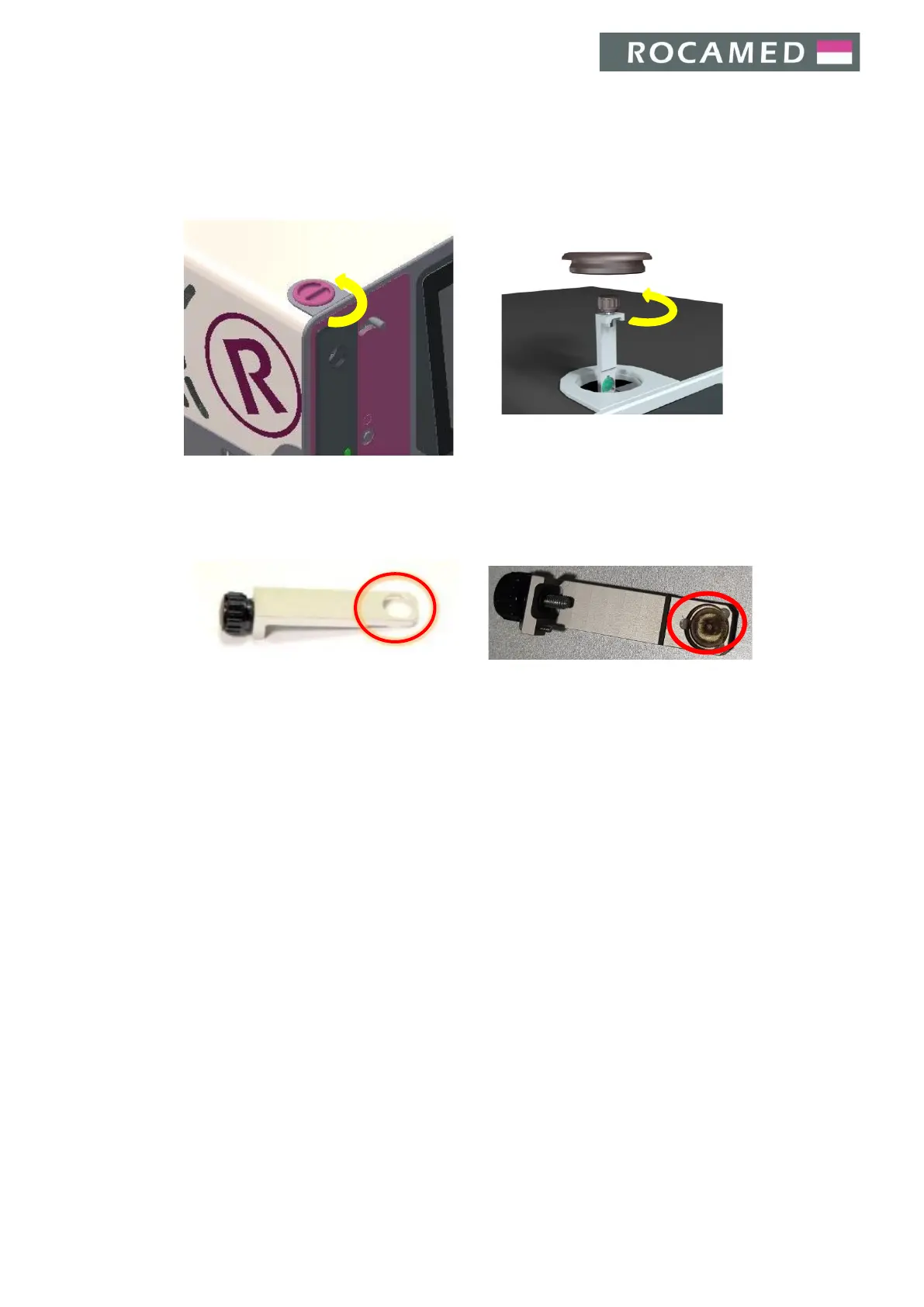
The blast shield replacement must be performed in the following way:
1. Turn the device off, disconnecting the equipment from mains
2. Open the door knob
3. Remove the blast shield by unscrewing the knob
4. Check the protective glass for any visible damage
5. In case of damage, replace the whole blast shield paying attention not to touch the protective glass
with hands
Example of new blast shield Example of damaged blast shield
6. Reinsert the blast shield and firmly screw the knob
7. Close the protective door by screwing firmly the door knob
8. If you need assistance, please contact Service Department


 To Next Page