DK00029.fm
REPAIR MANUAL
BRP-Powertrain
Effectivity: 125 MAX/125 Junior MAX/125 Mini
MAX/125 Micro MAX
Edition 2 / Rev. 0
Chapter 7
Page 25
December 01/2010
4.3) Assembling the clutch drum
4.3.1) Installing bearing sleeve
General NOTES: Use the bearing sleeve for the sprocket with 11 teeth
instead of the needle cage.
Special tools The following special tools and equipment are required:
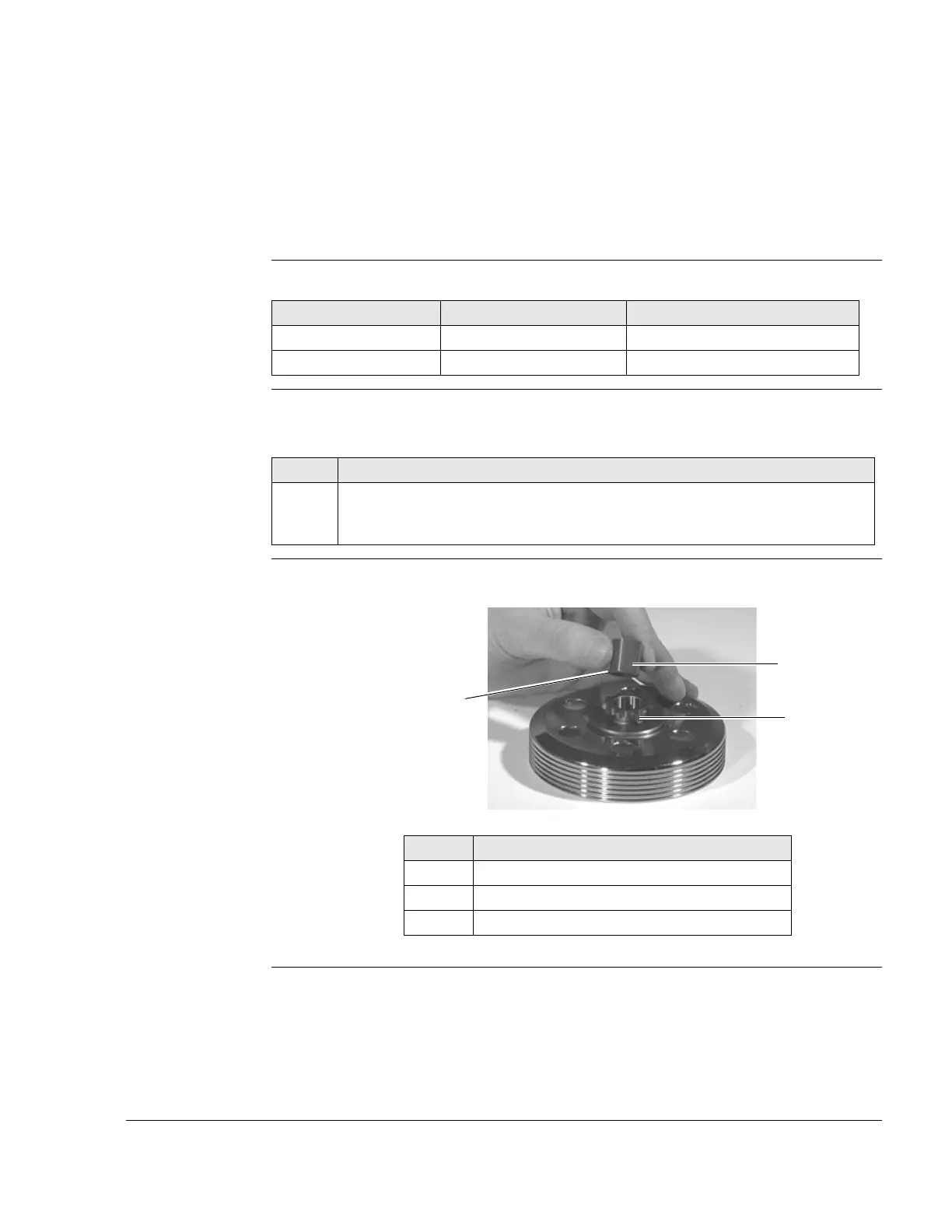
Instructions See Figure 15.
Proceed as follows to install the bearing sleeve :
Graphic Installing bearing sleeve
Figure 15 K00158
Part number Description Use
Part no. 676040 Installation tool Sprocket
Part no. 277362 Locating/locking device Clutch drum
Step Procedure
1 Position the new bearing sleeve (1) with the bevel (2) on the sprocket (with
11 teeth) (3) and press into the stop in the sprocket with the installation tool
(part no. 676040).
Part Function
1 Bearing sleeve
2 Bevel
3 Sprocket 11 teeth


 To Next Page
 Loading...