24/74
HD PRO TAB Measurement interface
7.1 Accessing the meter’s functions from the home page.
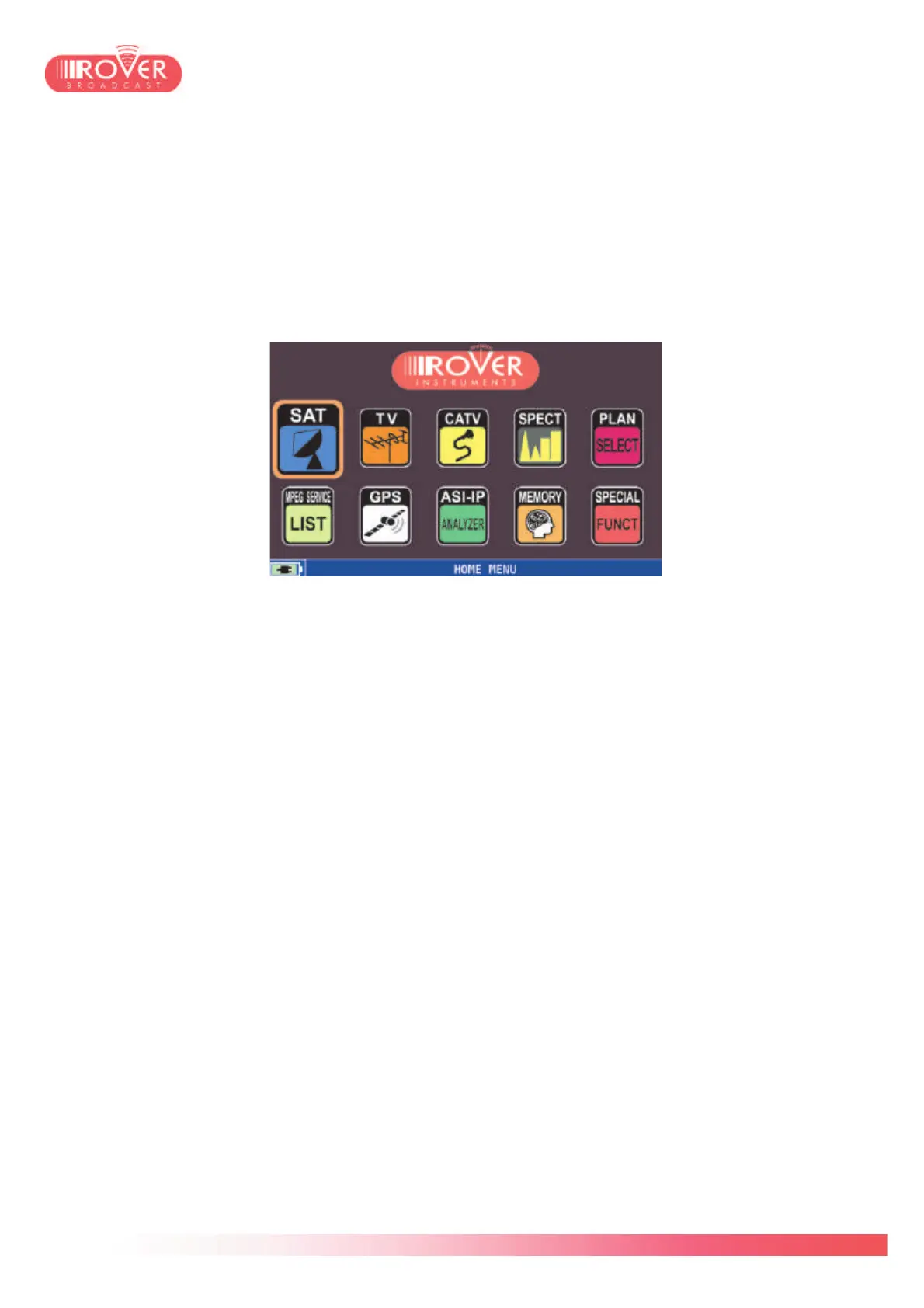
The HD PRO TAB’s home page gives the access to all the main functions: measurement
interface, MPEG services decoding, ASI analysis, and so on.
The SAT, TV and CATV icons gives the access to the meter’s measurement interface for
respectively Satellite, Terrestrial and Cable signals
The SPECT icon gives access to the spectrum analyzer.
The PLAN SELECT icon let the user browse the plans library to activate one of the stored
channel plans prior to start the measurements. Satellite plans are stored by azimuth and by
world region: Europe, America, Australia, etc. TV and Cable plans are listed by country.
The MPEG SERVICE LIST icon let the user access the Transport Stream decoding function
directly. With this function is possible to see the list of services in the stream and decode both
audio and video contents for the selected service. This function is accessible also through the
measurement interface.
The GPS function activates the embedded GPS receiver (*). It is possible to visualize the
quality of the GPS signal and the constellation of available satellites.
The ASI-IP ANALYZER icon activates the ASI analysis on the injected signal. The analysis
could be done on the RF inputs (both 50ohm-N and 75ohm-F connectors), on the ASI input
and also on the IP input(*). See chapter 10 for detailed information.
The MEMORY icon gives access to the channel plans management and modification and also
to the auto-memory and data logger functions.
The SPECIAL FUNCTIONS menu gives the access to Attenuation test and NoiseMargin /
Buzzer test.
(*) Functions requiring specific hardware and APP.



 To Next Page