52/74
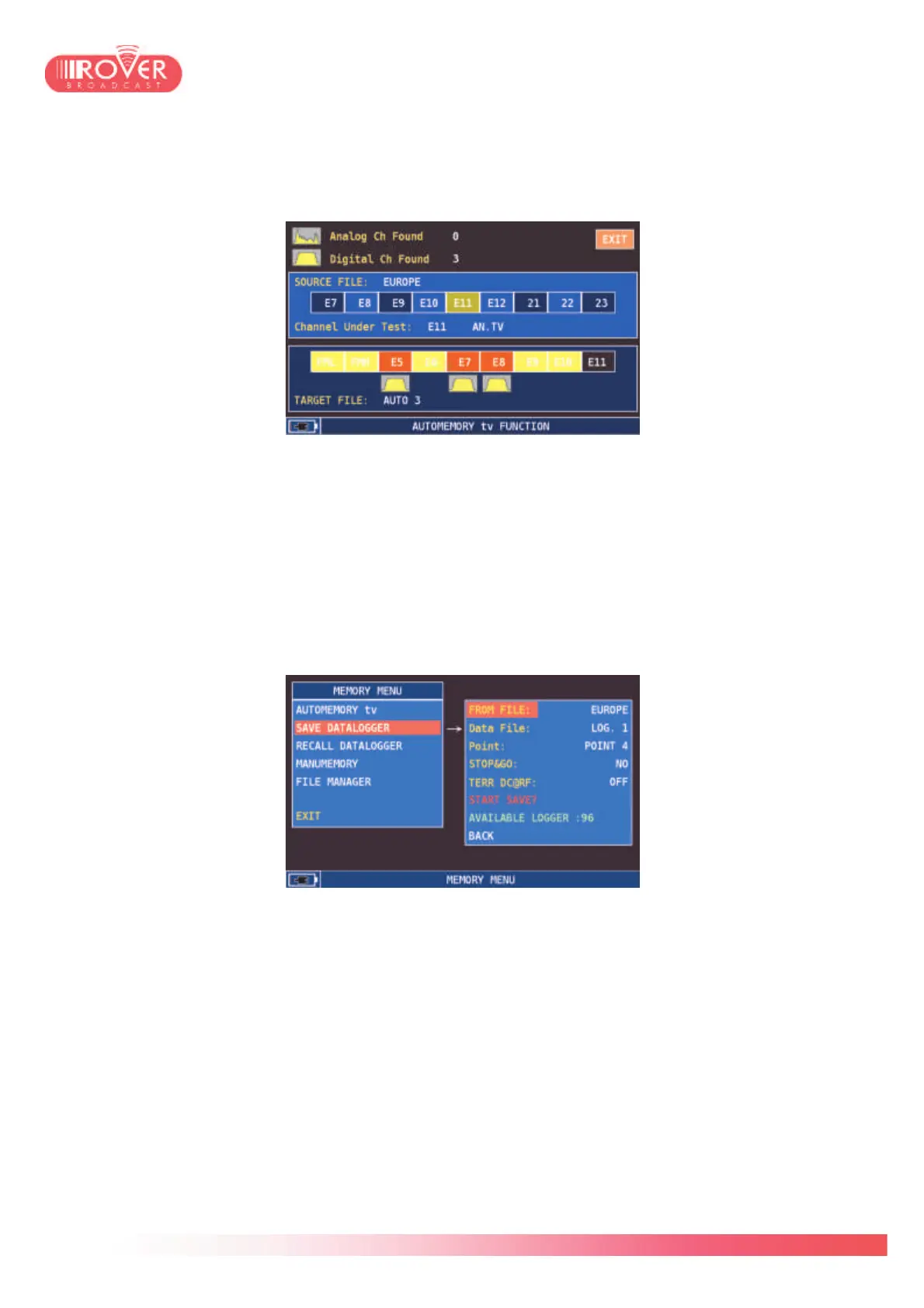
START SAVE will activate the auto-memory function and start the channels discovery. If the
text displayed is START OVERWRITE it means that the destination file is already existing and -
if the function is started - will be overwritten.
12.3. Data-logger functions
SAVE DATALOGGER: this function could be used on the top of an auto-memory plan or a
standard canalization plan to execute precise measurements of signal strength and quality for
each channel listed in the selected plan. Typically, once the user executes an auto-memory in a
certain area to detect all receivable channels, then it use the data-logger to qualify the
channels in terms of power level and main RF characteristics. The configuration menu is the
following:
FROM FILE parameter determines on which channel plan the data-logger will be executed. This
could be a standard SAT canalization, a Manual memory plan or an auto-memory plan. The
data-logger could be done indirectly also on terrestrial plans, via the auto-memory function: if
we consider for instance the EUROPE plan, this contains the generic channels distribution
according to the EBU frequency planning. Conversely, this do not guarantee the presence and
the effective type of those channels, that can be Analog or Digital. To avoid problems and
possible incoherent measures, the user should perform an auto-memory prior to executing the
data-logger.
DATA FILE and POINT determine in which file the data-logger will be stored. Each LOG
represents a collection of POINTS so for each LOGx the user could store up to 100 POINTS.
Each POINT represents the files where the data-logger is actually stored.
STOP&GO function could be used in case of data-loggers executed on plans containing mixed



 To Next Page