45/74
9.2. Streaming the content over IP and USB
As the meter is equipped with a 10/100 T-Base ethernet port and an USB-A port, the user
could also activate the streaming of the selected Elementary Stream (service). To perform
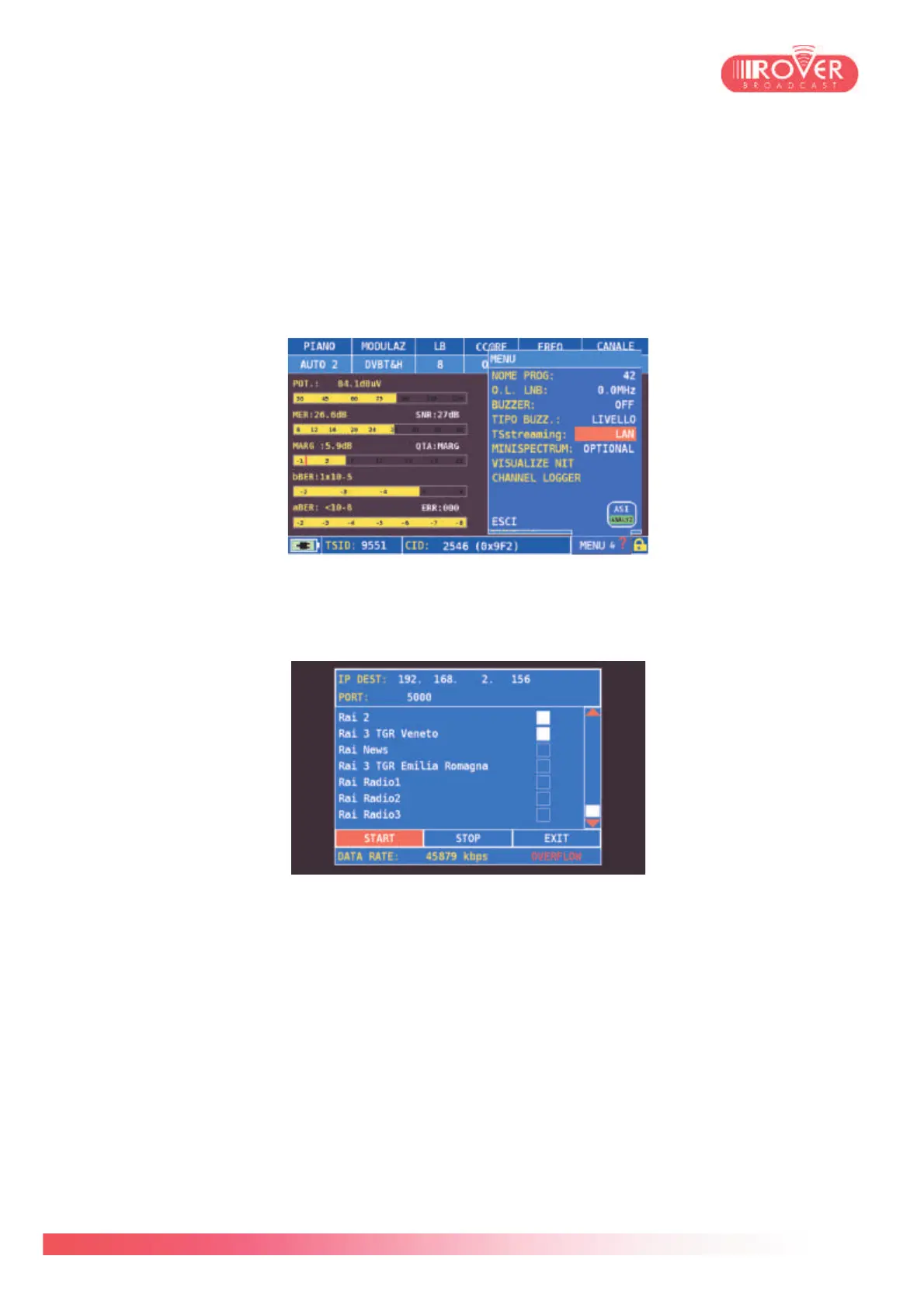
streaming over IP, the user can activate it by accessing the contextual "MENU & ?" menu and
toggling to LAN the TS streaming parameter:
Once the streaming function in enabled, it is possible to access the streaming configuration
page, through which the user can set up the IP parameters and select the services to be
broadcasted over IP:
Pressing START will activate the IP transport to the configured IP address through an UDP
unicast connection. On a PC, or any other IP-capable device, is possible to receive the stream
and decode one of the broadcasted services. The actual limit for outgoing streaming is
22Mb/s.
It is also possible to record the Transport Stream carried by the demodulated signal on an
external USB 2.0 device connected to the USB-A port. The procedure is the same: toggle the
TS streaming parameter to USB, then press ENTER to go to the services selection page.
Again, the streamed TS should not exceed the 22Mb/s.



 To Next Page