16/74
6. HD PRO TAB Configuration menu
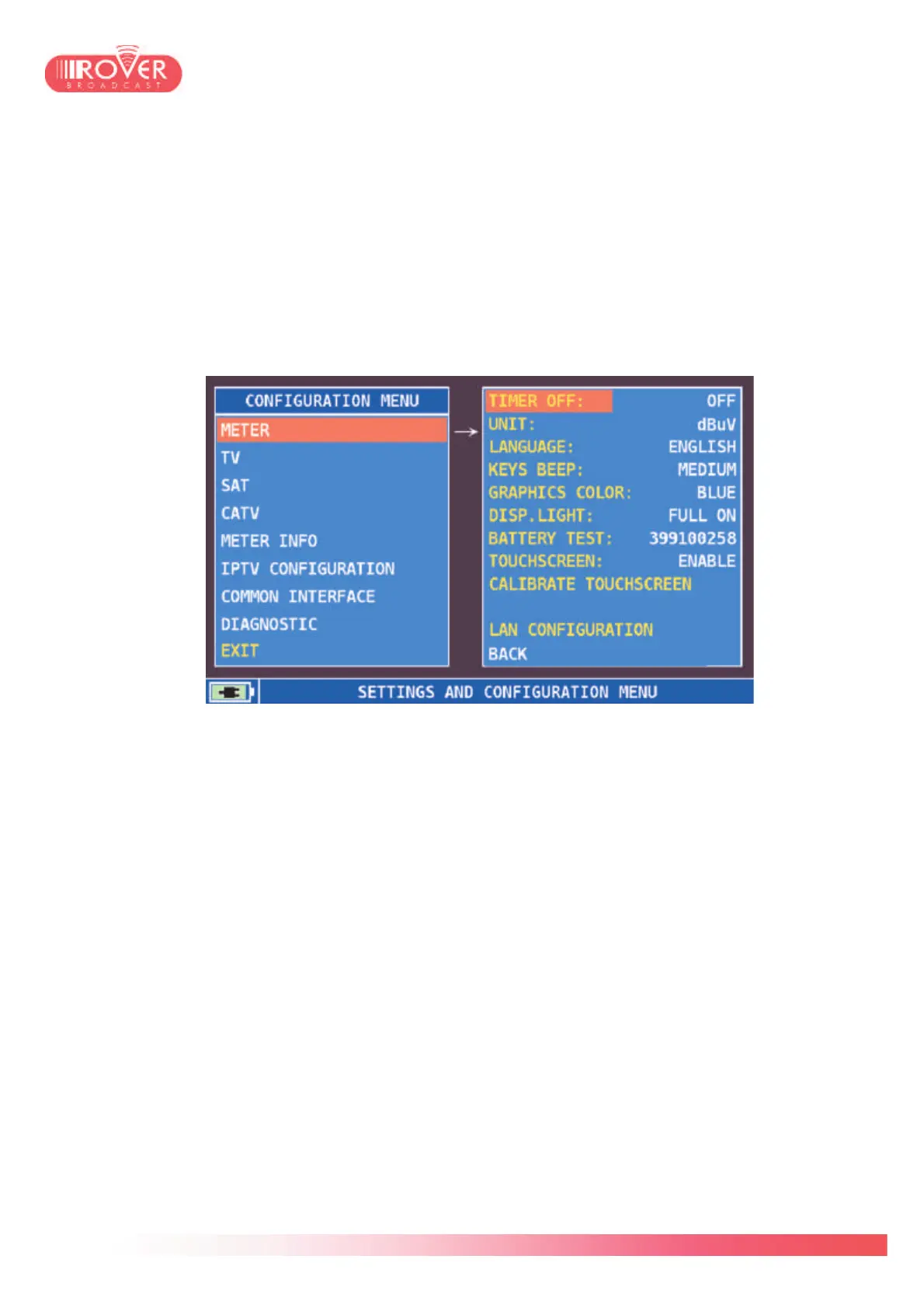
Selecting CONFIGURATION MENU from the basic settings screen, the complete meter’s
configuration menu can be accessed. In this menu the user can configure all the parameters
related to meter itself (look and feel, auto-off timer, interface language, etc) as well as all the
basic parameters for SAT, TV and CATV measurements.
6.1 METER configuration
The first menu is METER configuration.
TIMER OFF: it determines if the meter should automatically switch off after a certain
inactivity period. This parameter can be configured to OFF, 5min (default) and 10 min.
UNIT: it represents the measurement unit for RF level to be displayed in the measurement
interface. I can be configured to dBm, dBµV and dBmV.
LANGUAGE: HD PRO TAB has 6 embedded language maps that can be applied on-the-
fly, simply changing the selection here. The available languages are ITALIAN, ENGLISH,
FRENCH, GERMAN, SPANISH and PORTOGUESE.
KEYS BEEP: by default set to MEDIUM, this parameter sets the buzzer volume on key
press. The values this parameter can have are OFF, LOW, MEDIUM, HIGH.
GRAPHIC COLOR: sets the look&feel of the meter. The available themes are Blue
(default), Green, Brown and Grey.



 To Next Page