51/74
Using Memory functions
12.1. The Memory Menu
From the HOME page, touching the screen over the MEMORY icon, will switch the meter
to the Memory functions menu. Scope of this menu is to provide the user with auto-
memory, data-logging and canalization editing functions suitable for field measurements
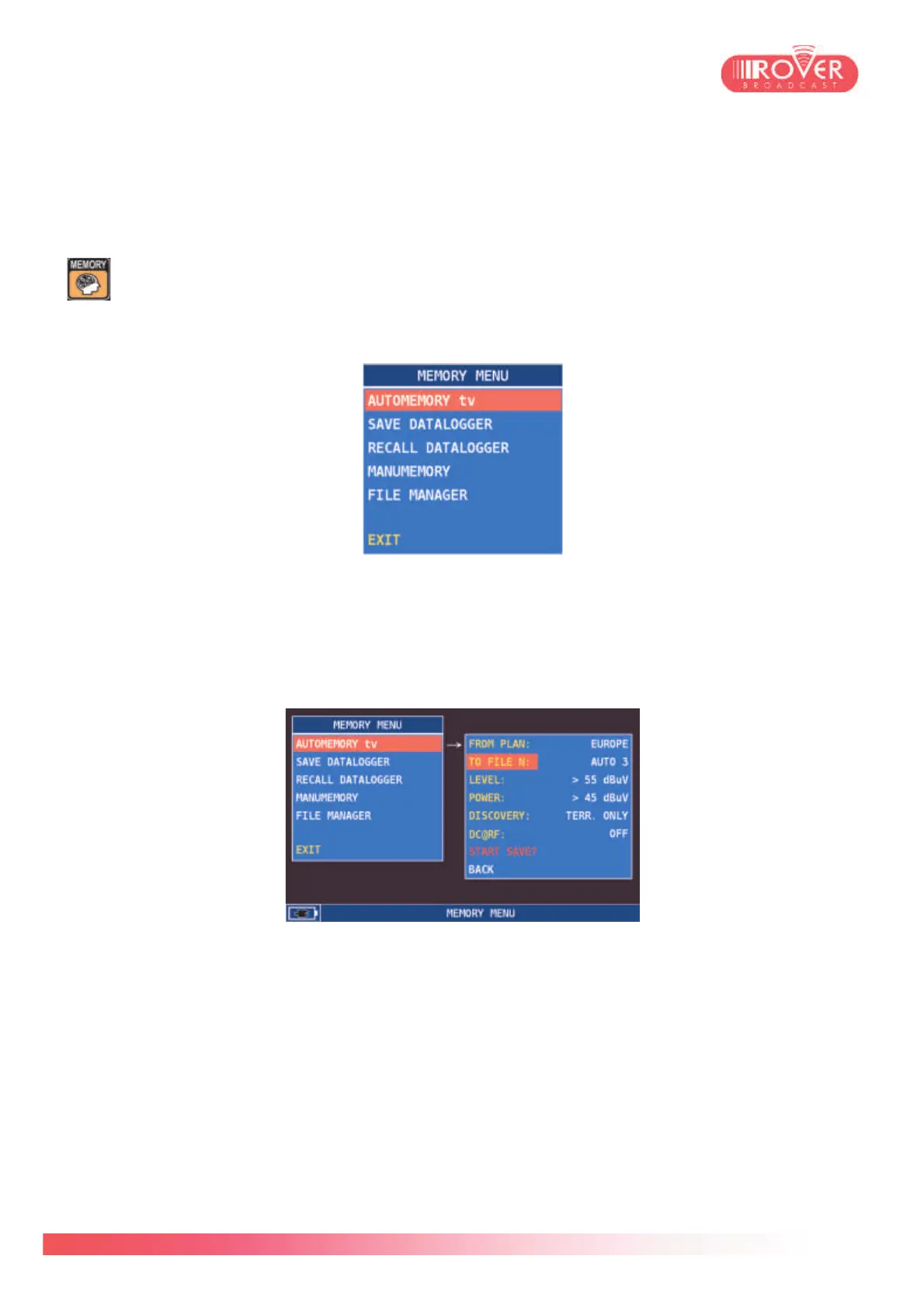
and for customizing the channel plans. The Memory menu is structured as follows:
12.2. Automemory
This is an auto-discovery function that could be used to automatically detect all analog & digital
channels that may be present in a certain service area. Touching the screen over the
AUTOMEMORY text will enable the contextual configuration menu, as shown hereunder:
In the first row, the meter displays the channel plan based on which the auto-discovery will be
made (by default the last used in the measurement interface). To use a different one, the user
should enter the PLAN SELECT menu and choose the plan of interest.
File N parameter lets the user select the AUTO plan in which will be stored the measurement
results.
LEVEL and POWER represent respectively the Analog Video Carrier minimum level and the
Digital minimum power level above which the meter detects and stores the channels.
DISCOVERY, as explained also in the meter's configuration menu, let the user specify whether
the auto-memory function should search only for TV or also for CATV channels.
DC@RF parameter should be used if the aerial is connected to the meter through a centralized
distribution system or any other system needing a DC power supply to provide the signal.



 To Next Page