55/74
12.4. Manu Memory
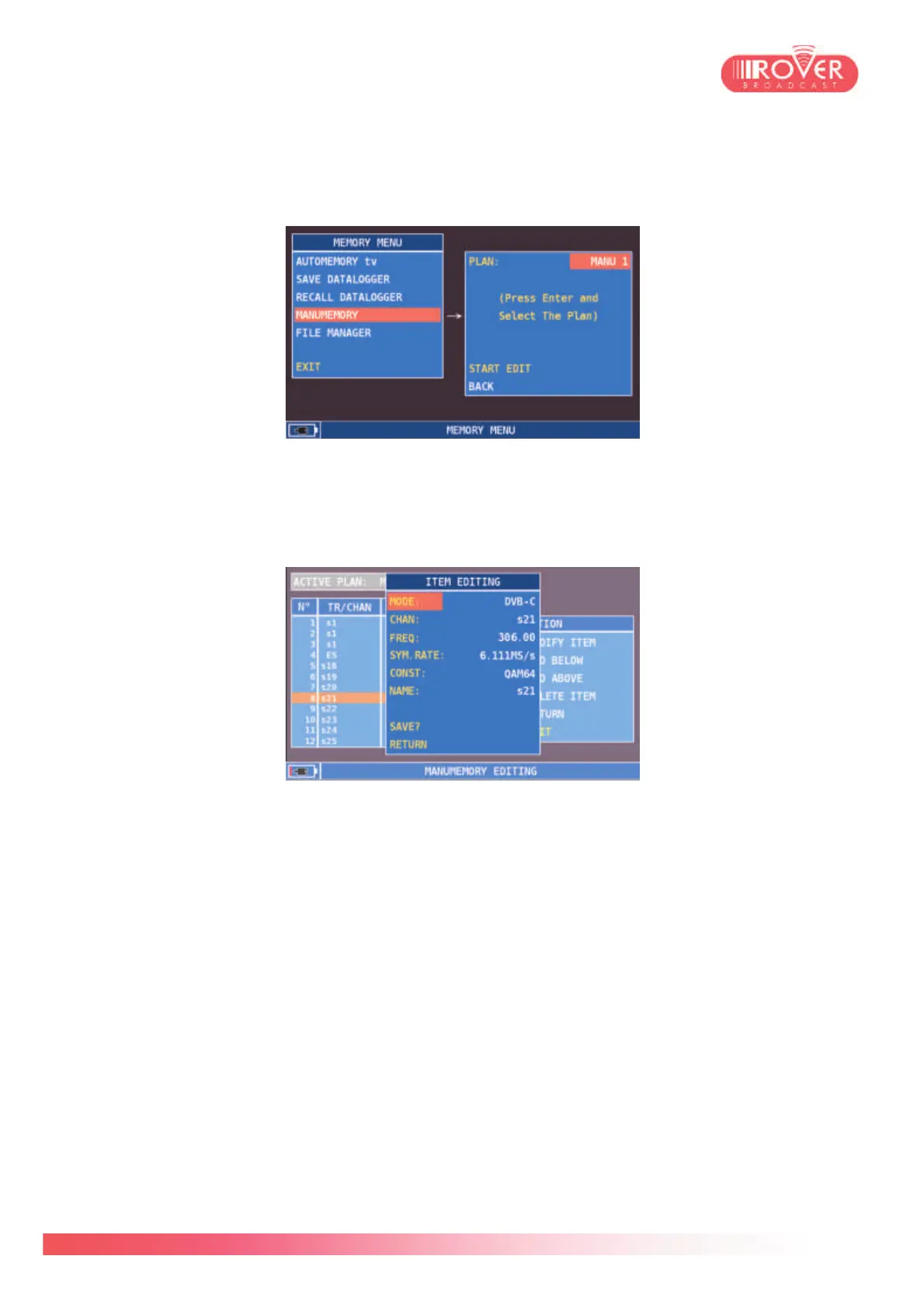
The MANUMEMORY function could be used to generate customized channel plans and to edit
existing custom canalizations.
To edit a manual plan, the user should select the desired canalization via the PLAN parameter
and then select START EDIT. once the channels list has been displayed, the user can now:
- Modify channels parameters via the MODIFY ITEM function: a pop-up will appear, listing
the tuning parameters the user can modify.
Once finished modifying the tuning parameters, pressing SAVE will result in storing the new
parameters in the selected canalization plan.
- Add a new item, via the functions ADD BELOW and ADD ABOVE. In this case, a pop-up
similar to the one used for editing will appear and the user will be able to insert manually the
tuning parameters of the channel of interest. Again, selecting SAVE, will store the channel
in the plan.
- Delete an item via the DELETE ITEM function
- RETURN will shift the selector from the tools menu back to the channels list
- EXIT will bring back the user to the main MEMORY menu.



 To Next Page