53/74
standard channels (SAT, TV and CATV): each time the standard changes (from SAT to TV, or
vice-versa) the user is asked to connect the proper signal source before the meter continues
the measurements.
TERR DC@RF parameter should be used if the aerial is connected to the meter through a
centralized distribution system or any other system needing a DC power supply to provide the
signal.
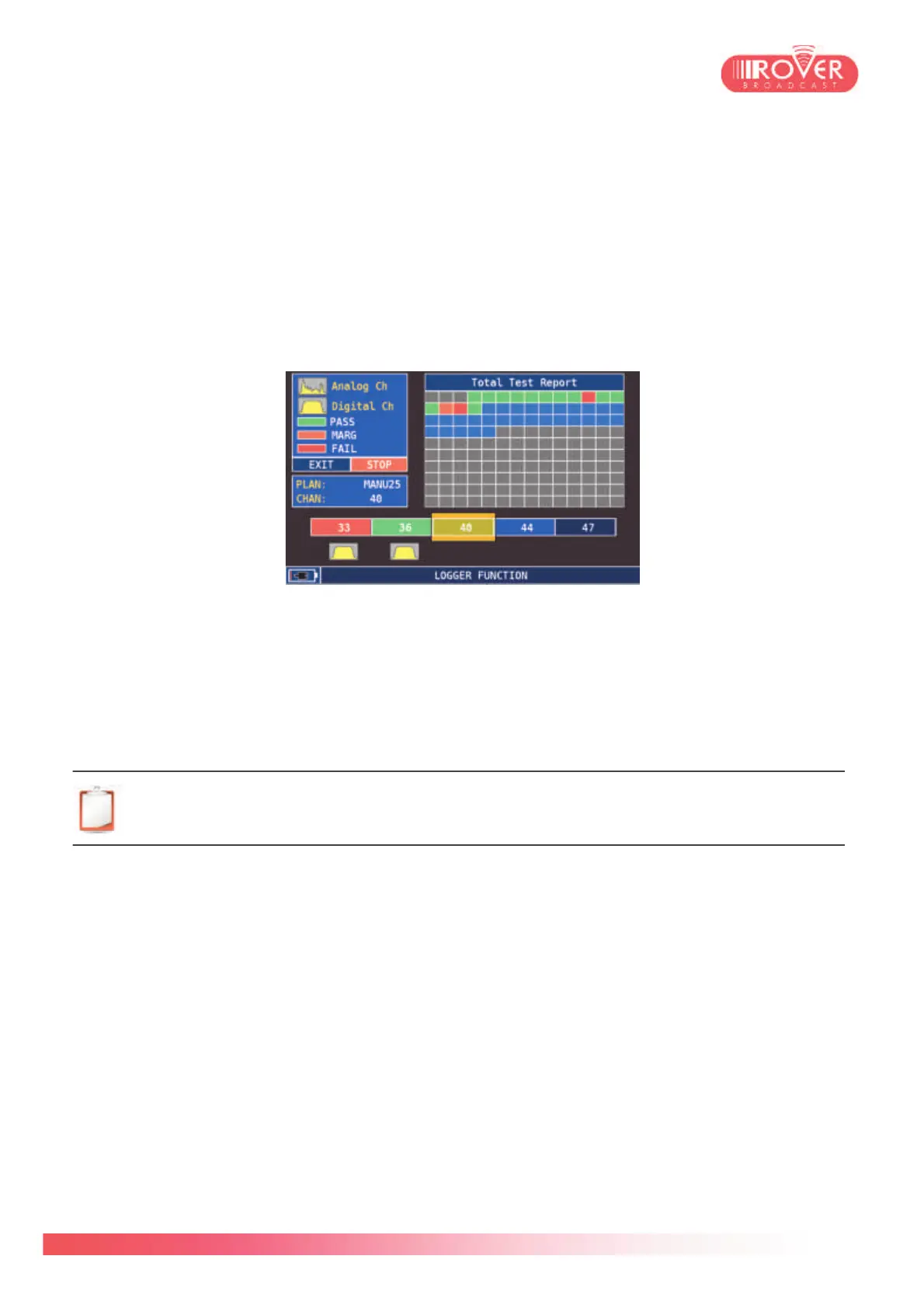
Once START SAVE is selected, the meter starts the data-logging, displaying the following
screen:
For each channel composing the selected plan, the meter detects its type (Analog / Digital) and
perform the RF measurements, determining signal strength and quality. The PASS/MARG/FAIL
indication is based on Noise Margin measurement: a negative Noise Margin (very low MER) will
result in a "FAIL" indication; a NM value positive but near to zero will correspond to the
"MARGIN" condition. The "PASS" condition will then correspond to a good MER and positive
Noise Margin values.
Note: the PASS/MARG/FAIL indication isn't in relation with the LOCK/UNLOCK status:
a FAIL quality status still means that the signal is locked and demodulated. Else, the
channel indicator below the plan grid would be grey (channel not locked).
Beyond being stored on the meter to be recalled and browsed, the executed DATALOGGER
can also be stored on a USB key to be exported on a PC without the usage of the SMART
software.
RECALL DATALOGGER: this function should be used to recall and open a stored data-logger.
It is possible to browse the list of measurements and see channel type, Power / Level, MER,
BER values as well as the quality indicator:



 To Next Page