26/74
3. Transport Stream ID & ORB alternates with Network ID and Network Name.
4. Lock indication. When the signal is correctly demodulated, the lock is closed and the
measurements displayed.
5. Misc parameters. Here the user can find the indication of LNB consumption, Frequency
error and CA systems detected in the stream.
6. Service A/V decoding. The meter, once the signal demodulated, automatically decode the
Audio and Video content of the first non-encrypted TV service present in the stream. The
indication of Vpid and Apid is displayed under the video stream.
Touching the screen over the Video will result in switching to the full screen visualization; on
the bottom of the screen, the Video and Audio encoding information will be displayed.
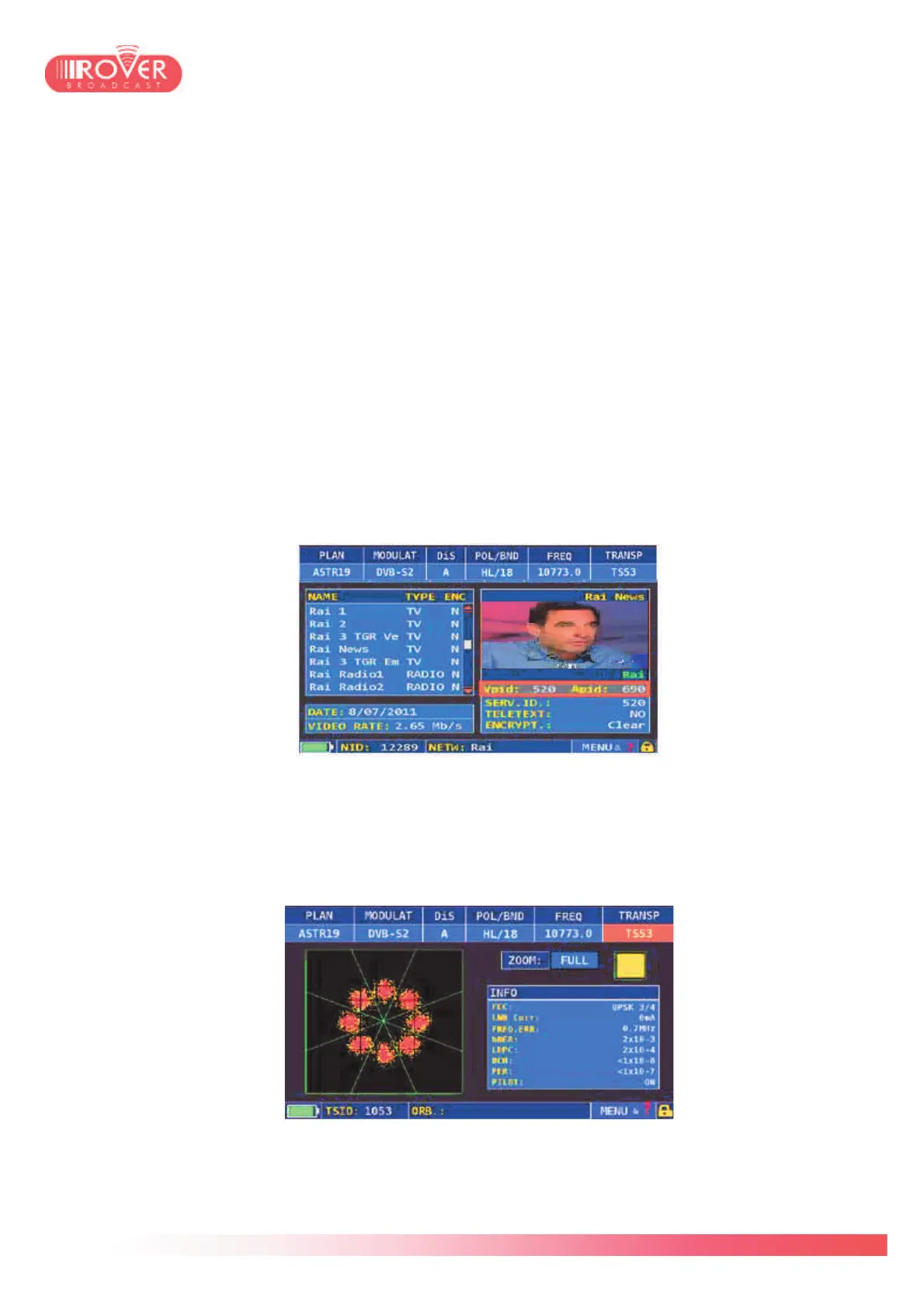
Touching the screen on the Vpid and Apid row, will result in switching to the MPEG
SERVICE LIST screen (see chapter 8 for detailed information):
Touching again the Vpid and Apid row, the meter goes back to the measurement interface.
Pressing again the SAT button or touching the screen over the measurement bars switches
the measurement interface on the second screen.
In this second screen the meter visualizes the constellation diagram and the modulation
parameters. Through the ZOOM function it is possible to magnify the constellation and
divide it in four quadrants.



 To Next Page