35/74
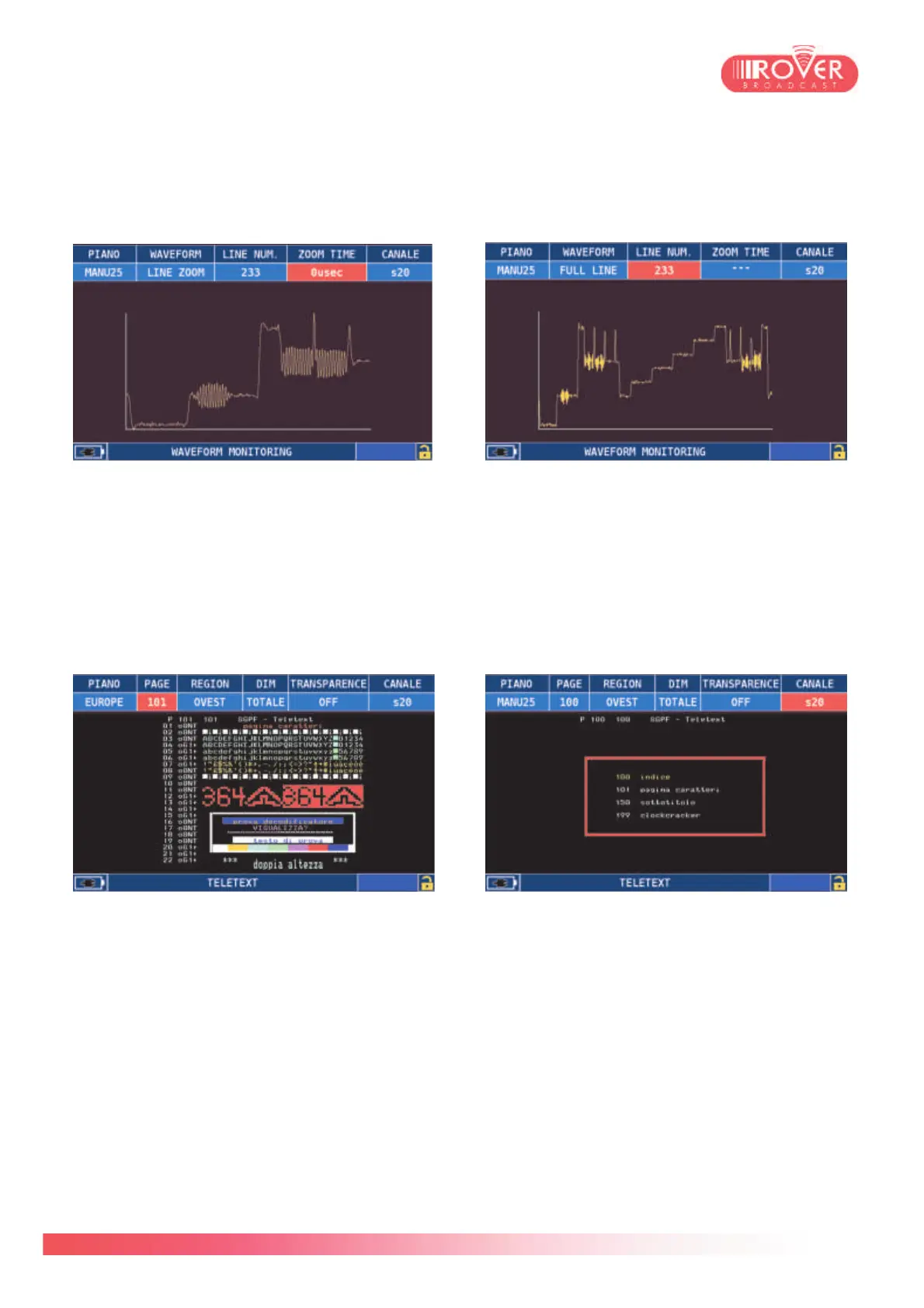
In the Waveform monitor page, the user can see in a more detailed way each line
represented in a graph similar to the SNR. Again, the user can select whether to visualize the
entire line or to zoom around a particular time frame to better appreciate the line
characteristics. Hereunder, two examples:
In the TXT decoding page, the user can see the entire content of the Teletext carried by the
signal. In the top menu, using the mechanical wheel, or selecting each parameter through he
touch screen, is possible to set the desired page, the characters encoding (EASTERN or
WESTERN) and the page visualization mode: TOTAL, which fits the entire Teletext page in the
screen; TOP, which will zoom on the upper half of the selected Teletext page; BOTTOM, which
will zoom on the lower half of the selected Teletext page.
(*This function requires a specific hardware option. Please contact us for option availability and
upgrade information).



 To Next Page