40/74
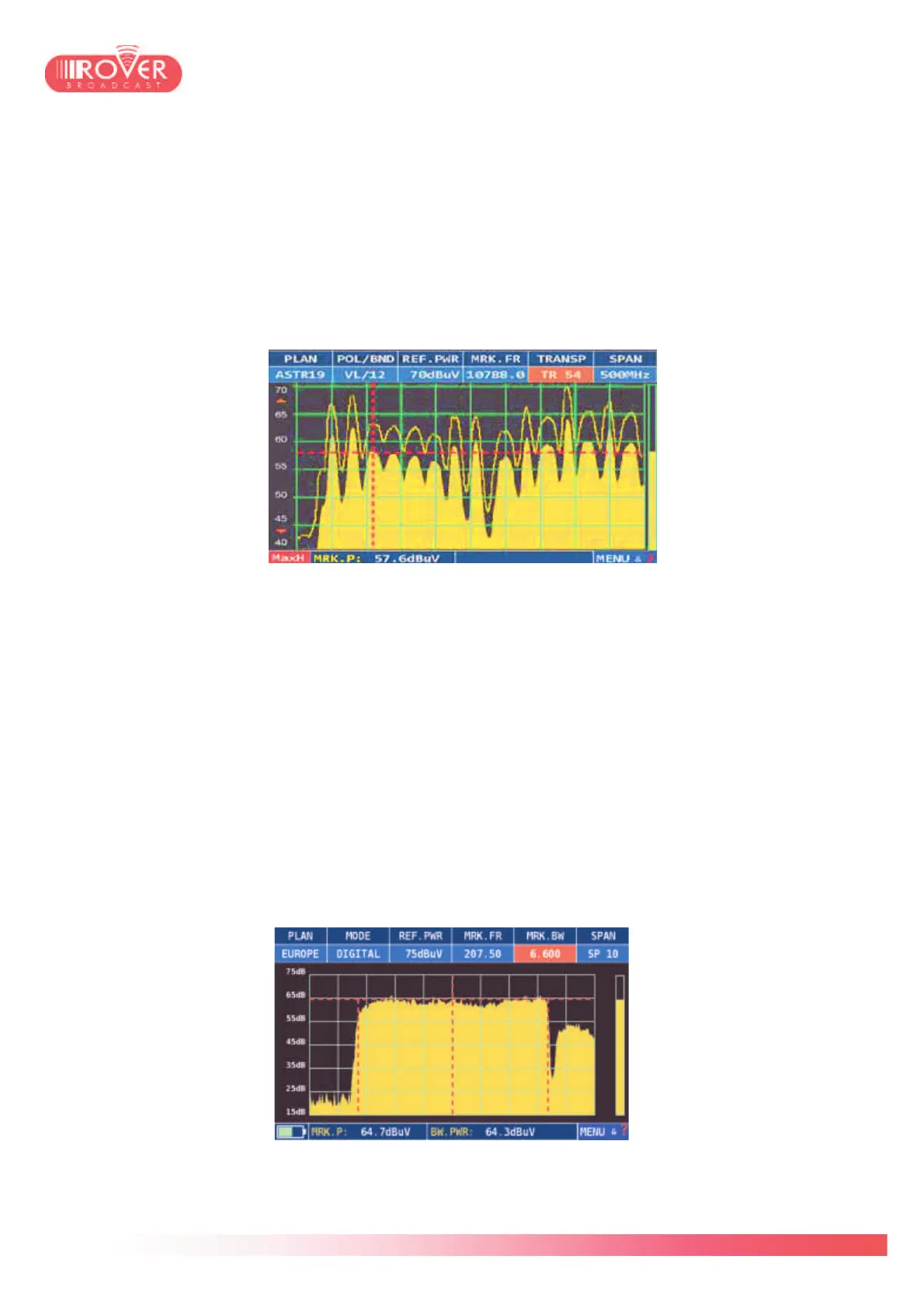
Let’s exemplify the Satellite spectral analysis, the terrestrial and cable ones being the same.
The main marker indicates the transponder on which the meter is actually tuned; the top bar
contains its tuning parameters, including LNB polarization, center frequency and transponder
number.
Using the mechanical encoder on the keyboard or touching the graph over the signal envelop it
is possible to move the selection over other transponders; the marker frequency, transponder
number and polarization will change accordingly.
Pressing again the SPECT button on the keyboard results in activating the MAX HOLD function:
Using the “MENU&?” contextual menu, it is possible to access the following functions:
• Delta Marker: this function activates a second marker controllable either with the mechanical
encoder or touching the screen over the signal envelope. It allows the user to make
differential measurements on two points of a signal or two adjacent signals. (i.e. two
transponders in the same bouquet).
• Spectrum type: Contours / Full Picture. This function allows to switch the analyzer view
either on full picture (as shown in the previous pictures) or contours, showing only the signal
envelope.
• Marker BW: this function allows the activation of the BW width and power measurements.
Setting this parameter to ON will let the user to measure the bandwidth of the tuned signal,
appreciating it on the spectrum diagram and reading in the top bar the value of the BW
width.
Setting it to BW PWR, while measuring the signal width the meter will provide to the user
also the channel power, indicated in the bottom bar:
• Spectrum: Fast / Superfast. If set to Fast, the spectrum is refreshed once per second; when
set to Superfast, the visualization switches to real time, guaranteeing an instantaneous



 To Next Page