61/74
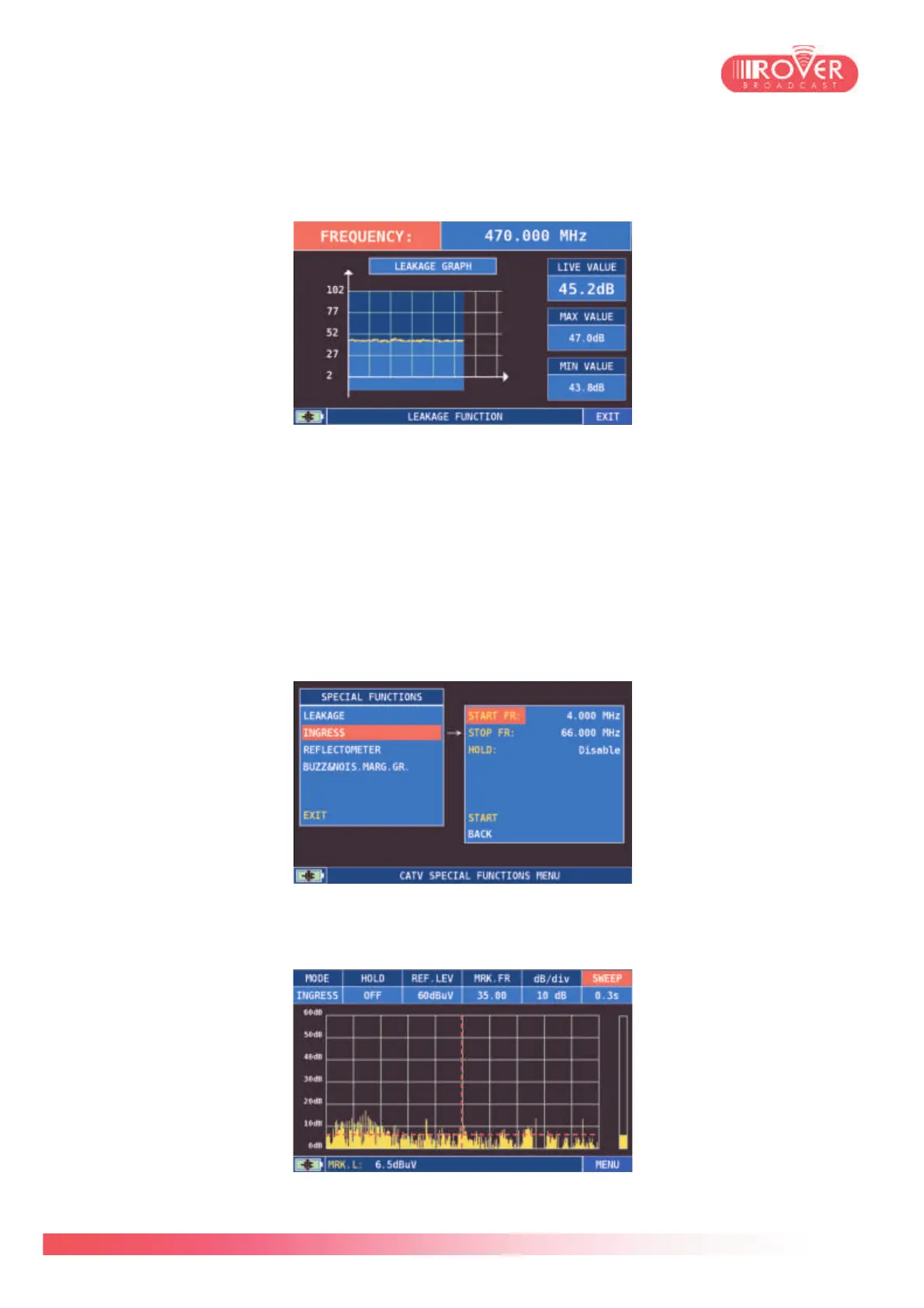
When the test is started, by default the meter tests the frequency 470MHz. By touching the
screen over the frequency value (or placing there the selector an pressing the encoder) it is
possible to change the frequency test value in a range varying from 250 to 950 MHz.
The meter starts plotting the detected signal strength in the graph and displays also actual,
minimum and maximum values. If the measured level passes the configured threshold, the
meter activate a buzzer, the intensity of which varies according to the magnitude of the
difference between signal strength and that threshold.
INGRESS (CATV): Ingress test is typical of the cable TV distribution systems. Its aim is to verify
the quality of the CATV uplink path, having a frequency band ranging from 4 to 66MHz. In the
configuration menu the user could define the test band's lower and upper frequency limits and
enable/disable the maxhold in the spectrum (HOLD parameter):
Once started the test, the meter visualizes a spectrum diagram centered around the configured
band (4-66MHz). The lower is the detected signal level and noise floor, the better is the quality
of the uplink path:



 To Next Page