68/74
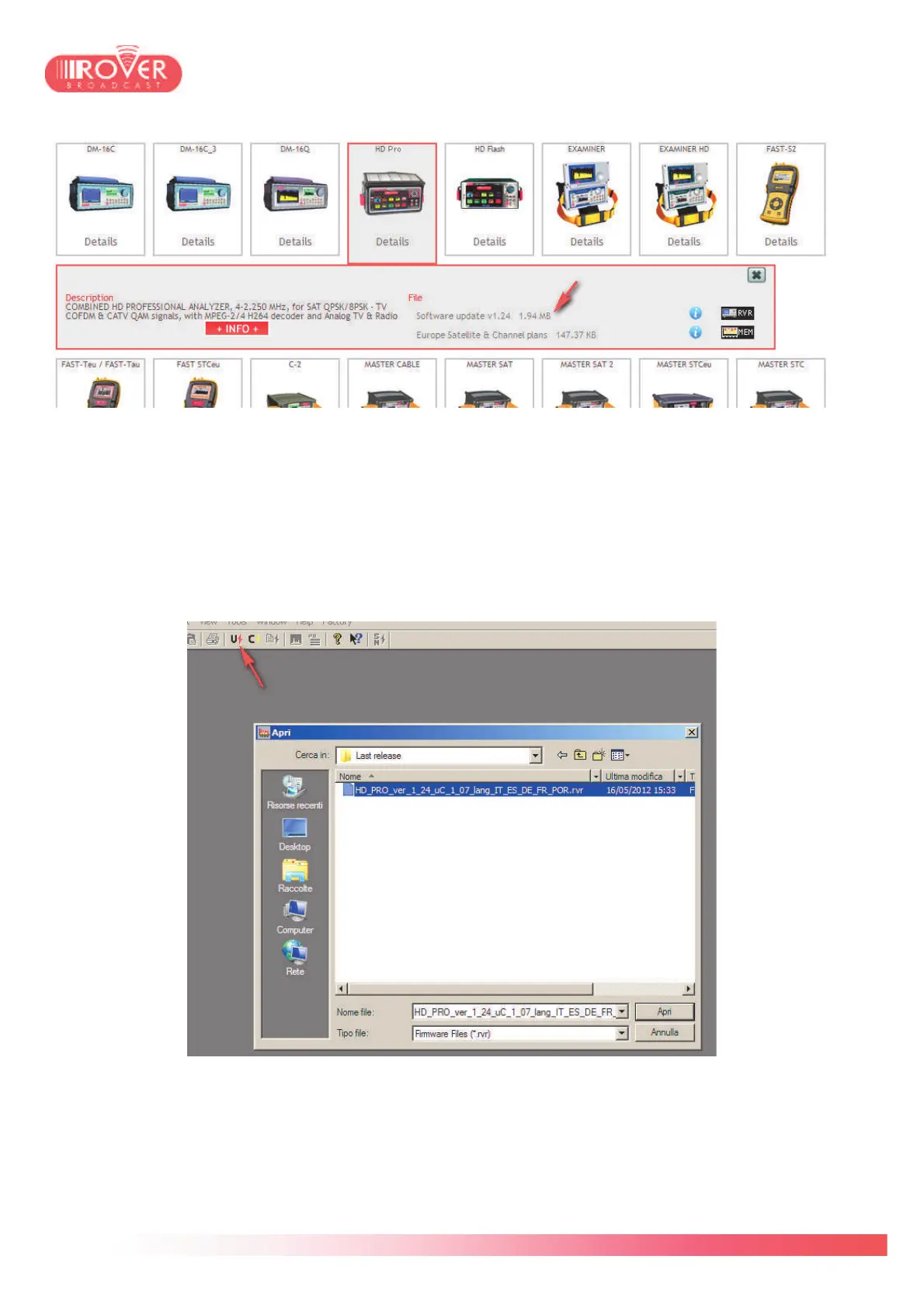
Identify the upgrade package and click on the "RVR" icon to start download.
Once the download has finished, connect the meter to your Personal Computer via the USB-A /
micro-USB cable and launch the S.M.A.R.T. software.
In the tool bar select the Upgrade command icon and browse your PC to the download location
where you stored the firmware upgrade package:
Once confirmed the selection by clicking on Open button, the upgrade procedure will start
automatically.
During this procedure, you'll see the meter displaying the text "BOOT MODE"; at the end, the
meter will be switched off automatically and the S.M.A.R.T. User interface will display a pop-up
message saying **Program Successful**



 To Next Page