70/74
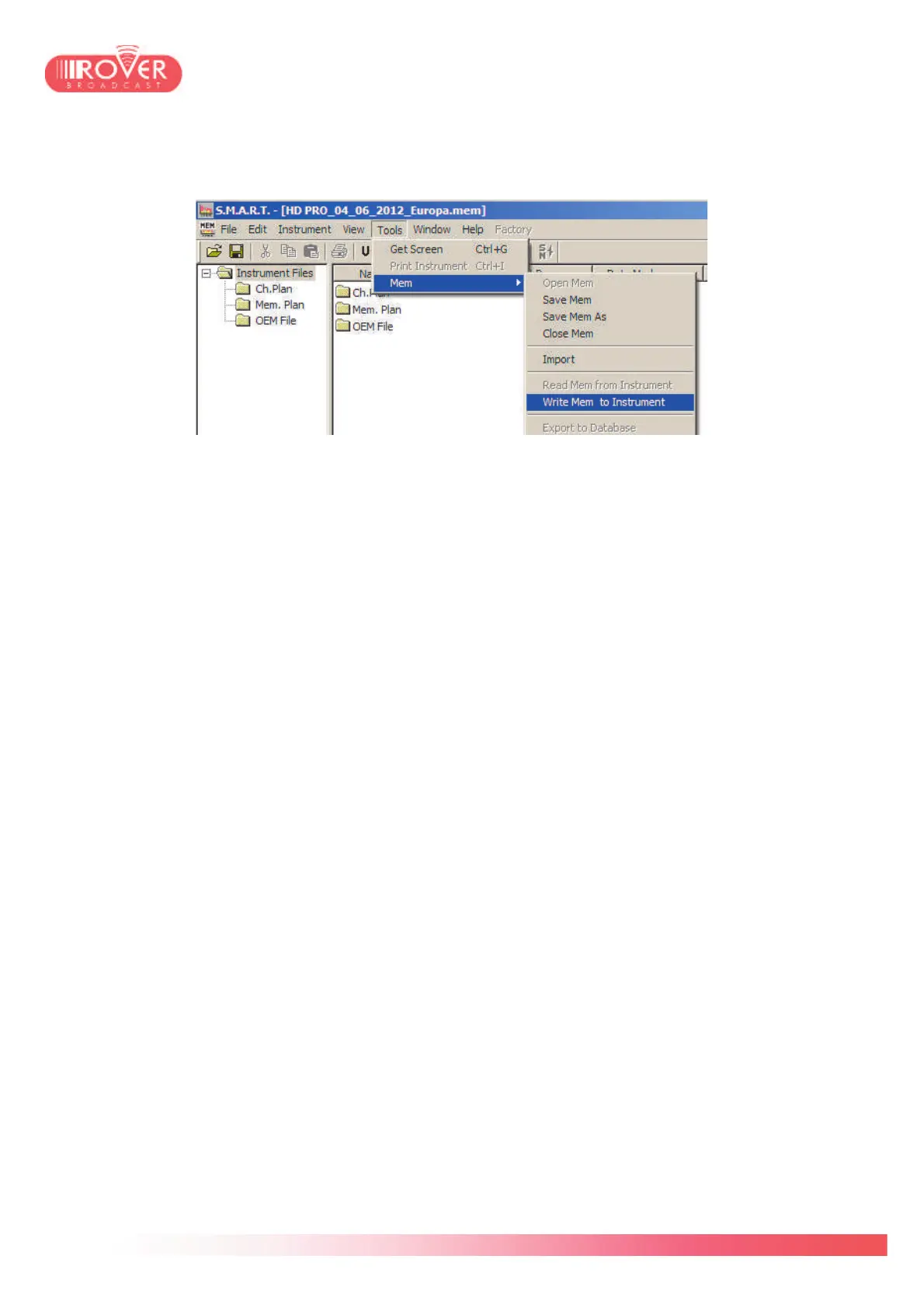
Once the channel plan opened, select again the Tool menu and the Write Mem to Instrument
function:
This will automatically start the canalization upload to the connected meter. At the end of the
procedure, the S.M.A.R.T. software will confirm with a pop-up message saying "Plan Upload
Successful".
Note: the upload of a new channels plan starts with a memory clean up, thus it will erase all
existing standard and manual plans eventually present in the meter before uploading the new
ones. Please, proceed to a backup of all your personal manual plans via the S.M.A.R.T. File
Manager before proceeding to the plans upgrade. (see S.M.A.R.T. User Guide for detailed
information).



 To Next Page