EN-13Manual | TM3-Primus 2 | Installation
DE
2 | Installation
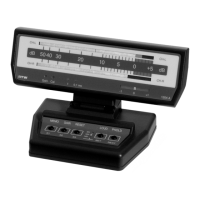
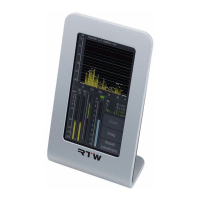
The TouchMonitor TM3-Primus unit is designed for free positioning on ta-
bles, desks, et. al. It consists of a unit with 4.3 inch touch screen and many
capabilities of connecting. Power supply for the unit is supplied through
the USB 2.0 Micro-B connector using the delivered USB connecting
cable, which is connected to a computer or to the delivered external USB
mains adapter. Use with power supply model SYS 1460-1105-W2E USB,
manufactured by Dehner Elektronik GmbH.
ATTENTION! –
Please read before installing:
• Before installing the unit please study the safety instructions and the
information on connection and pin assignment.
• Make sure that the delivered USB cable is not connected to a compu-
ter or the external USB mains adapter.
• Place the unit at a suited place. It shall be positioned securely on a fl at
surface. Please take care about a good guiding of the connected cable.
• Connect unbalanced signal sources to the RCA connectors.
Signal lines with RCA connector shall have a ferrite core at the
end being connected to TM3-Primus.
• Connect the Micro-B connector of the USB cable to the USB connec-
tor of the unit.
• Finally, connect the USB A connector of the USB cable to the corre-
sponding USB connector of the external USB mains adapter, if you
want to use it for power supply. Connect the power supply to mains.
• Finally, connect the USB a connector of the USB cable to a correspon-
ding USB connector of a computer, if you want to use the computer for
power supply.
• If you want to use the USB connection for audio signals instead of
RCA, defi ne TM3-Primus as the standard audio device on your compu-
ter (on Windows® systems an audio driver has to be installed).
• TM3-Primus will initiate its system startup sequence. After confi rmation
of the initial setting requests the unit is ready for use.


 To Next Page