44
Installing the Access Point
Step 1: Preconfigure the Access Point
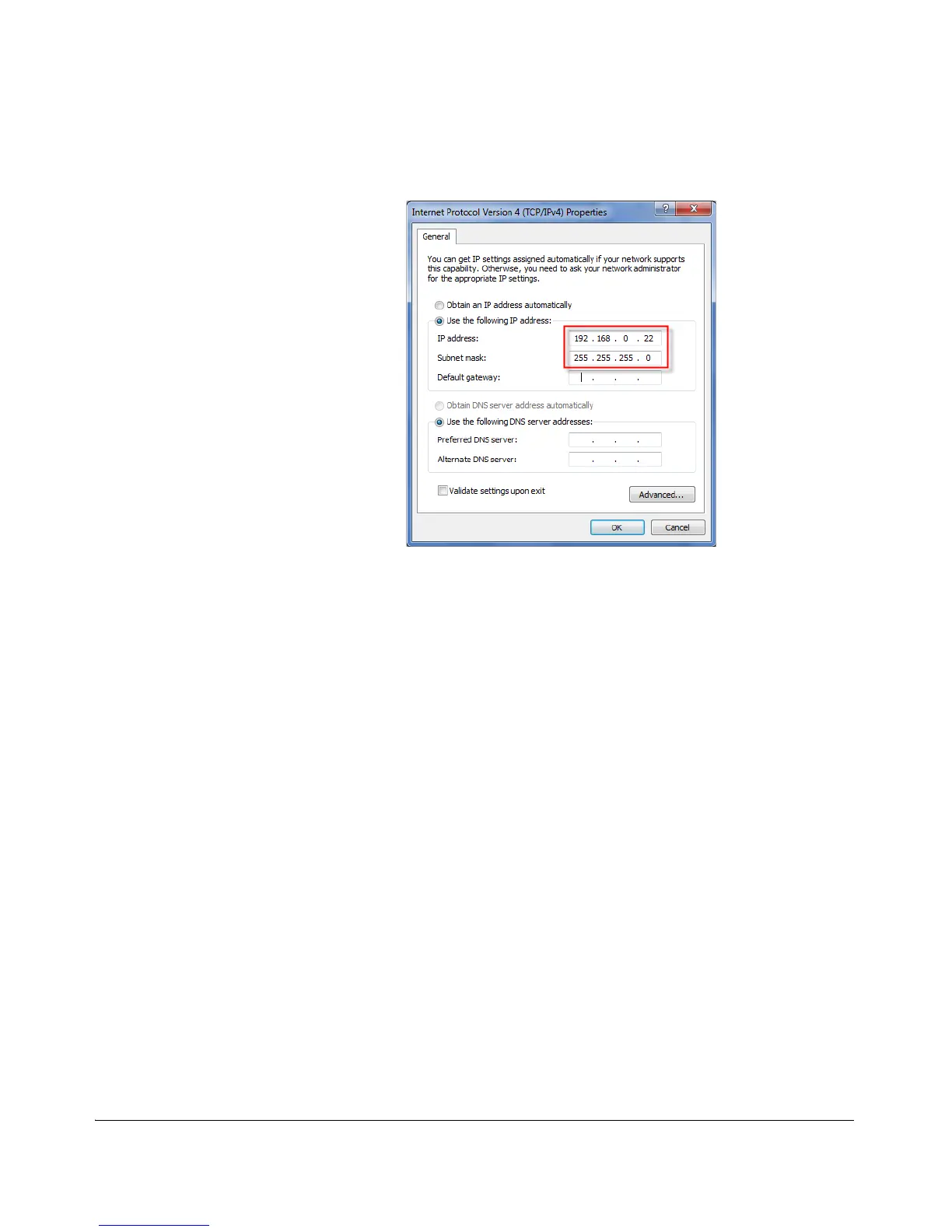
Figure 26. Sample configuration in the Internet Protocol (TCP/IP) Properties
dialog box
2. Connect the Access Point to the Administrative
Computer
1. Connect one end of an Ethernet cable to an Ethernet port on the Access Point,
and then connect the other end to the administrative computer’s Ethernet port.
2. Provide power to the AP using either an AC adapter or a PoE injector or switch.
3. Log Into the Access Point’s Web Interface
1. On the administrative computer, open a Web browser window.
2. In the address or location bar, type the following address:
https://192.168.0.1
3. Press <Enter> on the keyboard to connect to the Access Point’s Web interface.
A security alert message appears.
4. Click Yes or OK (depending on the browser) to continue. The Access Point’s login
page appears.












 To Next Page