89
Configuring the Access Point
Configuring Wireless Settings
NOTE: If you are using a ZoneFlex 7363/7962/7982 AP, go to Configuration > Radio
2.4G or Configuration > Radio 5G.
2. Select the WLAN that you want to configure from the tabs at the top of the page.
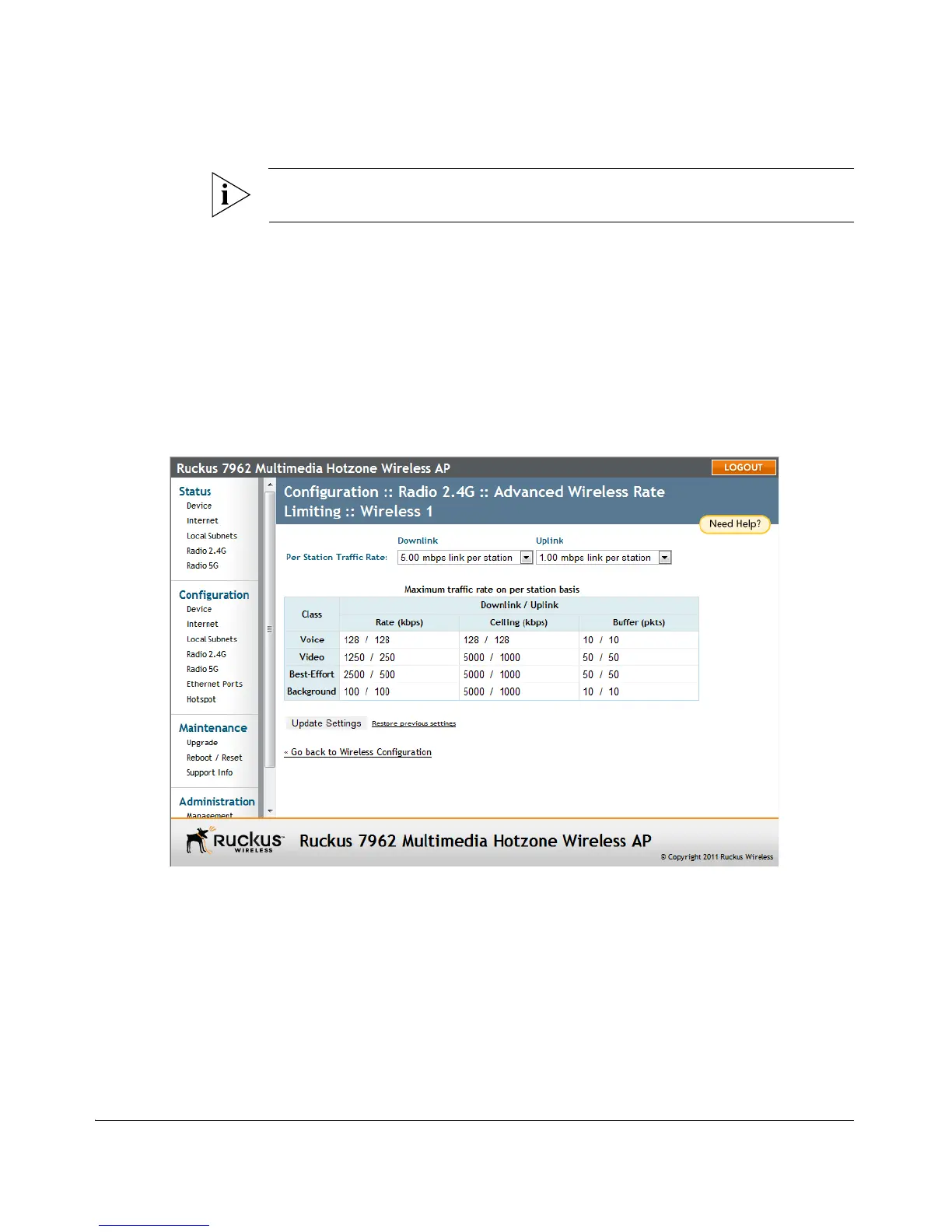
3. Click the Edit Settings button next to Rate Limiting. The Rate Limiting page
appears.
4. Set the maximum Downlink and Uplink rate per station.
5. The table below updates to show the maximum transfer rate per station for each
traffic type.
6. Click Update Settings to save your changes.
Figure 48. Limit per station traffic rates on a specific WLAN
Controlling Access to the Wireless Network
Access Control enables you to specify the stations are allowed to join (associate with)
your wireless networks. Access controls can be configured for each WLAN from its
respective Wireless # tab.
Access Control Options
This section describes the options that you can use to control access to the wireless
network.












 To Next Page