90
Configuring the Access Point
Configuring Wireless Settings
■ Disabling WLAN Access Restrictions: If you select Disable WLAN access restric-
tions, then MAC-address-based restrictions on which stations can join the WLAN
are disabled; thus, any station can join. If the WLAN uses encryption, then the
station must still supply the correct encryption passphrase. The Access Controls
table is hidden if the current mode is Disable WLAN access restrictions.
■ Allowing Only Stations Listed in the Access Controls Table: If you select Allow
only stations listed in the Access Controls Table, then stations entered into the
access-controls table are allowed but all others are disallowed. To add MAC
addresses, see “
Changing the Access Controls for a WLAN” on page 90.
■ Denying Only Stations Listed in the Access Controls Table: If you select Deny
only stations listed in the Access Controls Table, then stations entered into the
access-controls table are disallowed but all others are allowed. To add MAC
addresses, see “
Changing the Access Controls for a WLAN” on page 90.
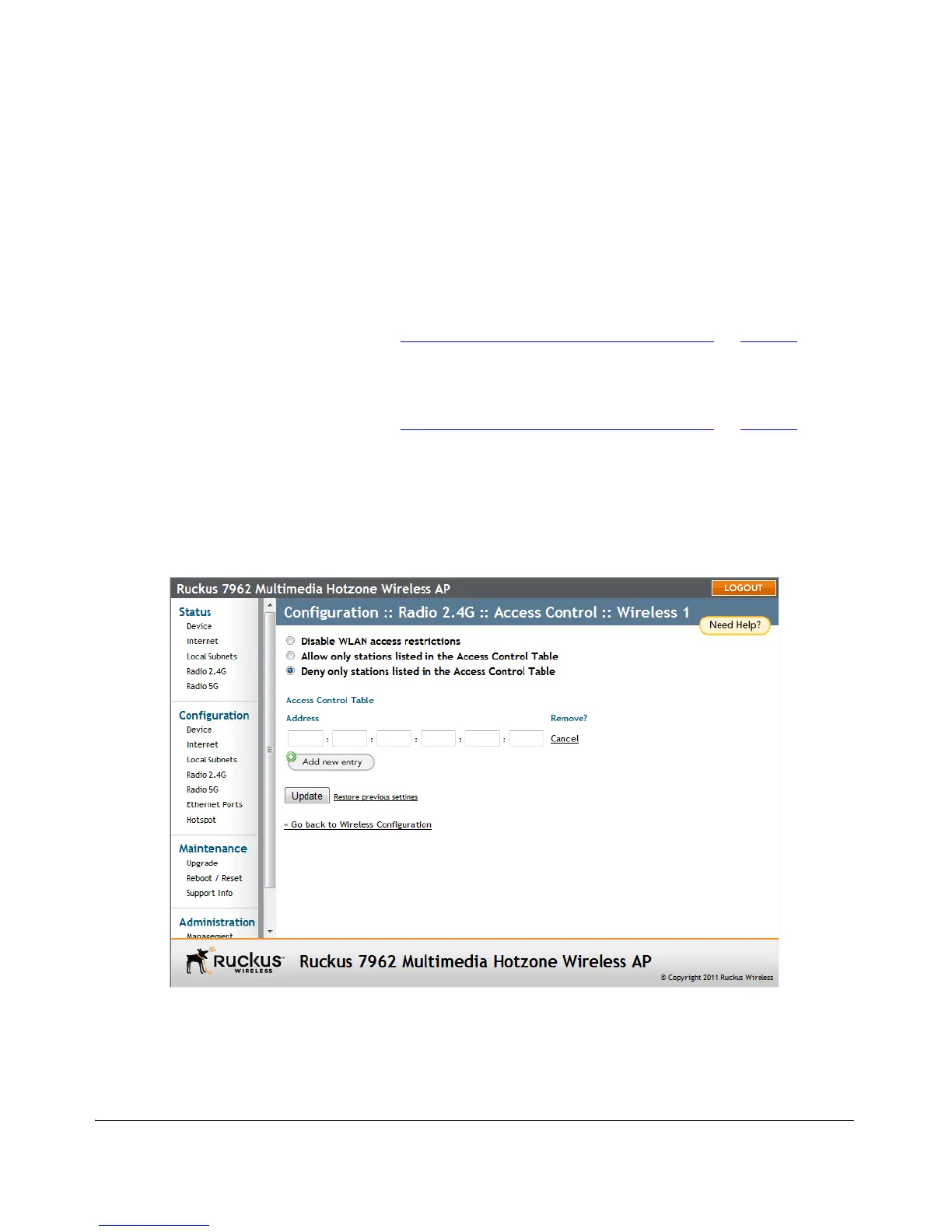
Changing the Access Controls for a WLAN
By default, the Disable WLAN access restrictions option is selected, which allows
any wireless station to gain access to the wireless network. If you want to change this
setting, follow the instructions below.
Figure 49. Access control settings
To edit the ACL
1. Go to Configuration > Wireless.












 To Next Page