81
Configuring the Access Point
Configuring Wireless Settings
5. Click Go back to Wireless Configuration to reopen the previous page.
Using WEP
Wired Equivalent Privacy (WEP) is a security algorithm for 802.11 wireless networks
designed to provide data confidentiality comparable to that of a wired network. WEP
uses a pre-shared key for encrypting data frames that is shared among all users of the
wireless network. For this reason and others, WEP has been discredited as a security
mechanism and should be avoided in favor of WPA if at all possible.
CAUTION: WEP encryption has been proven to be easily circumvented. Therefore,
Ruckus Wireless recommends using WPA whenever possible, and only use WEP if your
client devices do not support WPA.
CAUTION: Using WEP encryption limits the performance of the WLAN to 802.11g
rates. If you select WEP encryption for a WLAN, wireless devices that are capable of
faster 802.11n transfer rates will be limited to 802.11g rates.
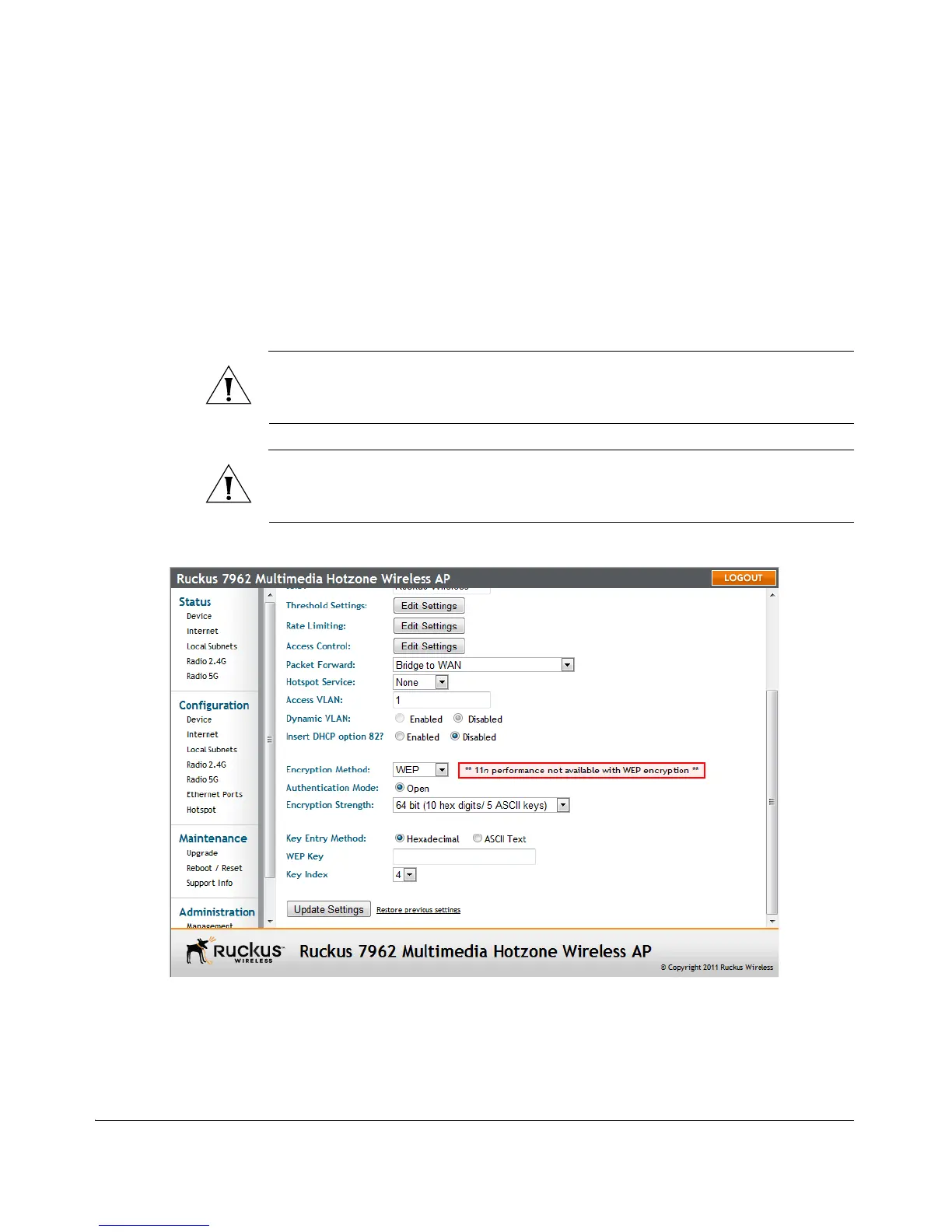
Figure 44. WEP settings
To configure WLAN-specific WEP encryption settings
1. Go to Configuration > Wireless. The Configuration > Wireless > Common page
appears.












 To Next Page