86
Configuring the Access Point
Configuring Wireless Settings
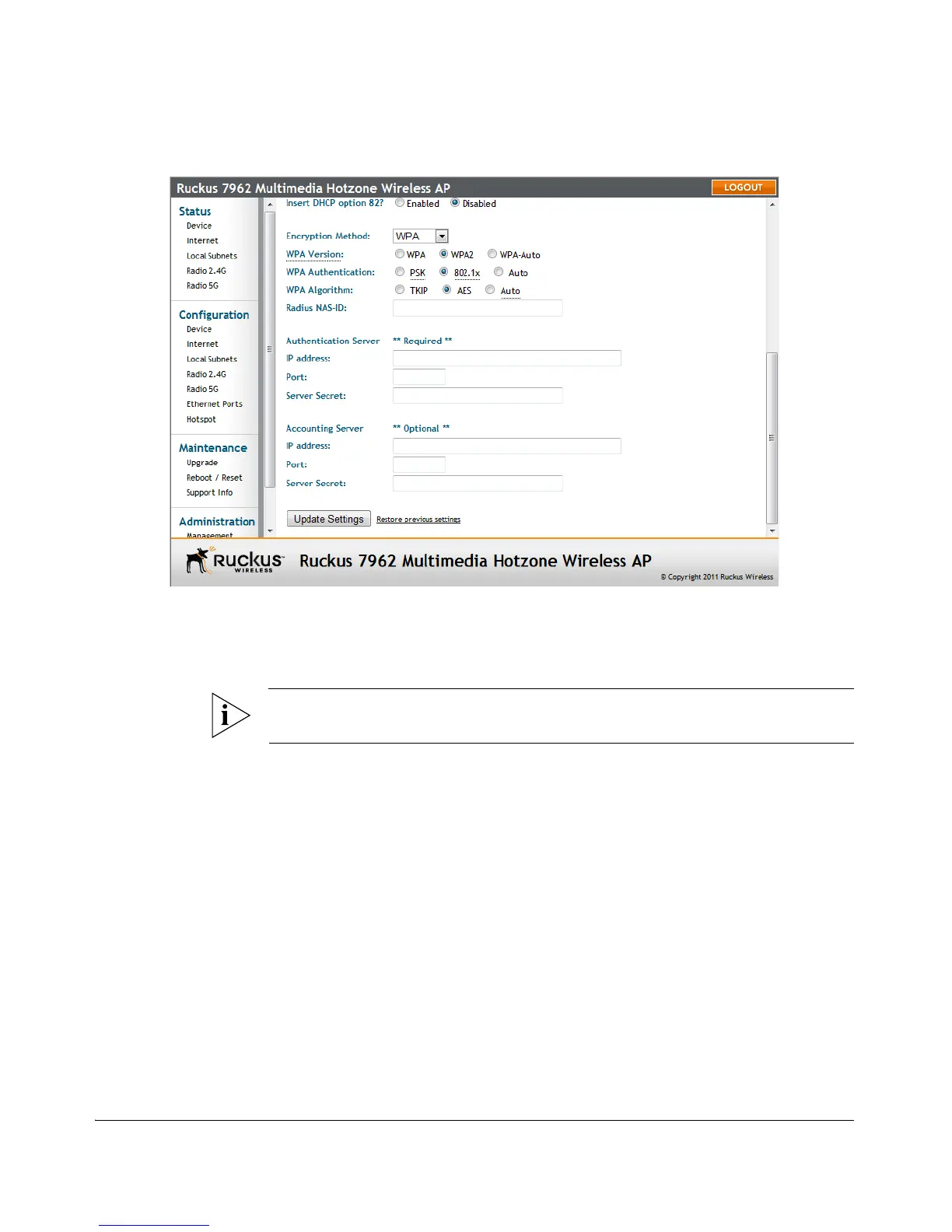
Figure 46. 802.1X settings
To configure 802.1X authentication settings on a WLAN
1. Go to Configuration > Wireless. The Configuration > Wireless > Common page
appears.
NOTE: If you are using a ZoneFlex 7363/7962/7982 AP, go to Configuration > Radio
2.4G or Configuration > Radio 5G.
2. Click a Wireless # tab to configure. The Configuration > Wireless > Wireless[#]
page appears.
3. Click the Encryption Method menu, then click WPA. The basic set of WPA-specific
encryption options appears on the page.
4. Select 802.1X as the WPA Authentication mode. Additional options appear.
5. Configure the following settings to customize your 802.1X authentication:
• RADIUS NAS-ID: Enter the network ID assigned to your RADIUS server.
• Authentication Server [-Required-]: Enter the information needed to estab-
lish a connection between the Access Point and the RADIUS server.
• Accounting Server [-Optional-]: Enter the information needed to establish
this connection.
6. Click Update Settings to save and apply the changes. A confirmation message
appears at the top of this page.












 To Next Page