EasyManua.ls Logo

RUKO F11PRO 2 - Page 22

RUKO F11PRO 2
72 pages
Print Icon
To Next Page IconTo Next Page
To Previous Page IconTo Previous Page
Loading...
F11PRO
2
User
Manual
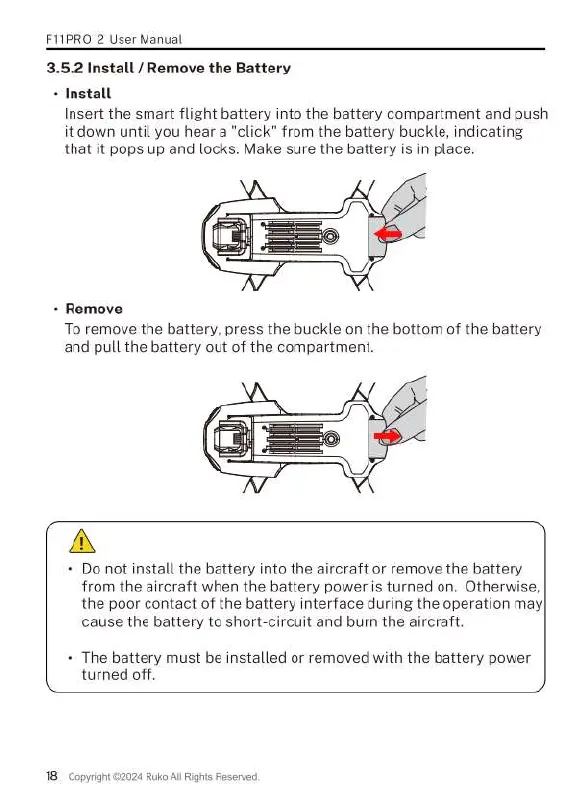
3.5.2Install
/
Remove
the
Battery
nstall
Insert
the
smart
flight
battery
into
the
battery
compartment
and
push
it
down
until
you
hear
a
"click"
from
the
battery buckle,
indicating
that
it
pops
up
and
locks.
Make
sure
the
battery
is
in
place.
+
Remove
To
remove
the
battery,
press
the
buckle
on
the
bottom
of
the
battery
and
pull
the
battery
out
of
the
compartment.
A
+
Do
not
install
the
battery
into
the
aircraft
or
remove
the
battery
from
the
aircraft
when
the
battery
power
is
turned
on.
Otherwise,
the
poor
contact
of
the
battery
interface
during
the
operation
may|
cause
the
battery
to
short-circuit
and
burn
the
aircraft.
The
battery
must
be
installed
or
removed
with
the
battery
power
turned
off.
18
Copyright
©2024
Ruko
Al
Righis
Reserved,

Related product manuals