35
least one finger above your wrist bone and make sure
it is snug on your wrist. During the measurement, keep
your arm and wrist still and wait patiently until the
measurement finishes.
2.12.1 AUTOMATIC STRESS MONITORING
To enable automatic stress monitoring, open the Ryze
Connect App and go to the Device tab. Tap Health.
Tap Stress Monitor. In the following page, turn on the
switch for Stress Monitor. Tap
to save the setting.
Please take note that automatic stress monitoring will
increase battery consumption of your smartwatch.
2.12.2 SETTING HIGH STRESS ALERT
Open the Ryze Connect app, go to Device tab. Tap
Health. Tap Stress Monitor. In the following page, turn
on the switch for High Stress Reminder. Set the timings
for the reminder following screen instructions. Tap
to save settings. After the feature is turned on, you will
receive an alert on the smartwatch when high stress
level is detected.
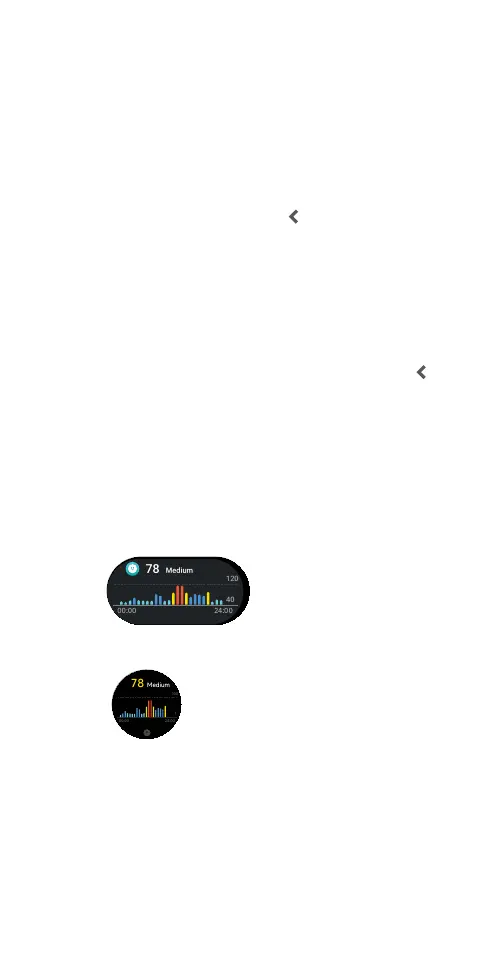
2.12.3 VIEWING STRESS LEVEL
The smartwatch provides several methods to check
stress level.
1) View the stress level in the watch home screen from
the Widgets list.
2) Open the watch Stress application on the
smartwatch to view stress level.
3) Check the stress level using One-Click Health Check
tile.
4) View the Stress Level card in the Home tab in the
Ryze Connect App. Sync the watch data to the
App by swiping down the phone screen whilst in the
Home tab. Tap the card to view more analysis.
5) Open the App. Go to My tab. Tap My Data. Tap to
view activity data, health data and workout records.
20
min
9999
kcal
20
hrs
6 25
h m
00 00 24 00
40
120
78
Medium
20
min
9999
kcal
20
hrs
6 25
h m
00 00 24 00
40
120
78
Medium



 To Next Page