42
2.23 TIMER
You can set a timer with preset duration or customised
duration on the watch.
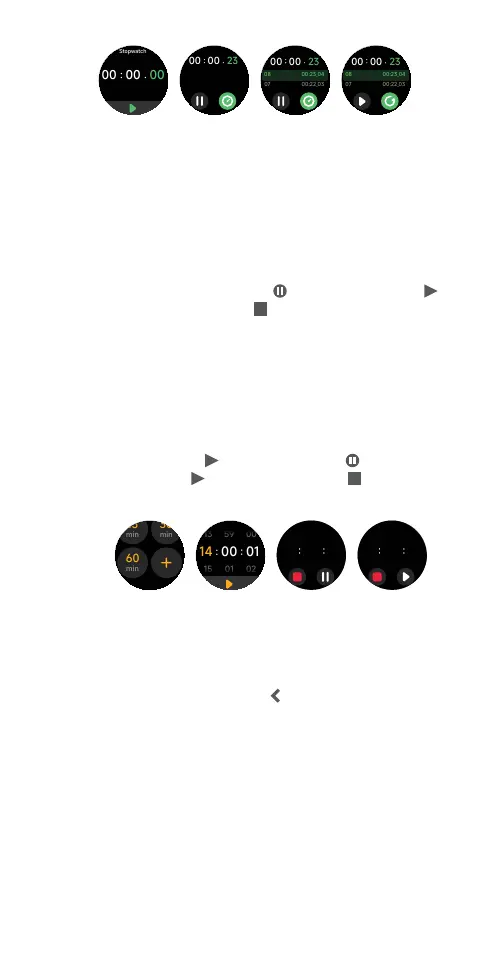
Setting a preset timer
1) Press the smartwatch button to open the applications
list on the watch home screen. Tap Timer.
2) Swipe the screen to view options. Tap on a preset
time to start a timer. Tap
to pause timing. Tap
to resume timing. Tap
to stop timing.
Setting a customised timer
1) Press the smartwatch button to open the
applications list on the watch home screen.
Tap Timer.
2) Swipe down the screen. Tap to set a customised
duration. Swipe the screen to adjust time settings
and then tap
to start timing. Tap to pause
timing. Tap
to resume timing. Tap to stop
timing.
2.24 WORLD CLOCK
Setting the clock with the Ryze Connect App
1) Open the Ryze Connect app and go to the Device
tab. Tap More Settings. Tap World Clock. Tap Add.
Tap to select a city. Tap
at the upper left to save
the clock setting.
2) To modify a clock setting, tap Edit. To delete a clock
setting, swipe the clock tab to the left and then tap
the bin logo. Tap Done to save the setting.
Viewing world clock with the smartwatch
1) Open the applications list in the watch home screen
by pressing the smartwatch button. Tap World Clock.
Swipe down the screen to reveal more data. Tap on
a city name to view its sunset and sunrise times.
World clock
03 25
25/05 WED
PM
06 00
06 00
-8H PM
BEIJING
Numbai
03 25
03 25
World clock
World clock
03 25
25/05 WED
PM
06 00
06 00
-8H PM
BEIJING
Numbai
03 25
03 25
World clock
00 00 23
00 23 04
00
22 03
08
07
00 00 23
00 23 04
00
22 03
08
07
00 00 23
00 23 04
00
22 03
08
07
00 00 23
00 23 04
00
22 03
08
07
00 00 23
00 23 04
00
22 03
08
07
00 00 23
00 23 04
00
22 03
08
07
00 00 23
00 23 04
00
22 03
08
07
00 00 23
00 23 04
00
22 03
08
07



 To Next Page