34
2.11.2 SETTING LOW SpO2 ALERT
Open the Ryze Connect App and go to the Device
tab. Tap Health. Tap Blood Oxygen. In the following
page, turn on the switch for Low Blood Oxygen Level
Reminder. Tap Reminder Value and set a value for alert.
Tap
to save settings. After the feature is turned on,
you will receive an alert on the smartwatch when the
detected blood oxygen level falls below the set value.
2.11.3 VIEWING SpO2
The smartwatch provides several methods to check
blood oxygen level.
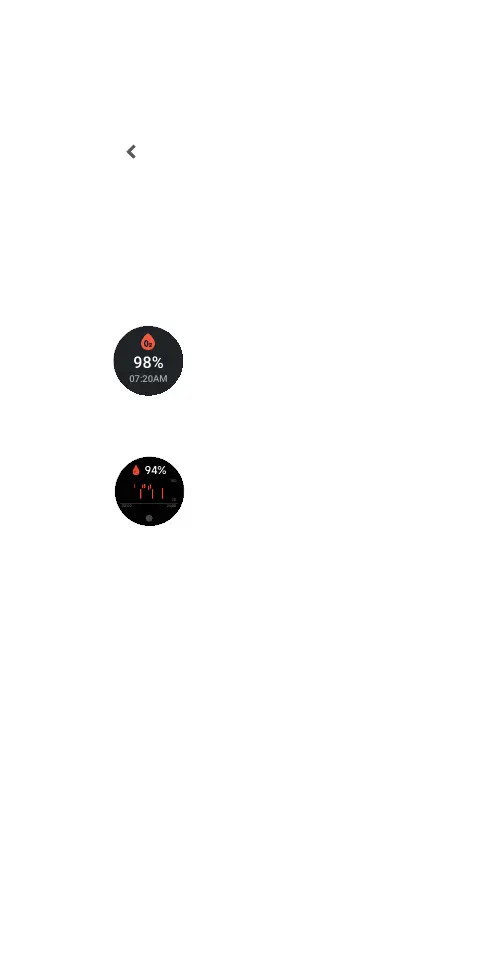
1) View the blood oxygen level in the watch home
screen from the Widgets list.
2) Open the watch SpO2 application on the
smartwatch to view SpO2.
3) Check the blood oxygen level using One-Click
Health Check tile.
4) View the Blood Oxygen card in the Home tab in
the Ryze Connect App. Sync the watch data to the
App by swiping down the phone screen whilst in the
Home tab. Tap the card to view more analysis.
5) Open the App. Go to My tab. Tap My Data. Tap to
view activity data, health data and workout records.
2.12 STRESS
Stress is an indicator of your physiological strain. The
smartwatch can measure your stress level by way of
calculating a stress score through the analysis of heart
rate variability (HRV) and other physiological data. A
stress score ranges from 1 to 100. The lower the score,
the lower your stress level. Stress scores are colour
coded into four stress zones, namely the relax, normal
stress, medium stress and high stress zones. To ensure
accuracy of measurement, wear the smartwatch at
20890
steps
34
Boss
07:20AM
98%
07:20AM
08:53
20890
steps
34
Boss
07:20AM
98%
07:20AM
08:53



 To Next Page