31
Viewing VO2 Max on in the Ryze Connect app
Open the Ryze Connect App and go to the Home tab.
Tap Edit Card and add VO2 max.
2.8.10 VIEWING WORKOUT RECORDS
Viewing workout records with the smartwatch
1) Press the smartwatch button to open the
applications list on the watch home screen.
2) Tap Workout Records and tap a completed workout
to reveal data for that workout session.
Viewing workout records with the Ryze Connect App
Sync the connected smartwatch data to the App
regularly. Open the Home tab, swipe down the middle
of the phone screen and release your finger when you
see
Pull Down to Synchronise Data.
Method 1: Go to the Home tab. Tap Exercise to view
training records. If the Exercise card is not visible, tap
Edit Card at the bottom of the screen to add the tile.
Method 2: Go to My tab. Tap My Data. Tap to view
activity data, health data and workout records.
2.9 ONE-CLICK HEALTH CHECK
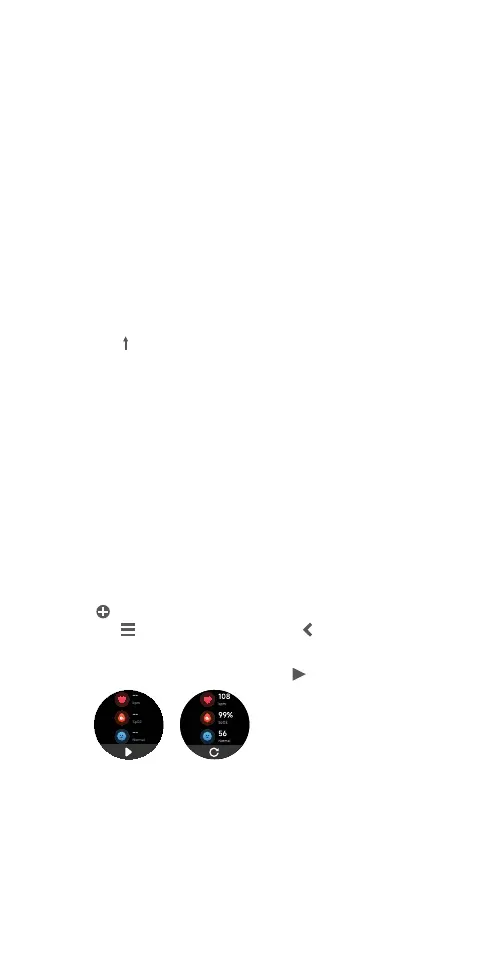
The smartwatch supports the 3-in-1 measurement of
health indicators, including heart rate, blood oxygen and
stress level, with a single tap. Enable this feature before use.
1) Open the Ryze Connect app, go to Device tab. Tap
More Settings. In the following page, tap Shortcuts. Tap
next to Health. To rearrange the order, hold and drag
the
icon next to a name. Tap to save the setting.
2) From your smartwatch home screen, swipe left to
view the health check tile. Tap
to start measuring.
2.10 HEART RATE
The smartwatch supports automatic and manual
measurement of your heart rate. Measured heart rate
is presented in BPM or beats per minute. To ensure
accuracy of measurement, wear the smartwatch at
least one finger above your wrist bone and make sure



 To Next Page