Sacher Lasertechnik
Group
User Manual Laser Diode Controller PilotPC 35
Remote Interfaces
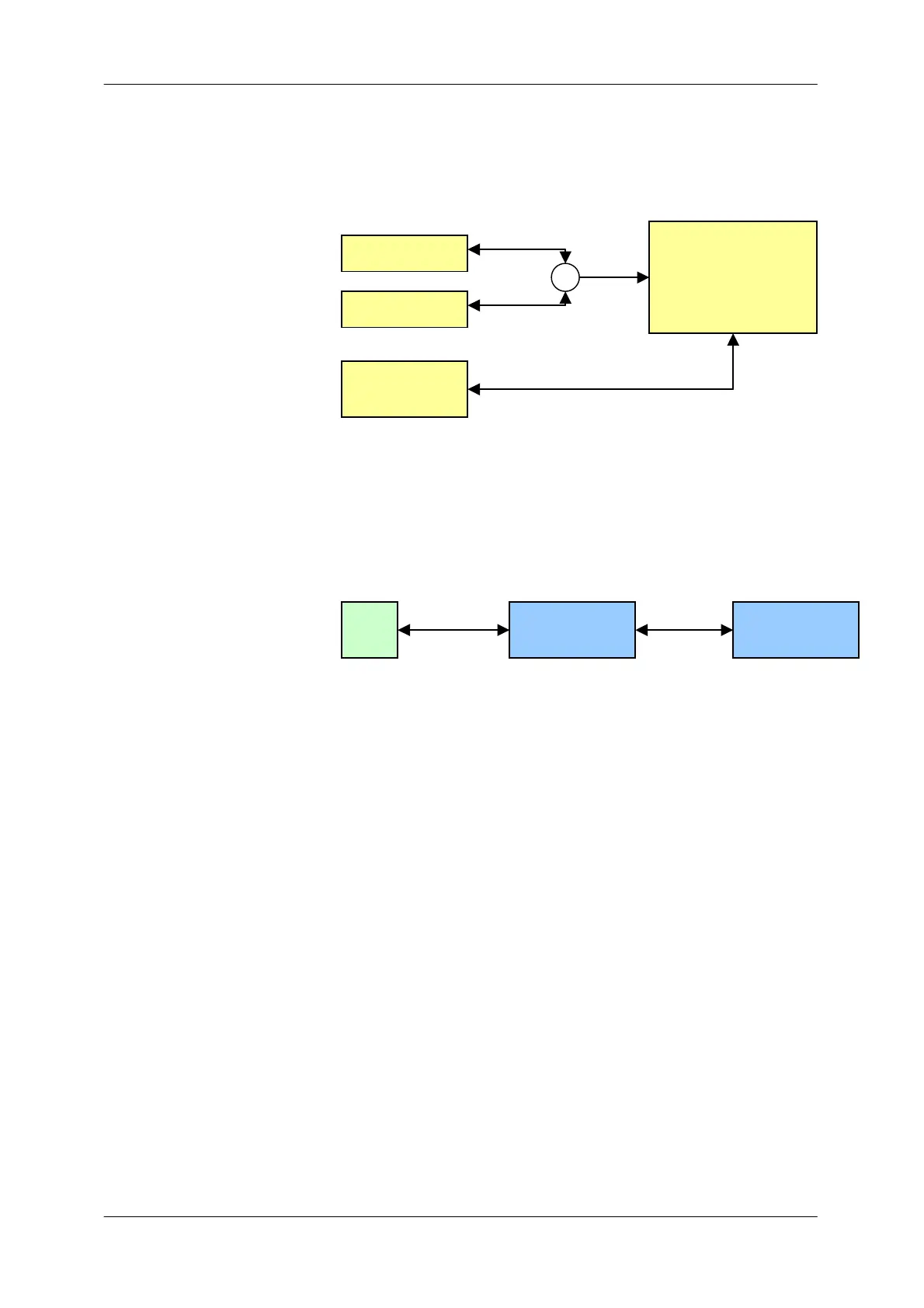
The driver is equipped with RS232 , USB and GPIB Interface.
RS232 and USB lead internally to one connection, so it is not possible
to use them simultaneously.
RS232 Gateway Mode
The RS232 interface could also be used as a connection between the
driver and other smart actuators. The port acts than as communication
gateway. The actuators could only reached by the GPIB interface.
GPIB Mode
When the user sends GPIB commands the driver will automatically
switch in REMOTE condition. In this state the keyboard is disabled,
except the Laser ON/OFF button.
With the menu button the driver gets back in LOCAL mode.
µController
RS232 Port
USB Port
GPIB Port
PC
PilotPC
Smart
Actuator


 To Next Page