Sacher Lasertechnik
Group
User Manual Laser Diode Controller PilotPC 54
Fuse Replacement and Voltage Selection
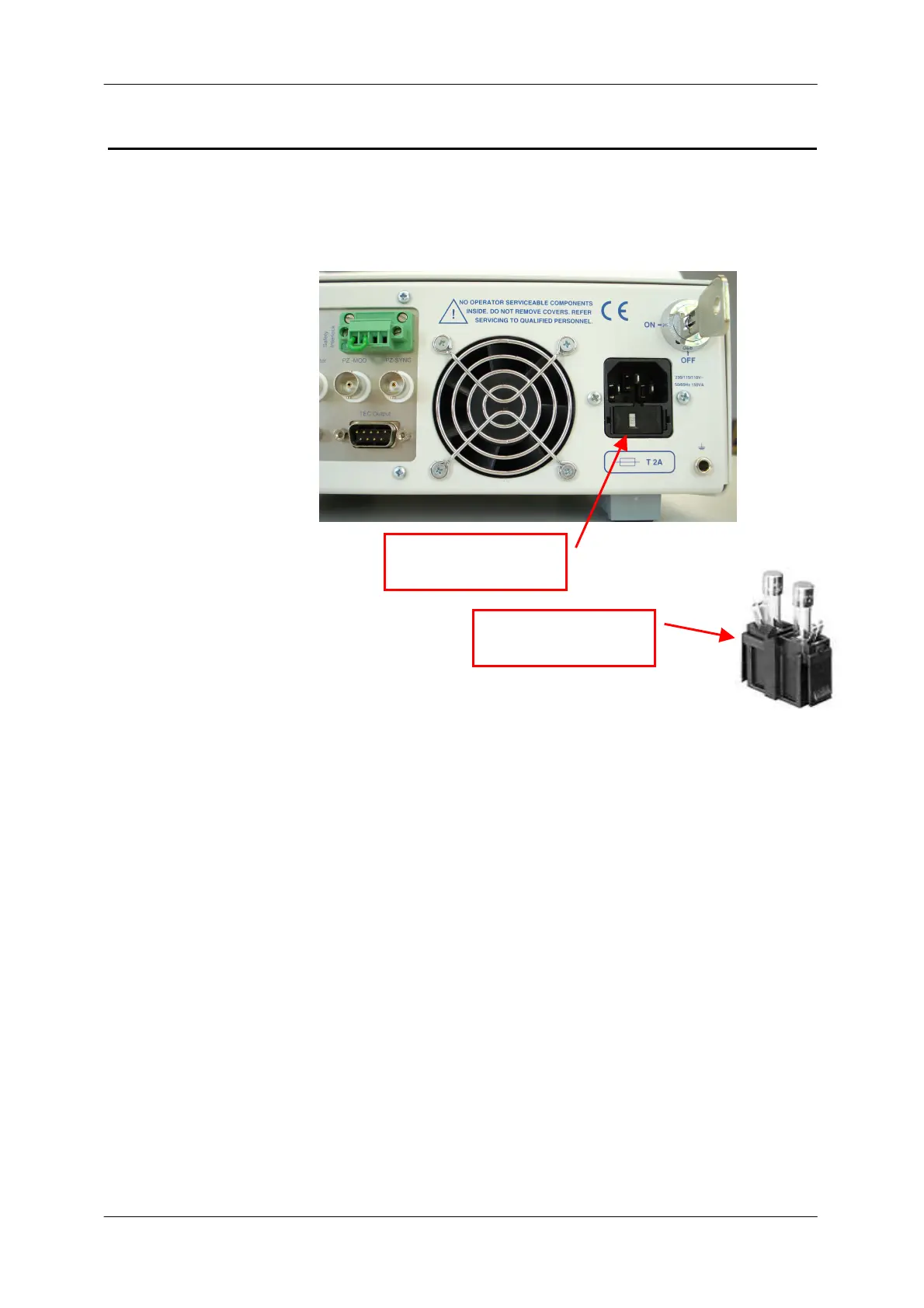
On the rear side you find the fuse holder and voltage selector
Fuse Replacment
Follow these steps
1. Remove the power cord
2. Remove the fuse holder and replace the fuses
(use 2A T on both fuses)
3. Replace the fuse holder assembly in the rear panel
Voltage Selection
Follow these steps
1. Remove the power cord
2. Remove the fuse holder
3. Rotate the line voltage selector until the correct voltage
appears in the window
4. Replace the fuse holder assembly in the rear panel
Voltage selector


 To Next Page