INTEGRA-X User Manual WEB GUI
SAF Tehnika JSC 80
System Configuration Users configuration
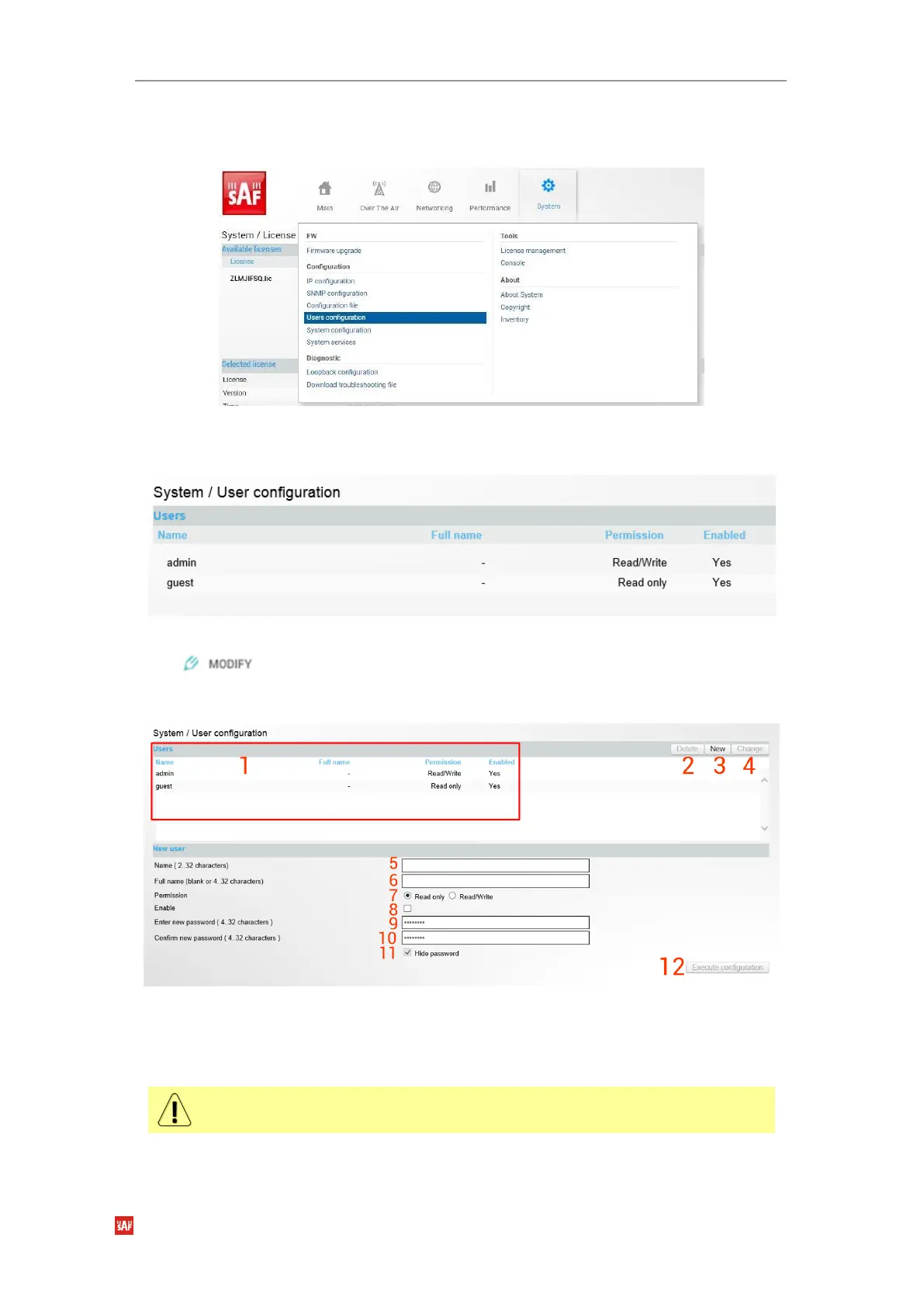
Integra-X features 2 default user accounts –
admin
(full control) and
guest
(read only).
Figure 3-85 Accessing user configuration page
Status mode
Figure 3-86 User configuration page
Press button.
Modify mode
Figure 3-87 User management page
1)
Users
– By default “admin” and “guest” users are created and listed. You can choose
between these user accounts. “guest” user has monitoring privileges and cannot apply
configuration changes.
By default, the password for the “admin” account is ‘
changeme
’, while no
password is defined for the “guest” account.
2)
Delete
– delete selected user. For “admin” this button is disabled.
3)
New
– by pressing the button dialog for new user creation opens.



 To Next Page