INTEGRA-X User Manual WEB GUI
SAF Tehnika JSC 41
Use to show the configuration of all ports.
network port set <port> admin-
state {enable|disable}
Use to enable or disable particular port.
network port set LAN1 speed
{auto|100fdx|10fdx}
Use to change speed and duplex setting on LAN1
port. Default value is “auto” (auto negotiation).
network port set LAN{2|3} speed
{auto|10G|1G|2G5}
Use to change speed and duplex setting on LAN2 and
LAN3 port. The default value is “auto” (auto-
negotiation).
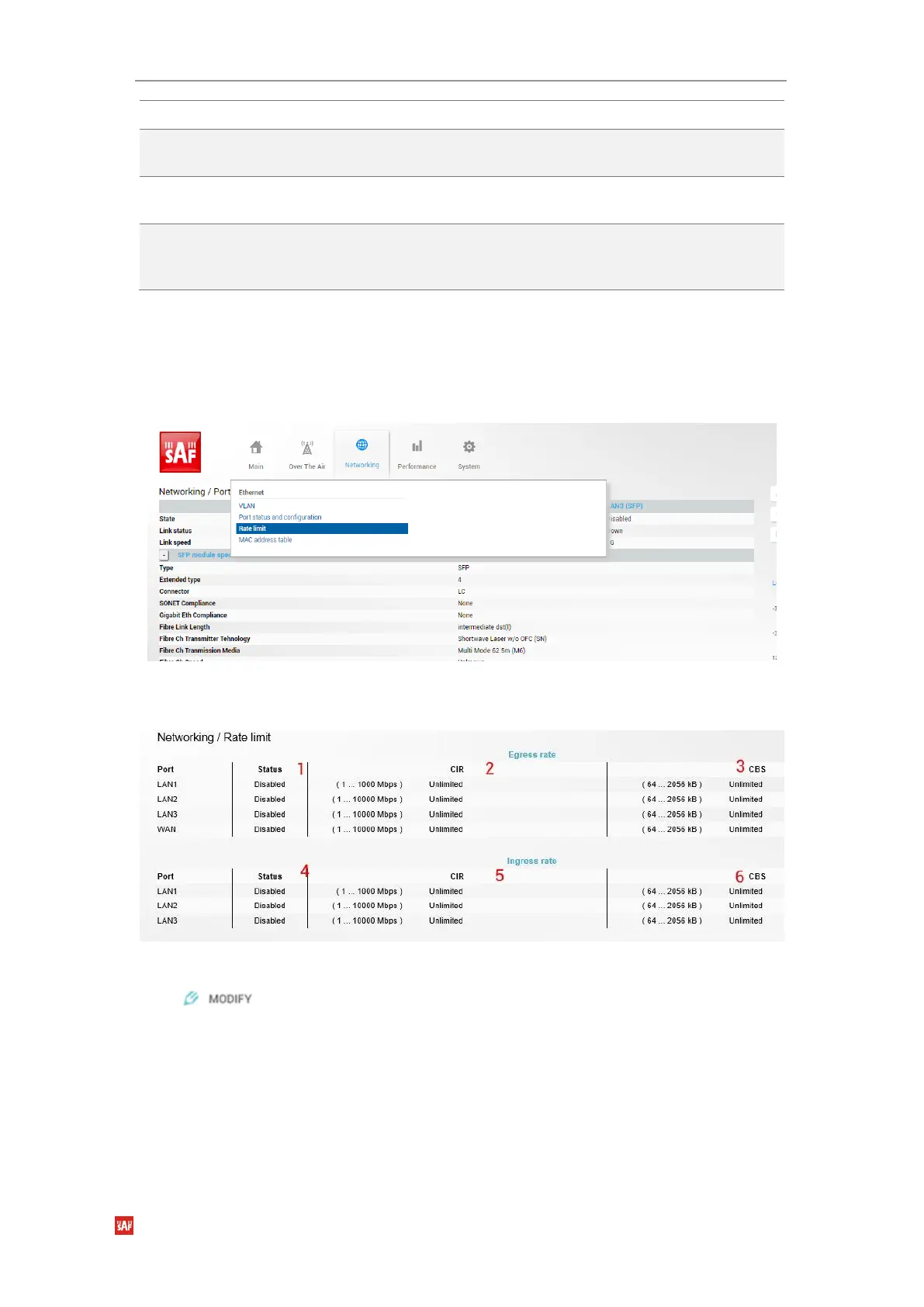
Networking Ethernet Rate limit
The rate limit page, see
Figure 3-26
, allows configuring ingress and egress rates on available
Ethernet switch ports. In case license with an Ethernet rate limitation is applied, the Ethernet
limitation will be indicated as the egress rate of WAN port.
Status mode
Press button.
Figure 3-25 Accessing Rate limit settings



 To Next Page