INTEGRA-X User Manual WEB GUI
SAF Tehnika JSC 53
1)
Indicates low, high and delta values of the parameters (status mode); “Low value”, “High
value” and “Delta value” fields for all parameters become editable when “Default value” is
deselected (modify mode);
2)
Set all to default
– resets “Low value”, “High value” and “Delta value” for all parameters to
factory defaults;
3)
Default value
– deselect to activate manual threshold modification;
4)
By pressing
„Execute configuration”
, changes made to the corresponding section apply only
to the local side Integra-X.
CLI commands
See Chapter 4: COMMAND LINE INTERFACE
Use to show the configuration of sensor thresholds.
log sensor mgmt <sensor>
control {enable|disable}
Use to enable or disable a sensor.
log sensor mgmt <sensor>
thold <min> <max> <delta>
Use to set sensor’s min, max thresholds and delta value
manually.
log sensor mgmt <sensor>
time <0…30>
Use to set sensor hysteresis time in seconds. Will be used
to show value in orange color indicating that sensor value
recently exceeded its thresholds.
log default {all| group|
sensors [sensor]}
Use to set group, individual sensor or all sensor
configuration to default.
Use to list all available sensors.
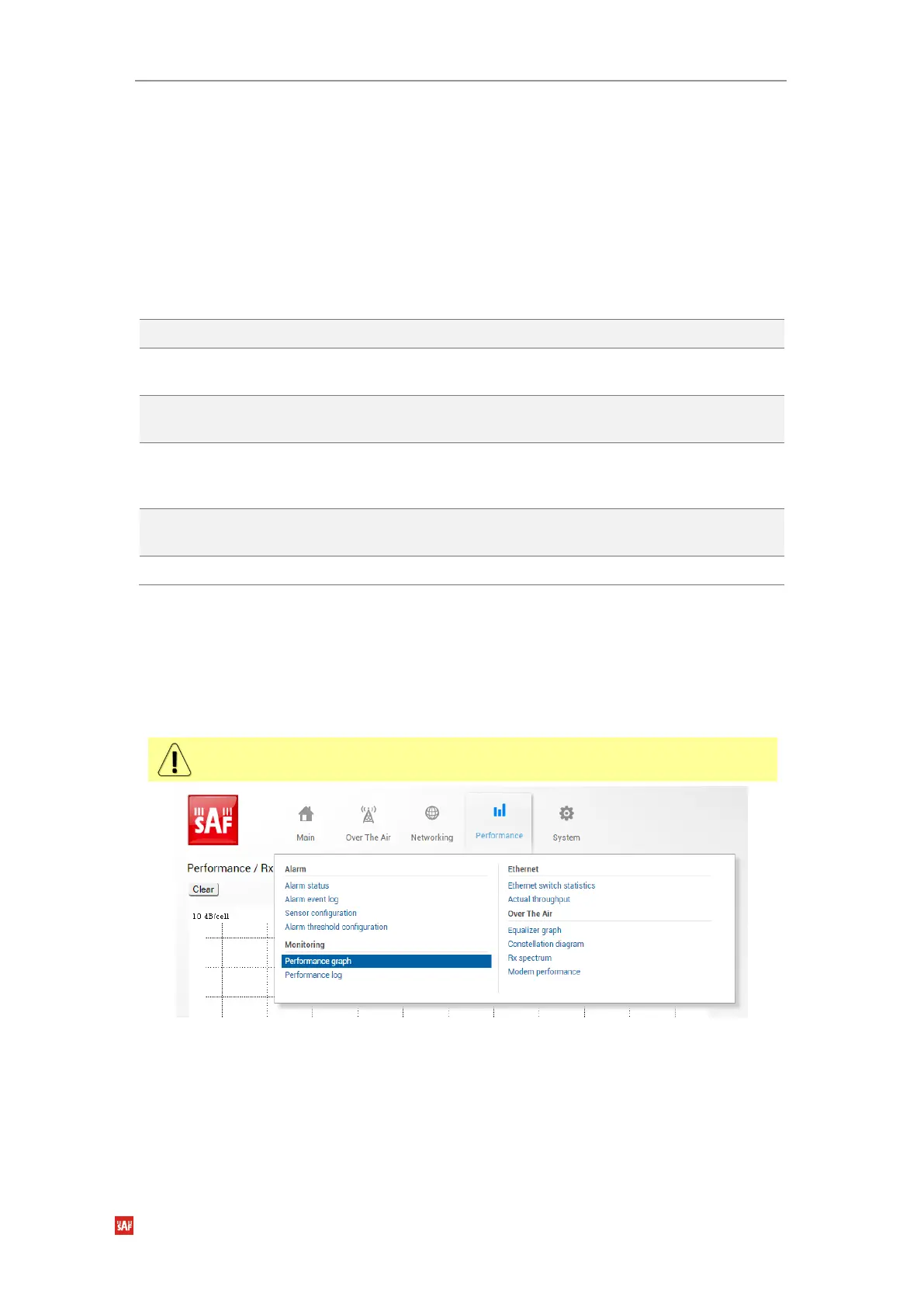
Performance Monitoring Performance graph
The Performance graph allows visualizing various parameters on Local side device over a
chosen time period as curves. Available parameters will depend on the Sensor Configuration.
Any two Local side device parameters can be shown at a time. By default Local device Rx level
(dBm) and MSE (dB) are selected and shown.
Not all sensors available in Sensor Configuration can be displayed in the Performance
graph.
Figure 3-46 Accessing Performance graph
MODIFY button is deactivated in the Performance graph page, see
Figure 3-47
.



 To Next Page