INTEGRA-X User Manual WEB GUI
SAF Tehnika JSC 86
System Diagnostic Loopback configuration
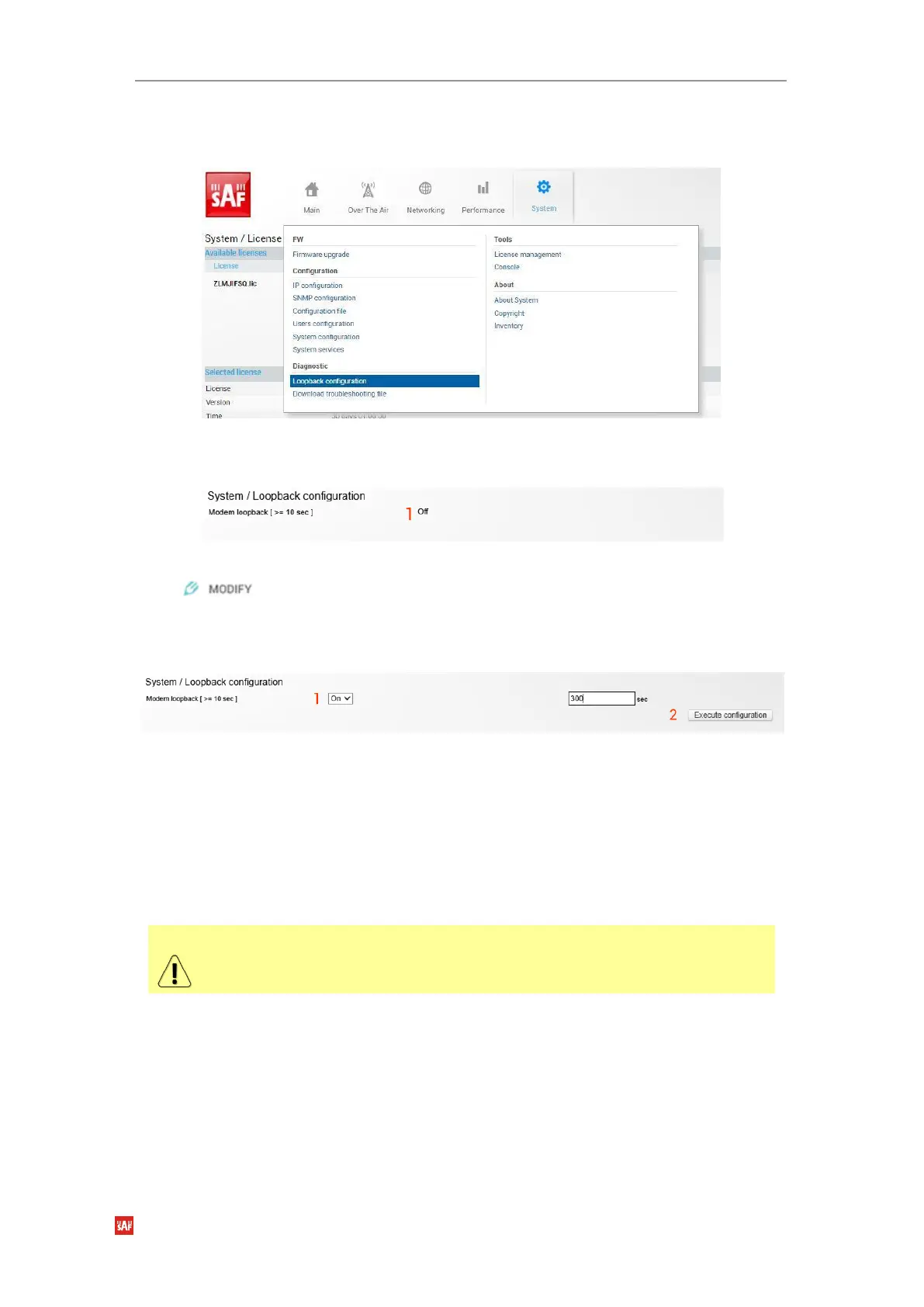
Loopback configuration allows verifying system operation.
Figure 3-94 Accessing Loopback configuration page
Status mode
Figure 3-95 Loopback configuration status page
Press button.
Modify mode
Figure 3-96 Modifying Loopback settings
1)
Modem loopback
– Indicates whether modem loopback is active (status mode); Allows
enabling modem loopback by changing the status to “On” and specifying loopback duration
time (modify mode). During modem loopback, the signal is looped back to a local end after
the modem and Integra-X should be able to synchronize to itself. Both MSE and FEC load
should not generate an alarm (values should not be colored in red). When loopback is
activated, “Loopback duration time” countdown timer will appear.
2) By pressing
„Execute configuration”,
changes made to the corresponding section apply only
to the local side Integra-X.
While modem loopback is active “Modem loopback: Enabled, digital” indication
will be shown on the Main status page.



 To Next Page