INTEGRA-X User Manual WEB GUI
SAF Tehnika JSC 82
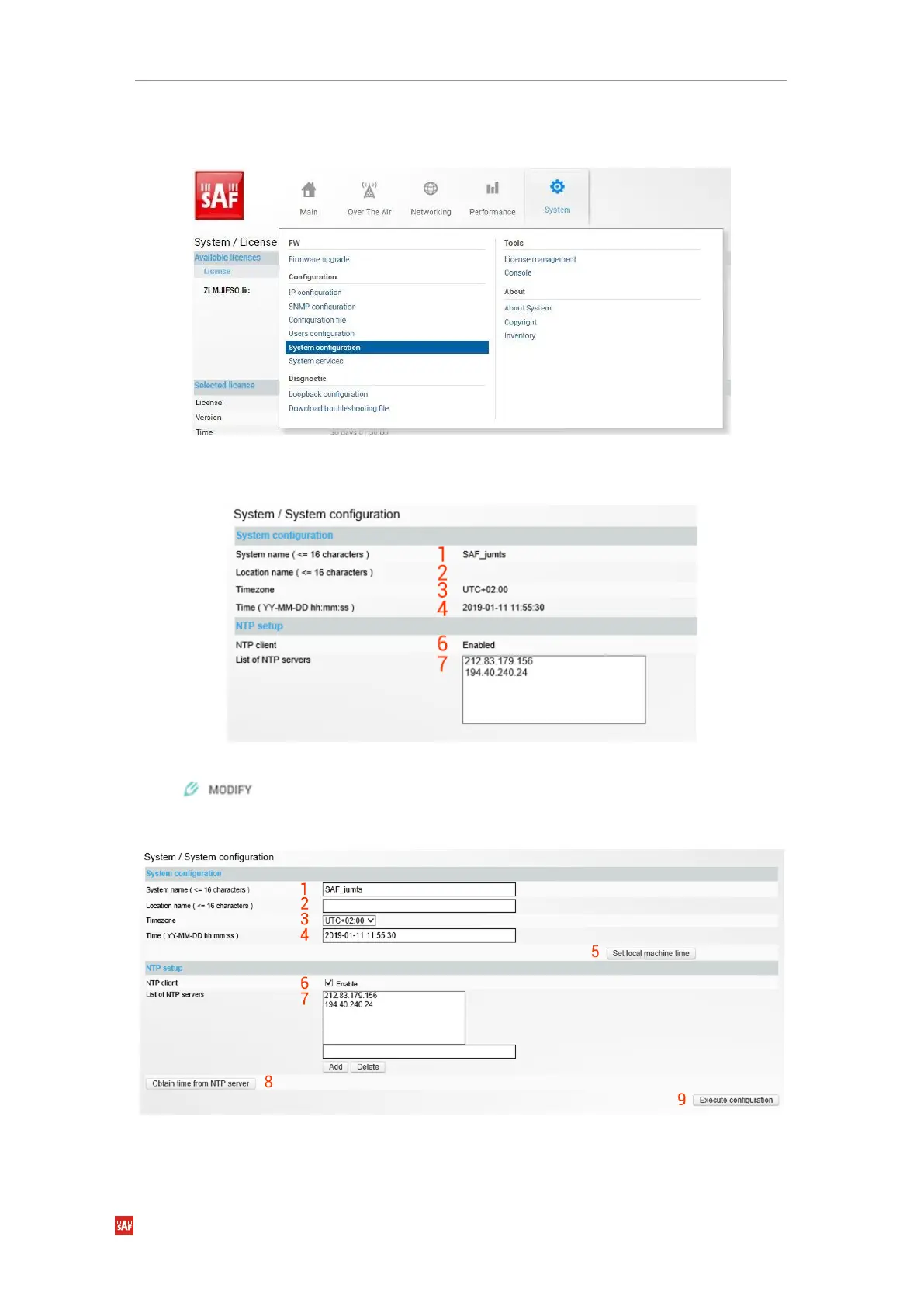
System Configuration System configuration
Specify time settings and system/location names.
Figure 3-88 Accessing System configuration page
Status mode
Figure 3-89 System configuration page
Press button.
Modify mode
Figure 3-90 System configuration modify page
1)
System name
– Allows entering a preferable system name. The maximum length of the
system name cannot exceed 16 symbols. The default name is ‘SAF’.



 To Next Page