INTEGRA-X User Manual WEB GUI
SAF Tehnika JSC 49
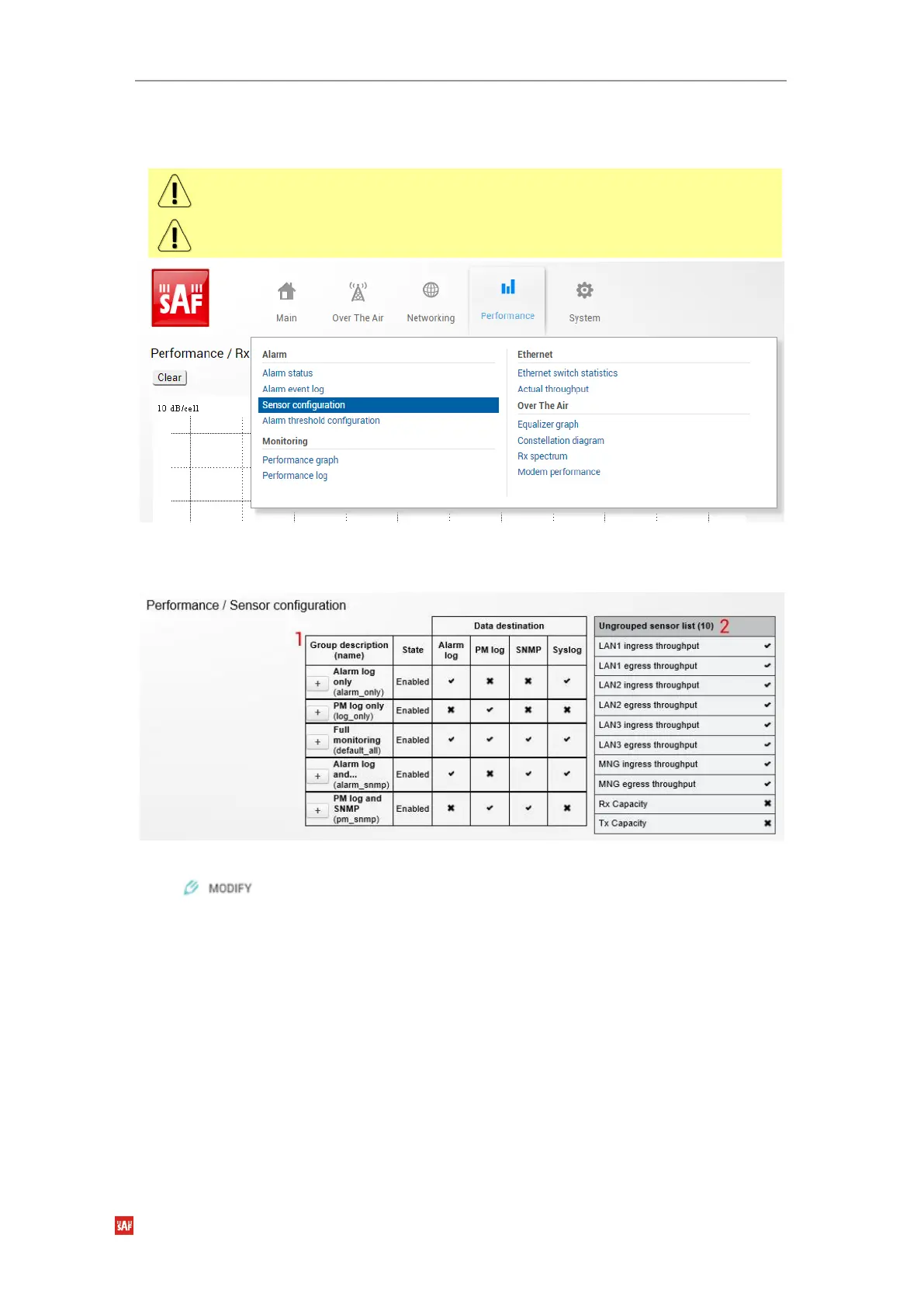
Performance Alarm Sensor configuration
The section allows specifying behavior of available sensor parameters.
After the firmware upgrade, it is required to reset sensor configuration to default using “Set
all to default” button and reconfigure sensors as required.
It is not recommended to add “License remaining time” sensor parameter to performance
(“perfd”) type parameters.
Figure 3-38 Accessing Sensor menu
Status mode
Figure 3-39 Sensor configuration page
Press button.



 To Next Page