INTEGRA-X User Manual COMMAND LINE INTERFACE
SAF Tehnika JSC 97
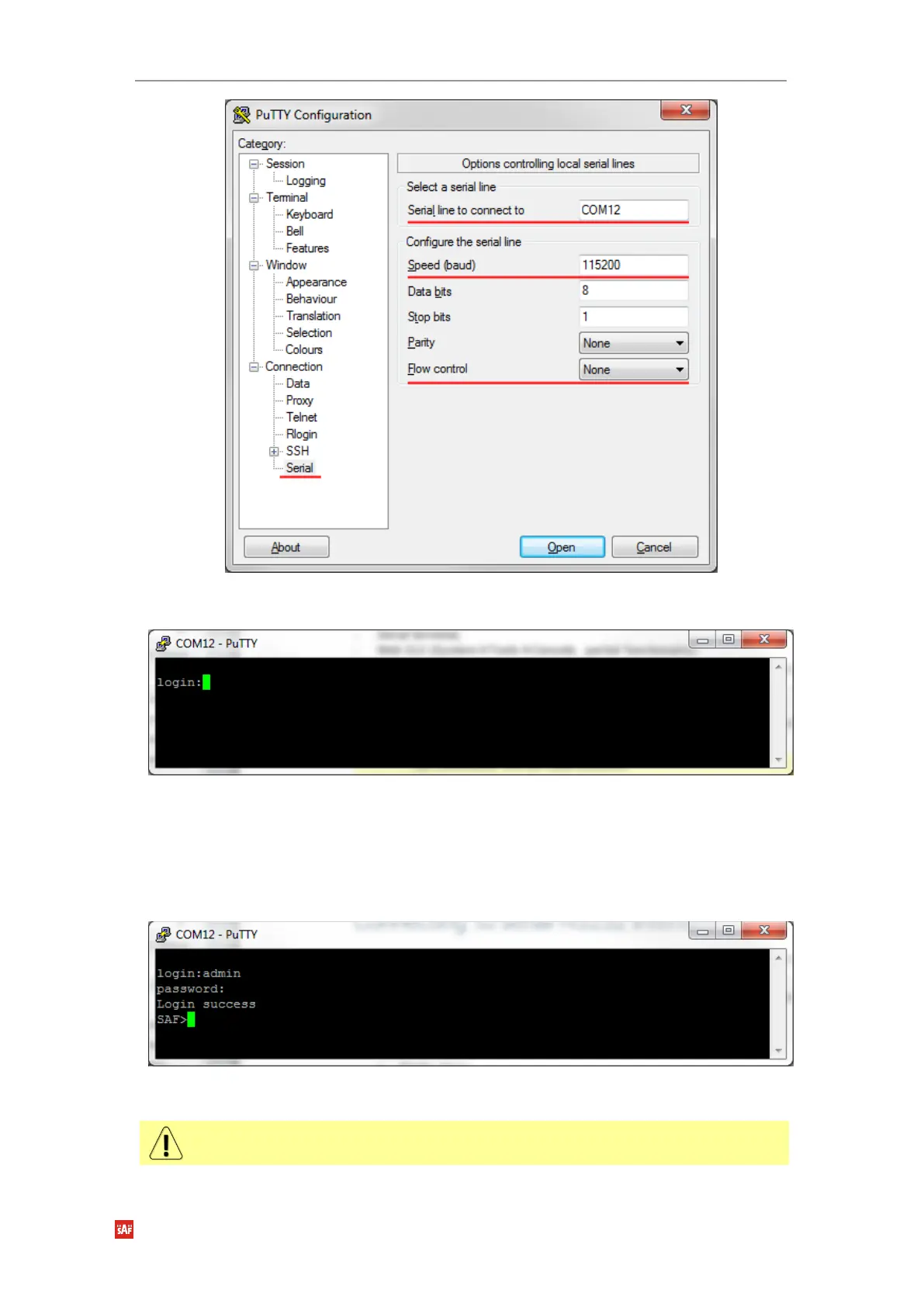
5Figure 4-2 PuTTY interface
2) Press “Open” and after pressing “Enter” key following login dialog should appear:
Figure 4-3 Login prompt
3) Enter the username and password. Default credentials are as follows:
login: admin
password: changeme
4) After successful login “SAF>” prompt should appear (prompt will differ if system name is
not the default one):
Figure 4-4 system prompt
5) Press “Ctrl+C” to log off from the current session.
Closing the PuTTY window does not log off from the current serial terminal session.



 To Next Page