- 11 -
2 - Installation
Installation
Packaging contents
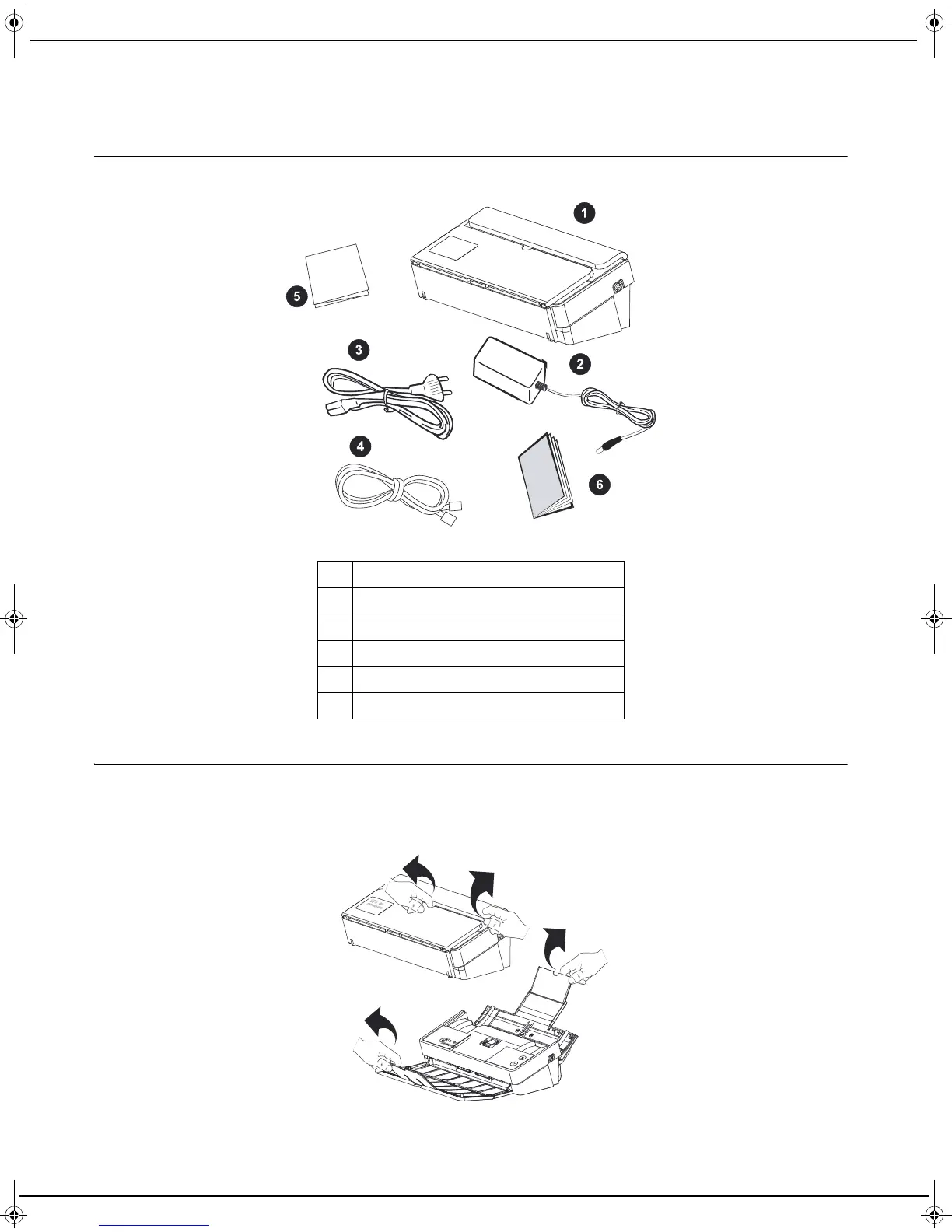
The packaging contains the components listed below:
Installing the machine
1 Unpack the machine and remove all protective shims, as illustrated in the installation guide.
2 Install the machine in a suitable place respecting the safety instructions described in the section Safety [ 5].
3 Unfold the document input and output trays.
1 A machine
2 A mains power supply unit
3 A power cable
4 A network cable
5 An installation guide
6 A safety instructions
LU IB1100E_EN.book Page 11 Mercredi, 15. mai 2013 9:01 09


 To Next Page