- 26 -
5 - Maintenance and incidents
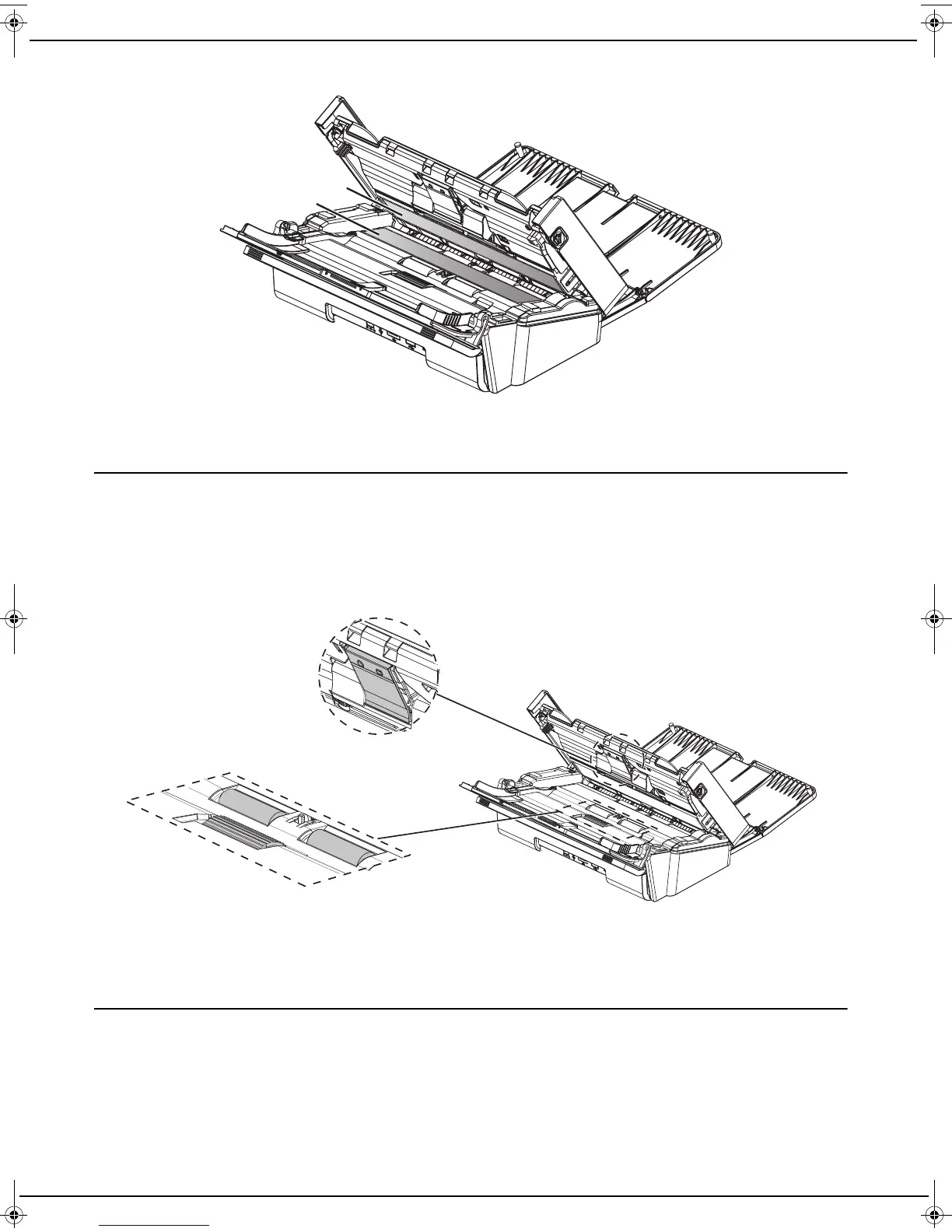
3 Clean the two analysis windows (A) and (B) with a soft, lint-free cloth moistened with isopropyl alcohol or mild
detergent.
4 Close the scanner cover.
5 Plug the power cord into the wall socket to turn the machine on.
Cleaning the separation pad and rollers
The accumulation of paper dust and other debris on the rollers may cause paper feeding problems.
To clean the separation pad and rollers, follow these steps:
1 Turn the machine off by unplugging the power cord from the wall socket.
2 Open the scanner cover by pressing the buttons located on the left and right.
3 Clean the paper feeding rollers (A) using a soft, lint-free cloth dampened with isopropyl alcohol.
To clean the rollers, rotate them in the same direction as the normal paper transport.
4 Clean the pad (B) with a soft, lint-free cloth moistened with isopropyl alcohol or mild detergent.
5 Close the scanner cover.
6 Plug the power cord into the wall socket to turn the machine on.
Removing paper jams
In the event of paper jam, follow these steps:
1 Open the scanner cover by pressing the buttons located on the left and right.
2 Remove the paper causing the jam without tearing it.
3 Close the cover of the sheetfeed scanner.
LU IB1100E_EN.book Page 26 Mercredi, 15. mai 2013 9:01 09


 To Next Page