- 14 -
2 - Installation
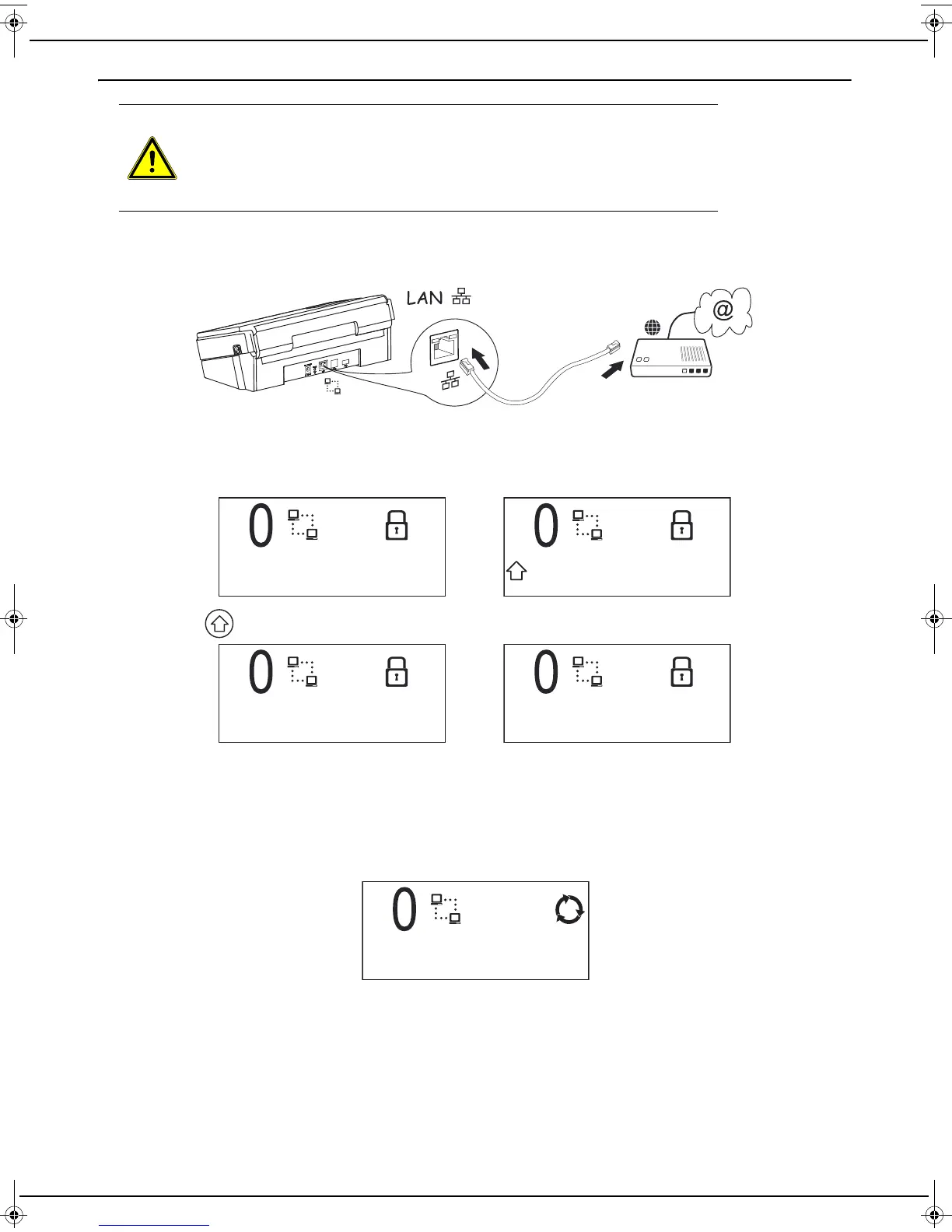
Connection via a network cable
Remark: the network cable connection takes priority over the Wi-Fi connection.
To connect your machine, follow these steps:
1 Connect the network cable supplied between your machine and your Internet box.
2 The connection steps take place successively.
3 When the machine is switched on for the first time, a software updating operation can start automatically (see
the section “Maintenance menu”, page 28). Do not turn the device off during this operation, as it might not restart.
Once the software has been updated, the following messages are displayed alternately on the LCD screen:
4 Press the key, the following messages are displayed alternately on the LCD screen:
5 Log onto the service provider's website from your computer and go to your machine's settings page.
Depending on your service provider, you may have to enter a pin code in a field. If this is the case, please enter
the code value displayed on your machine as this pin code.
To complete the pairing process, in all cases press the web page "pairing" button.
Note that you have 1 minute from the onset of pairing on your machine to complete the pairing process on your
service provider's website. If this period is exceeded, you will need to repeat the complete pairing procedure.
6 Once pairing is complete, the machine is ready for use and the screen shown below is displayed
WARNING
ONLY CONNECT THE MACHINE TO AN ETHERNET LAN THE WIRING OF
WHICH DOES NOT GO OUTSIDE THE BUILDING AND IS NOT SUBJECT TO
EXTERNAL SURGES.
WHEN READY
CODE : xxxxxx
SERVICE - 1
LU IB1100E_EN.book Page 14 Mercredi, 15. mai 2013 9:01 09


 To Next Page