- 9 -
1 - Presentation of the machine
Presentation of the machine
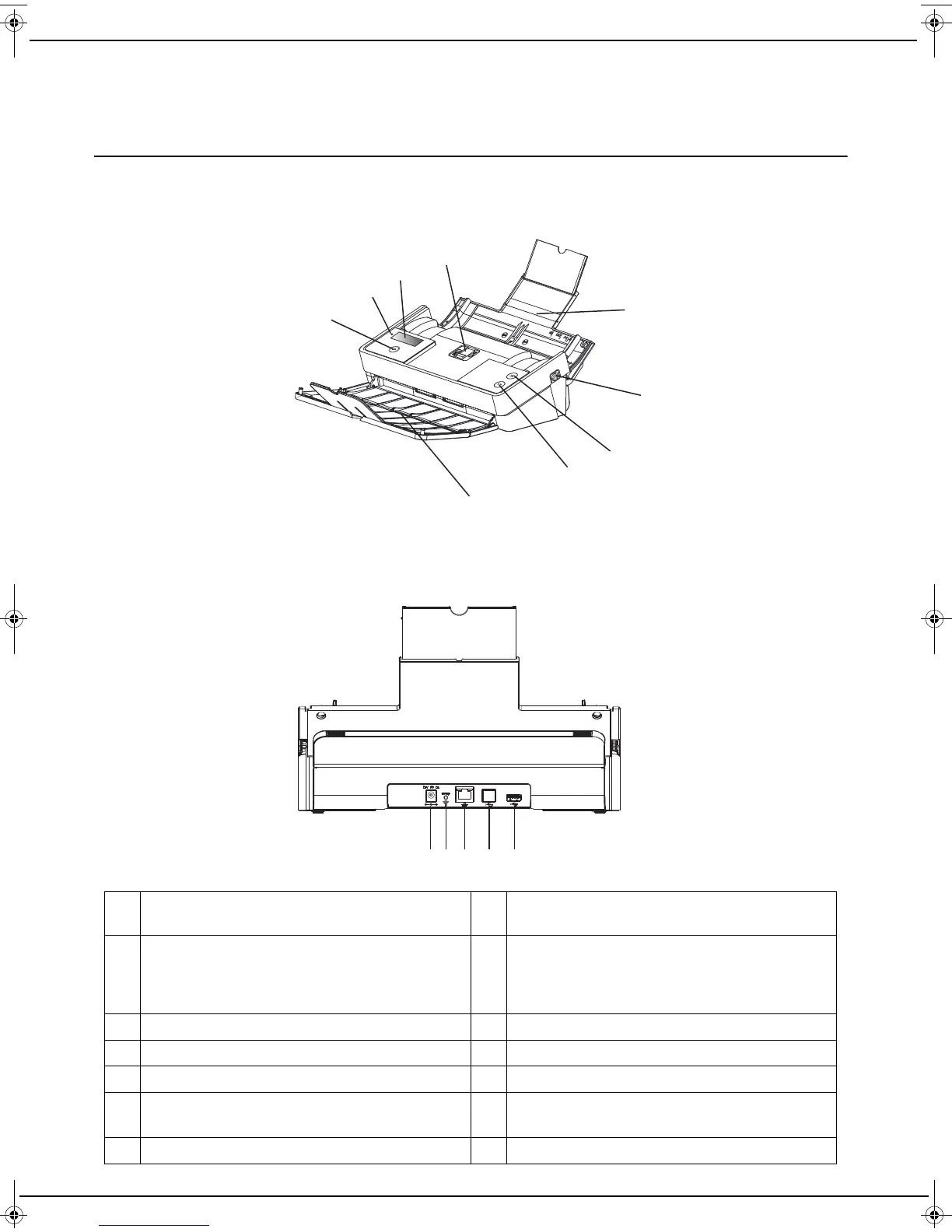
Description of the machine
1 Service button is used to scroll the different
choices or options
8 Button to validate the operation in progress
2Led
Green to indicate a normal condition
Red to indicate an error condition
Orange to indicate a boot condition
9 Output paper tray
3 LCD screen 10 Master USB connector (USB key)
4 Paper thickness switch 11 Not used
5 Input paper tray 12 LAN connector
6 These buttons, one on either side of the machine,
are used to open the machine.
13
Setup button is used to activate the WPS pairing
mode of the Wi-Fi.
7 Button to cancel the operation in progress 14 Power cable connection
1
6
3
2
5
7
10
9
111213
4
8
Front view
Back view
14
LU IB1100E_EN.book Page 9 Mercredi, 15. mai 2013 9:01 09


 To Next Page