- 20 -
3 - Using the machine
Using tree structure services
Depending on your service provider, the services may be organized as a tree structure. This allows you for example to
group similar services together.
Contact your service provider to find out about the tree structures provided. The names (Group, Subgroup, Service,
etc.) presented below are given by way of example.
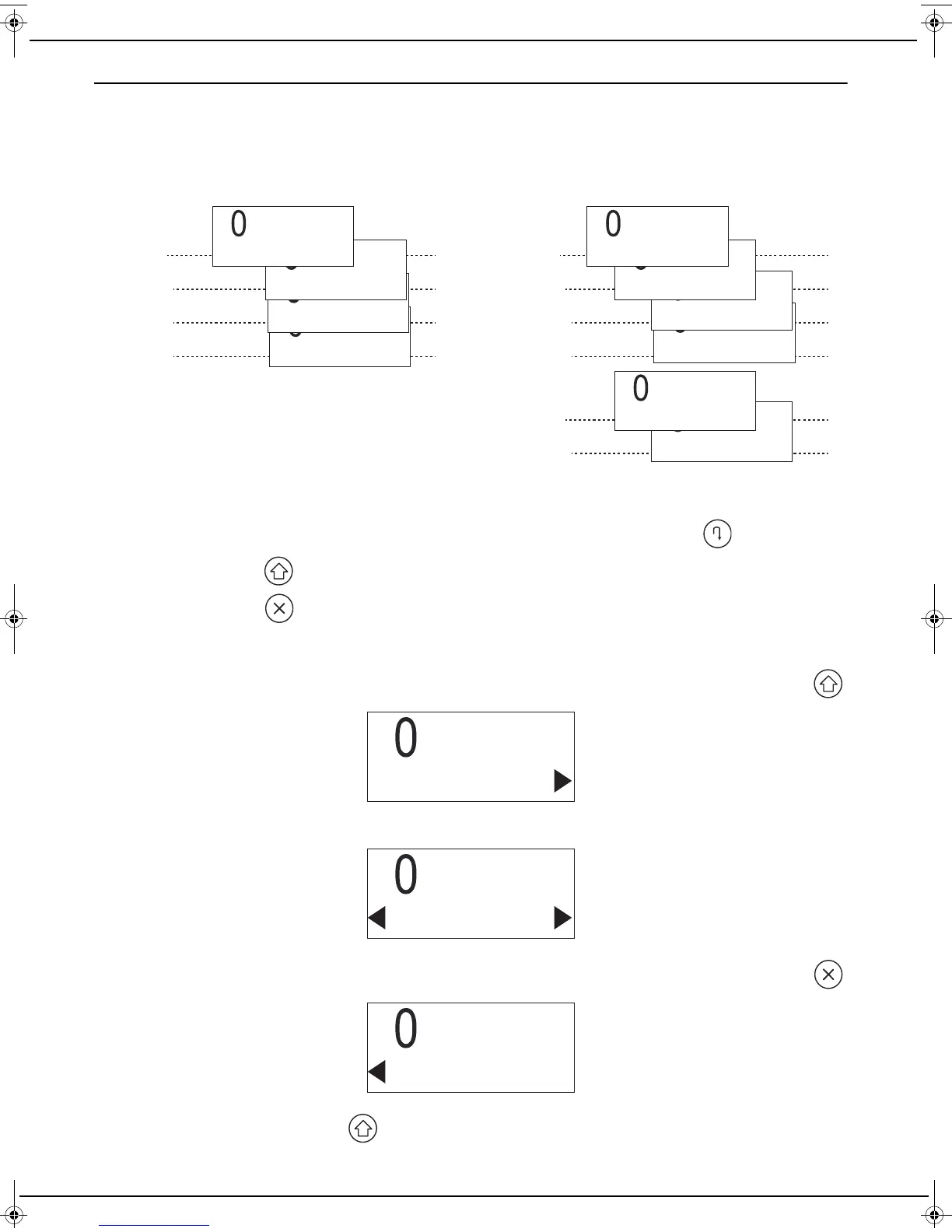
Tree structure example:
Browsing through the tree structure
To browse through the tree structure at the same level (e.g. Group 1, Group 2, etc.), press the .
To go down a level, press .
To move up a level, press .
Level information
To indicate that you are at the lowest level in the tree structure, an arrow on the right is displayed alternately with .
To indicate that you are at an intermediate level in the tree structure, two arrows are displayed on the right and left.
To indicate that you are at the lowest level in the tree structure, an arrow on the left is displayed alternately with .
Once the service is selected, press the key to start the operation.
Level 1
Level 2
Level 3
Level 2
Level 3
Level 3
Service 2221
Subgroup 22
Service 3
Service 2
Service 1
Group 1
Service 2212
Service 2211
Subgroup 21
Group 2
Level 1
Level 2
Level 2
Level 2
LU IB1100E_EN.book Page 20 Mercredi, 15. mai 2013 9:01 09



 To Next Page