T-Max® Manager/Plus and T-Max®3A/F/I User’s Guide Page 13
6. COMPUTER OPERATION
6.1 Installing ADNET 2000™
1) Place the ADNET 2000™ diskette in drive A.
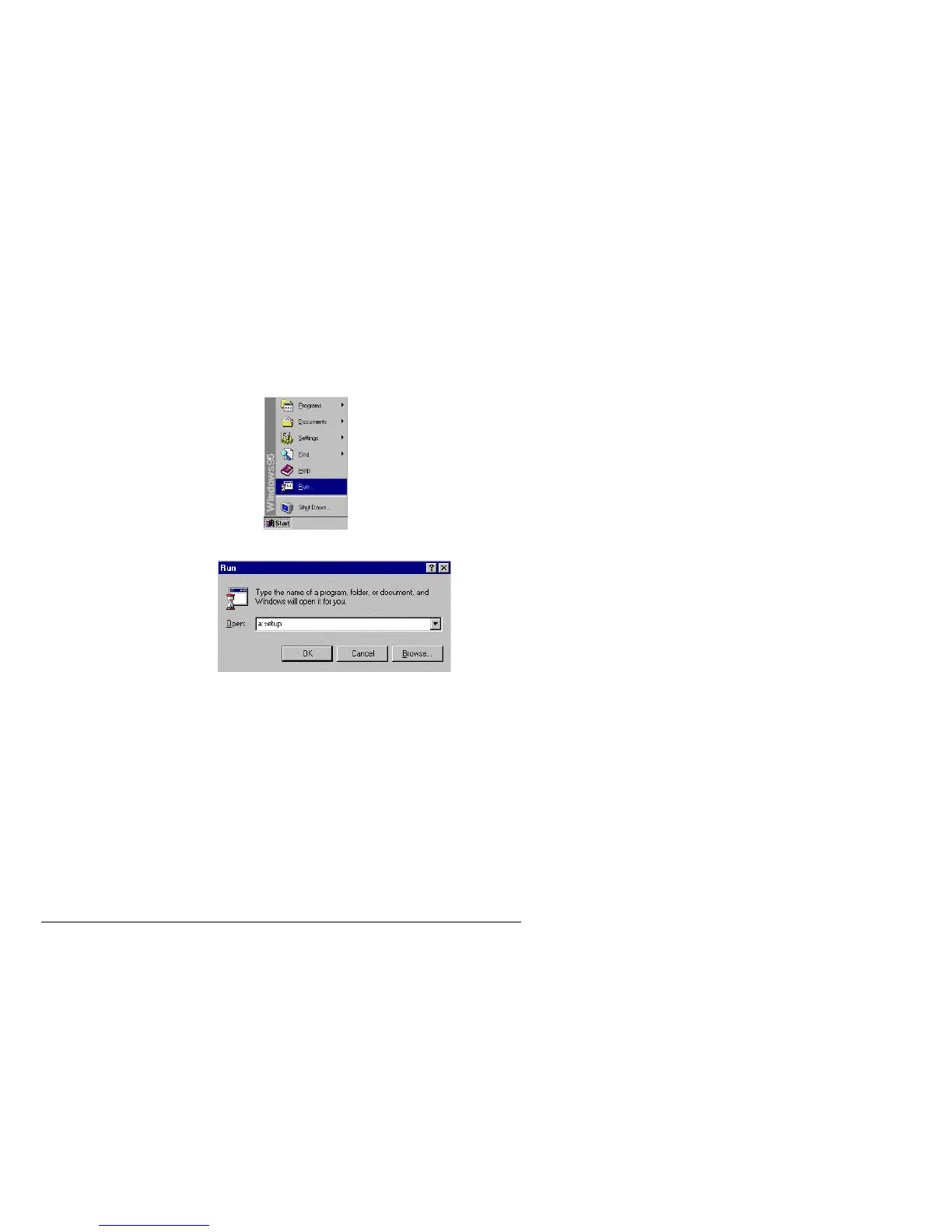
2) Click Start with your left mouse button.
3) Click Run with your left mouse button.
4) Type the following: a:setup.
5) Click OK (or press Enter)
6) Follow the directions on the screen
6.1.1
Creating a Short Cut on Your Windows® Desktop.
1) Place your mouse anywhere on the desktop screen. Make sure it is not over an existing
Icon.



 To Next Page