T-Max® Manager/Plus and T-Max®3A/F/I User’s Guide Page 10
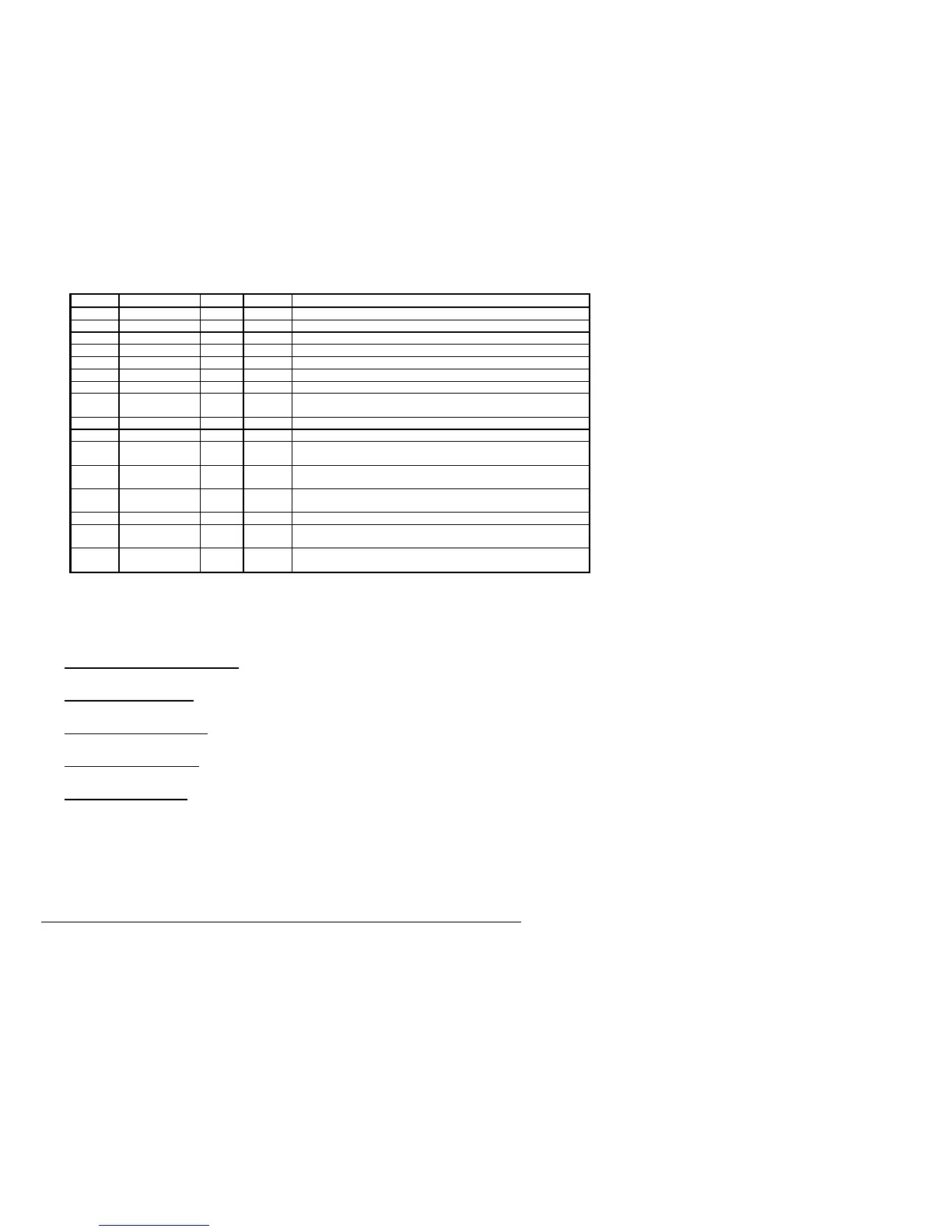
Table 1 - Parameter Numbers for Getting and Sending Parameters.
Parm # Description Max # Default Notes
1 Address 255 254 Address of T-Max®3A/F/I
2 Beep Mode 1 0 Used for High Power beds. 0=Alarm only, 1=Alarm and Flip
3 Delay Time 5 0 Delay in minutes stored in the T-Max®3A/F/I.
4 Current Sense 1 0 For the T-Max® Sentry™ Option. 0=Disabled, 1=Enabled.
5 Session Counts 65535 0 Total session counts for T-Max®3A/F/Is.
6 Lamp Hours 65535 0 Bulb hours for each bed.
7 Bed Hours 65535 0 Number of hours a bed is on.
8 Manual Session
Counts
65535 0 Counts the number of sessions the T-Max®3A/F/I has run while in Stand
Alone Mode
9 Clean Room 1 1 0 = Clean Room Disabled, 1 = Enabled
10 Manual Lockout 1 0 0 = Stand Alone Enabled, 1 = Disabled
13 Cool Down
Mode
10 0 0 = Disabled, 1-10=Enabled. Time delay in minutes allowing bed to
cool.
15 Fixed Session
Counts
65535 0 Counts number of sessions ran through the T-Max®3A/F/I. This value
cannot be changed at all. Used as point of reference.
17 Clean Clear 1 0 0 = Press and hold the Up button for 3-4 seconds to clear the clean room.
1 = Press and release the Up button to clear instantly
20 External Speaker 1 0 0 = Speaker on T-Max®3A/F/I, 1 = External Speaker will be used.
21 Pause Mode 1 0 0 = When session is pause, session time continues to count down. 1 =
When session is paused, session time stops counting down.
22 Auto Shut Off 1 0 0 = When intercom is active, the bed will stay on. 1 = When intercom is
active, bed will turn off and go to pause mode
5.2.3
Security Levels
There are 5 security levels on the T-Max® Mgr/Plus. When the Call/Menu button is pressed,
the display will prompt you for a security number. Refer to the enclosed Security number
sheet on how to change security numbers. The description of these levels follows:
Level 0 - Computer Control Level
Sessions can be monitored, but not started manually.
Level 1 - Employee Level
Session operation only. No parameters can be observed or changed.
Level 2 - Supervisor’s Level
Parameter values can be observed but not changed.
Level 3 - Manager’s Level
Parameters can be observed and changed. Security numbers cannot be changed.
Level 4 - Owner’s Level
This level allows the changing of Security numbers for access.
Asterisks will be displayed on the lower left corner of the LCD indicating which security
number was last entered, a single asterisk for level 1, 2 for level 2 and 3 for level 3.
When changing Security numbers, make sure the number you choose is higher than 128. Any
number under 128 is used by the intercom to call a room. Below are a list of other security
numbers that are reserved and what they are reserved for:
778 – Error Codes



 To Next Page